
What is M Language? This is a complete resource for Power BI and Power Query users.
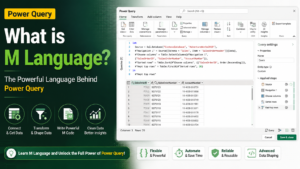
M Language is used for transforming data in Power Query, and if you’ve ever used Power Query in Power BI or Excel, you’ve used M Language, even if you weren’t aware of it. So, what is M Language? It is the programming language behind each and every data transformation step in Power Query that is case-sensitive and functional. The Power Query Editor is doing a lot of things, one of which is executing the M Language code to filter a column, merge two tables, or remove any duplicate records.The Power Query Editor is performing a number of actions, including automatically writing M Language code that filters a column, merges two tables, or removes any duplicate records, for example.
If you are building a career in Power BI, Data Engineering, or Business Intelligence, you can’t afford to not learn what is M Language.If you are developing a career as a Power BI, Data Engineering or Business Intelligence Developer, then you simply cannot afford not to learn what is M Language.
The concept of M Language is very simple.
Microsoft created a new data extraction, transformation and loading (ETL) data language called M Language (also known as the Power Query Formula Language). It is available behind all Power Query user interfaces in the Microsoft ecosystem:
- Power BI Desktop
- Excel Power Query
- Power Platform Dataflows
- Azure Data Factory Data Wrangling Dataflows
When asked what M Language is, the shortest answer is this: the engine (and scripting language) that creates, captures and executes every transformation step you perform on your data that it gets to your report or dashboard.
Key Features of M Language
After grasping M Language from a conceptual standpoint, it’s helpful to examine the characteristics that make it so formidable for data pros:
- Functional Programming Model – M Language, where every step is a function, steps can be used multiple times and can be expected to be the same.
- Case-Sensitive Syntax – Names of tables, columns, functions – they all must be the same.
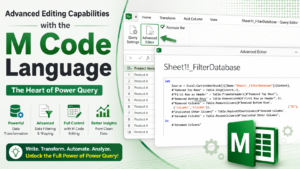
- Step by Step Query Editor Integration – All clicks in the Power Query Editor create M code which displays in the Advanced Editor.
- Hundreds of built-in functions for manipulating text, date, list, table and number.
- Custom Function Support – Users can write custom functions that can be reused for the same repetitive transformation logic.
- Data Source Flexibility – M Language supports Excel files, SQL Server, Azure, Snowflake, Databricks, API’s and more.
- Query Folding – Transforms logic back to the data source to improve performance as needed.
These features are the technical answer to what is M Language: a powerful transformation layer that is source agnostic, built for enterprise data challenges in the real world.
Why M Language is Important for Data Professionals
Many beginners underestimate M Language and rely only on the drag-and-drop Power Query interface. But knowing what is M Language and how to write it manually unlocks capabilities the interface alone cannot offer:
- Advanced Data Cleaning – Handle irregular data structures, unpivoting, and conditional logic that the UI cannot express.
- Dynamic and Parameterized Queries – Build flexible reports that adjust automatically based on parameters or file paths.
- Error Handling – Use try…otherwise logic to manage missing or inconsistent data gracefully.
- Performance Optimization – Rewrite inefficient auto-generated steps into cleaner, faster-executing M code.
- Custom Connectors and Functions – Create reusable logic across multiple reports and teams, improving consistency.
This is exactly why understanding what is M Language matters so much in interviews and real project work for Power BI Developers, Data Analysts, and Data Engineers. Employers increasingly expect candidates to read and edit M code confidently, not just use the graphical interface.
Advantages of Learning M Language
Here are the direct advantages professionals gain once they move beyond asking what is M Language and start applying it:
- Faster Report Development – Reusable functions and parameters cut down repetitive manual work significantly.
- Better Data Quality – Precise control over transformations reduces downstream reporting errors.
- Career Growth – M Language skills are highly valued in Power BI Developer, BI Analyst, and Data Engineer roles.
- Seamless Integration – Works smoothly with SQL, Azure Data Factory, Databricks, and Microsoft Fabric pipelines.
- Scalability – Custom M functions scale cleanly across dozens of reports instead of duplicating manual steps.
- Troubleshooting Confidence – Reading M code helps quickly diagnose why a report is broken or slow.
M Language vs DAX – A Common Confusion
A common question that follows what is M Language is how it differs from DAX. The distinction is simple:
- M Language works during data loading and transformation, shaping the data before it reaches the data model.
- DAX (Data Analysis Expressions) works after the data is loaded, used for calculations, measures, and aggregations inside the model.
In short, M Language prepares the data, and DAX analyzes it. Both are essential, but they operate at completely different stages of the Power BI workflow.
Final Thoughts
To conclude — what is M Language — M Language is the backbone of transformation of Power Query for Power BI, Excel and beyond. Learning M Language enables you to clean, shape and automate data in ways you simply can’t do in the standard interface, which is a crucial skill for any serious Power BI or data engineering workers.
SQL School’s Power BI training program combines Power BI, DAX, and real-time projects taught by experts, enabling you to go from a beginner to a fully-fledged professional with practical and hands-on learning.

