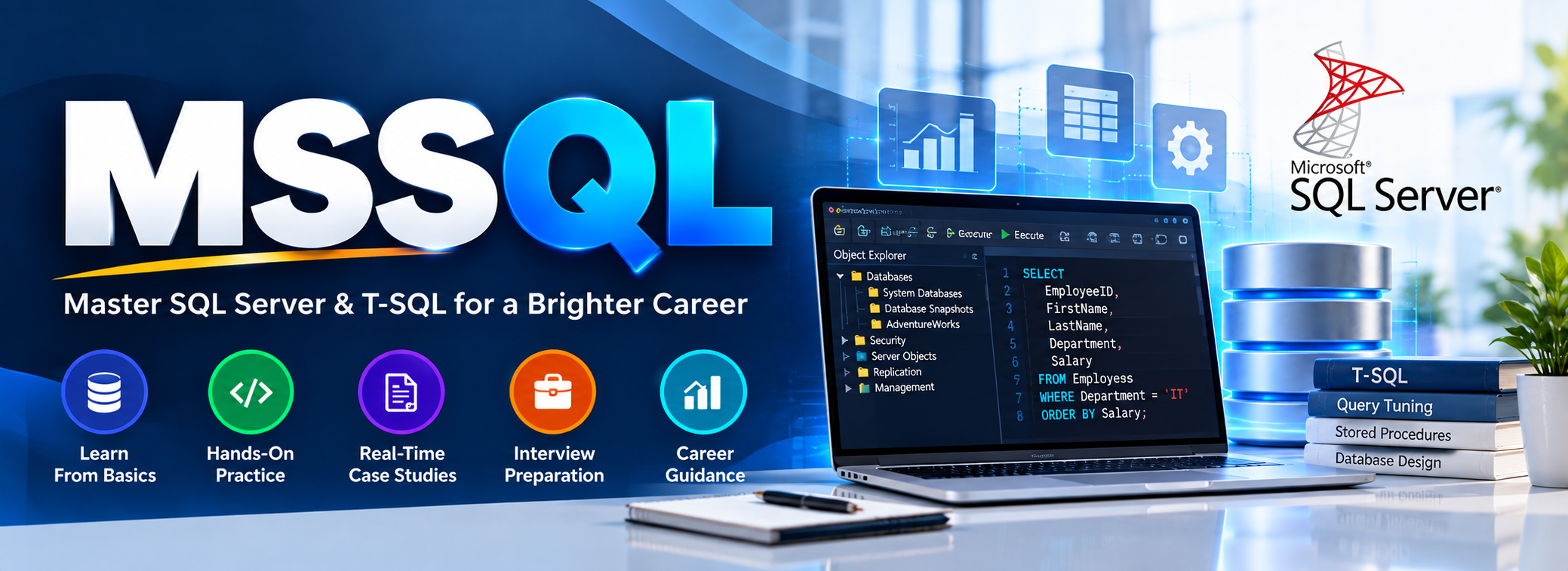
The MSSQL & T-SQL Training is a practical, job-oriented course covering SQL Server fundamentals, T-SQL queries, joins, stored procedures, functions, triggers, indexes, and query tuning. With 400+ hands-on queries, daily assignments, real-time case studies, a Capstone Project, and interview preparation, the program helps learners build strong SQL skills and become job-ready.

Who Should Join?
This course is suitable for software/IT professionals, Freshers and Students who want to get strong step by step Hands-On with SQL and Query Tuning.

Training Highlights

✅ Introduction to MS SQL Server Architecture
✅ Writing Basic to Advanced T-SQL Queries
✅ Joins, Subqueries, CTEs & Window Functions
✅ Data Types, Constraints & Normalization
✅ Stored Procedures, Functions & Triggers
✅ Performance Tuning & Query Optimization
✅ Backup, Restore & Database Maintenance
✅ Real-Time Scenarios & SQL Server Management Studio 

Modules We Learn: 

✅ Module 1: SQL Server (MSSQL), TSQL
✅ Module 2: TSQL Programming
✅ Module 3: Query Tuning
✅ Module 4: Cloud SQL (Azure, Fabric)
✅ Module 5: Realtime Projects

Trainer Profile : Mr. Sai Phanindra Tholeti

www.linkedin.com/in/saiphanindra/

Register NowReach Trainer

Microsoft SQL (TSQL) Training Course Contents:

Module 1: MSSQL & TSQL

Ch 1: SQL Database Job Roles

  • Database Intro
  • OLTP, DWH, OLAP
  • DBMS Basics
  • Data Stack Job Roles

Ch 2: Database Intro & Installations

  • SQL Server Installations
  • Instance & Collations
  • SSMS Tool Installation
  • Connections, Authentications

Ch 3: SQL Basics V1 (Commands)

  • SQL Basics (DDL, DML, etc..)
  • Creating Databases, Tables
  • Data Inserts (GUI, SQL)
  • Basic SELECT Queries

Ch 4: SQL Basics V2 (Commands, Operators)

  • DDL: Create, Alter, Drop
  • DML: Insert, Update, Delete
  • DQL: Select, Fetch
  • Add, Truncate Statements
  • SQL Operators

Ch 5: Data Types & Variables

  • Integer Data Types
  • Character, MAX Data Types
  • Decimal & Boolean Data Types
  • Date and Time Data Types
  • SQL_Variant Type

Ch 6: Data Imports

  • Data Imports with Excel
  • Data Imports with CSV
  • Auto Detection of Data Types
  • OLE-DB Connections
  • Order By, TOP, OFFSET

Ch 7: Schemas & Batches

  • Schemas & Table Grouping
  • Real-world Banking Database
  • 2 Part, 3 Part & 4 Part Naming
  • Batch Concept & “Go” Command

Ch 8: Constraints, Keys & RDBMS

  • Null, Not Null Constraints
  • Unique Key & Check
  • Primary Key Constraint
  • Foreign Keys, Default
  • DB Diagrams & ER Models

Ch 9: Normal Forms & RDBMS

  • Normal Forms: 1 NF, 2 NF
  • 3 NF, BCNF and 4 NF
  • 1:1, 1:M, M:1 Cardinality
  • Cascading Keys, Self Referencing Keys

Ch 10: Joins & Queries

  • Joins: Table Comparisons
  • Inner Joins & Matching Data
  • Outer Joins: LEFT, RIGHT
  • Full Outer Joins & Aliases
  • Self Joins & Aliases

Ch 11: Sub Queries

  • Basic Sub Queries
  • Aggregations
  • Combining Queries
  • Correlated Sub Queries
  • UNION, UNION ALL

Ch 12: Group By Queries

  • Group By, Distinct
  • GROUP BY, HAVING
  • Cube( ) and Rollup( )
  • Sub Totals & Grand Totals
  • Grouping( ) & Usage
  • ISNULL, COALESCE

Ch 13: Joins with Group By, Sub Queries

  • 3 Table, 4 Table Joins
  • Join Queries & WHERE
  • Join & Group By, Sub Queries
  • IIF(), CASE Statement
  • EXISTS, NOT EXISTS
  • Query Execution Order

Ch 14: Views & RLS

  • Views: Realtime Usage
  • DML, SELECT with Views
  • WITH CHECK OPTION
  • Row Level Security (RLS)
  • Important System Views

Ch 15: Functions & Queries

  • User Defined Functions
  • Scalar, Table Value Functions
  • Variables & Parameters
  • Date & Time Functions
  • String Functions
  • Aggregated Functions
  • Data Conversion Functions

Ch 16: Advanced SQL & Window Functions

  • Window Functions (Rank)
  • Row_Number, DenseRank
  • Partition By & Order By
  • Lag & Lead Functions
  • Pivot, UnPivot
  • Running Totals
  • Moving Average

Ch 17: Stored Procedures – 1

  • Stored Procedures: Realtime Use
  • Parameters Concept with SPs
  • Procedures with SELECT
  • System Stored Procedures
  • Stored Procedures, Tuning

Ch 18: Stored Procedures – 2

  • Merge Statement (Upsert)
  • Merge with OLTP & DWH
  • Matched and Not Matched
  • Merge & SP Recompilations

Ch 19: Triggers & Automations

  • Need for Triggers in Real-world
  • DDL & DML Triggers
  • For / After Triggers
  • Instead Of Triggers
  • Disabling DMLs Triggers

Ch 20: Transactions & ACID

  • Auto Commit Transaction
  • Explicit Transactions
  • COMMIT, ROLLBACK
  • Checkpoint & Query Blocking
  • READPAST, LOCKHINT
  • TRY…CATCH & Error Handling

Ch 21: SQL Query Performance & Indexing

  • Clustered vs Nonclustered Indexes
  • Index Seek vs Scan
  • Execution Plans
  • SARGable Queries
  • Tuning Queries
  • Avoiding SELECT *
  • Indexing JOIN/WHERE columns
  • Statistics Basics
  • Query Optimization Examples

Ch 22: CTEs & Tuning

  • Common Table Expression
  • CTEs for Data Retrieval
  • CTEs for DML Operations
  • Data Cleansing Techniques
  • Duplicate Detection/Removal

Ch 23: Temp Tables & Advanced Query Techniques

  • Local & Global Temp Tables
  • SELECT..INTO Statement
  • Cursor Basics – When to Use & Avoid
  • NULLIF
  • Basic Execution-Plan Reading

Ch 24: Bonus / Advanced Module: SQL Server Internals

  • Database Engine Components
  • Parser, Compiler & Optimizer
  • Parsing and Compilation
  • Memory Manager & IO Managers

Real-Time Project on HealthCare Domain

Project Requirement:
Solve 20+ Real-World Healthcare Business Requirements.

Project Workflow:
Database Design → SQL Development → Data Analysis → Performance Optimization

Project Operational Flow:
Healthcare DB → Patients → Doctors → Appointments → Treatments → Billing → Insurance → SQL
Analysis → Stored Procedures → Performance Tuning → Business Reports

Business Requirements:
Monthly Hospital Revenue, Top Doctors By Patients Treated, Repeat Patients, Department
Performance, Average Treatment Cost, Unpaid Bills, Insurance Claim Analysis, Patient Trends,
Month-Over-Month Revenue And Top Procedures…

Project Implementations:

  • HealthCare Database
  • DB & Table Design
  • Data Validations
  • Query Design
  • Query Tuning
  • Stored Procedures
  • Functions
  • Excel Analytics

Module 2: TSQL Programming

Ch 25: Variables & Try..Catch

  • Variables: Declaration & Usage
  • Assigning Values to Variables
  • SELECT & SET Operations
  • Try.. Catch Block with Variables
  • THROW Statement, Error Handling

Ch 26: Updatable Views

  • Using Triggers with Views
  • Updatable Views, DML
  • Views & Stored Procedures
  • Data Distributions in Tables
  • Rollback Options in Realtime

Ch 27: Stored Procedures & TVPs

  • Using TVP with Procedures
  • Creating User Defined Types
  • Big Data Copy & Transactions
  • Transactional Integrity with SPs
  • Conditional Commits, Rollbacks
  • Procedure Recompilations

Ch 28: Stored Procedures, Cursors

  • Cursors Types: Local, Global
  • Using Procedures with Cursors
  • Formatting Queries, Nvarchar
  • WHILE Loop: @Fetch Status
  • sp_executesql Extended SP
  • Dynamic SQL Programming

Ch 29: SPs & Recursive CTEs

  • CTEs: Common Table Expression
  • CTEs For DML Operations
  • Defining Recursive CTEs
  • Anchor Element: Realtime Use
  • Termination Checks and Loops
  • Cautions with Recursive CTEs

Ch 30: Functions & Loops

  • Inline, Table Line Functions
  • Multi Line Table Functions
  • Using LOOPs in Functions
  • Table Generation Logic
  • Date & Time Data Types
  • Calendar Data Generations

Ch 31: Open Fuzzy Logic, Debugging

  • EDIT_DISTANCE_SIMILARITY
  • JARO_WINKLER_DISTANCE
  • MATCH Operator, OPENROWSET
  • JSON_OBJECT
  • JSON_ARRAY
  • JSON_ARRAYAGG
  • JSON_CONTAINS

Ch 32: PIVOT, UNPIVOT

  •  Reading Denormalized Data
  • PIVOT Operation with TSQL
  • PIVOT with Aggregates
  • UNPIVOT with TSQL
  • PIVOT with Functions, SPs

Ch 33: Change Data Capture

  • CDC Concept
  • Database Level CDC
  • Table Level CDC
  • CT Tables (Change Tracking)
  • __$operation fields
  • DDL & DML Tracking

Module 3: Query Tuning

Ch 34: Performance Tuning Fundamentals

  • Query Monitoring
  • Server Dashboards
  • Server Logs
  • Identify CPU/IO Queries
  • Identify Long Running Queries
  • DMVs, DMFs For Query Audits

Ch 35: Query Store

  • Query Store Concept
  • Configure Query Store
  • History Retention
  • Query Store Settings

Ch 36: Tuning: Indexes

  • Indexes: Sort Locations
  • Clustered & Online Indexes
  • Non Clustered, Column Store
  • Included Indexes in Realtime
  • Filtered Indexes & Usage
  • Indexed Views (Materialized)

Ch 37: Tuning: Partitions

  • Partitions: Performance Tuning
  • Partition Functions & Schemes
  • Compressions: ROW, PAGE
  • Partitions Limitations in OLTP
  • Partitions with DWH

Ch 38: Statistics & Tuning

  • Statistics: Realtime Usage
  • Index & Column Statistics
  • Statistics & Key Purpose
  • Statistics Versus Indexes
  • Stats Updates

Ch 39: Index Management

  • Index Management Options
  • Index Rebuilds, Re-Organize
  • Database Maintenance Plans
  • Page Count and Index Conditions
  • Resumable & Online Indexes

Ch 40: Tuning Tools

  • Tuning Tools: Workload Files
  • Profiler Tuning, Events
  • DTA, Profiler Options
  • Physical Design Structures
  • PDS Recommendations
  • Query Execution Cache
  • Tuning Tools: Precautions

Ch 41: Execution Plans – 1

  • Execution Plan Analysis
  • IO Cost and CPU Cost
  • SubTree & Operator Cost
  • Table & Index Scan, Index Seek
  • Index Selectivity & Tuning

Ch 42: Execution Plans – 2

  • Extended Events
  • wait statistics
  • sys.dm_exec_query_stats
  • sys.dm_exec_requests
  • sys.dm_exec_sessions
  • Cache Plans

Ch 43: Server Management & Tuning

  • Extended Events
  • NUMA Nodes, Processor Affinity
  • Thread Count, DOP
  • MAXDOP
  • Memory Grants
  • Tempdb Contention/Spills
  • Memory Pressure

Ch 44: Lock Management

  • Open Transactions in Realtime
  • Open Transaction, Blocking
  • LOCKS: Types & Audits
  • S, X, IX, U and MD Locks
  • Sch-M and Sch-S Locks
  • SP_WHO2, SP_LOCK
  • sysprocesses & Lock Waits

Ch 45: Isolation Levels

  • Lock Hints and Isolation Levels
  • Read Committed, Uncommitted
  • Serializable, Repeatable Read
  • Snapshot Isolation, Versioning
  • Read Committed Snapshot
  • sysprocesses & sp_who2
  • Choosing Correct Isolation Level

Ch 46: Deadlocks, LIVE Locks

  • Deadlocks in Real-world
  • Profiler Tool & Deadlocks
  • Lock Management: Deadlocks
  • Deadlock Graphs & Events
  • Deadlock Avoidance, Prevention
  • Deadlock Prevention
  • sysprocesses & sp_who2

Ch 47: Deadlocks, LIVE Locks

  • CPU waits
  • I/O waits
  • locking waits
  • memory-related waits
  • parallelism waits
  • symptom & root cause

Ch 48: AI Enabled SQL, Tuning

  • Installing AI Components
  • Using AI in SQL
  • SQL Queries with Prompts
  • SQL Query Analysis
  • Plan Regression
  • Parameter Sniffing

Module 4: SQL Server in Cloud (Azure, Fabric)

Ch 49: Cloud Basics, Azure Funda

  • Cloud Fundamentals
  • Cloud Concepts, Benefits
  • IaaS, PaaS, SaaS Cloud Types
  • Azure Resources & Usage
  • Azure Services & Purpose
  • Azure Account & Subscription

Ch 50: Azure SQL Deployments

  • Azure SQL Services
  • Azure SQL Server Creation
  • Azure SQL Databases
  • Azure Firewall: Rules
  • SSMS Tool: Test Connections

Ch 51: Azure Storage Accounts

  • Azure Storage Account
  • Azure Data Lake Storage (ADLS)
  • Azure BLOB Data
  • Containers
  • Folder & File Uploads
  • Access Keys

Ch 52: Azure SQL DB Migrations

  • SQL DB Migration Options
  • Data Migration Assistant: DMA
  • DMA Tool, Migration Options
  • On-Premises DB Export
  • Azure SQL Database Import
  • Azure Storage Account

Ch 53: Azure SQL DB Metrics

  • Azure SQL DB Metrics
  • CPU, Memory, Log Metrics
  • Data File Metrics, Alerts
  • Azure Action Groups
  • Azure Notifications

Ch 54: Azure SQL DB Tuning – 1

  • Automated Tuning Options
  • Server Level Tuning
  • Database Level Tuning
  • Index Creation
  • Index Drop, Index Seek

Ch 55: Azure SQL DB Tuning – 2 (AI)

  • Azure AI Search
  • Watermark Columns
  • Filterable, Searchable
  • Indexer & Data Refresh

Ch 56: Regular Expressions

  • REGEXP_LIKE
  • REGEXP_REPLACE
  • REGEXP_SUBSTR
  • REGEXP_INSTR
  • REGEXP_COUNT
  • REGEXP_MATCHES

Ch 57: TSQL in Microsoft Fabric

  • Microsoft Fabric Concepts
  • Fabric Account & Workspace
  • Fabric Warehouse Creation
  • TSQL in Fabric Warehouse
  • TSQL Events in Fabric

Ch 58: TSQL with AI, Co-Pilot

  • CoPilot Concepts
  • CoPilot Architecture
  • CoPilot with TSQL
  • CoPilot in Fabric
  • Model Context Protocol (MCP)
  • MCP End Points

Ch 59: GITHUB with SQL

  • Git fundamentals
  • Creating repositories
  • Version controlling .sql scripts
  • Branches and commits
  • SQL project folder structure
  • README documentation
  • Publishing project code
  • Building a professional SQL GitHub portfolio

Ch 60: DP-800 Exam Guidance

  • DP-800 Certification Overview
  • Exam Objectives & Latest Syllabus
  • AI & GitHub Copilot for SQL Development
  • Exam Scenario-Based Questions
  • Exam Mocks
  • Exam Preparation Guidance

Module 5: Real-Time Projects

Real-Time Project on HealthCare Domain 
Project Requirement:
Solve 20+ Real-World Healthcare Business Requirements.

Project Workflow:
Database Design → SQL Development → Data Analysis → Performance Optimization

Project Operational Flow:
Healthcare DB → Patients → Doctors → Appointments → Treatments → Billing → Insurance → SQL
Analysis → Stored Procedures → Performance Tuning → Business Reports

Business Requirements:
Monthly Hospital Revenue, Top Doctors By Patients Treated, Repeat Patients, Department
Performance, Average Treatment Cost, Unpaid Bills, Insurance Claim Analysis, Patient Trends,
Month-Over-Month Revenue And Top Procedures…
Project Implementations:

  • HealthCare Database
  • DB & Table Design
  • Data Validations
  • Query Design
  • Query Tuning
  • Stored Procedures
  • Functions
  • Excel Analytics

Banking Transaction Management System using SQL Server & T-SQL

  • Customer Account Management
  • Savings / Current Account Tables
  • Account Opening & KYC Data
  • Deposit and Withdrawal Transactions
  • Fund Transfer Between Accounts
  • Transaction History Report
  • Daily, Monthly, Yearly Statements
  • Stored Procedures for Banking Operations
  • Views for Customer & Account Reports
  • Functions for EMI, Interest & Balance Calculation
  • Triggers for Audit Tracking
  • Cloud Deployments
  • Cloud Migrations
  • Azure SQL
  • Fabric SQL
  • CDC (Change Data Capture)
  • GIT Configurations
  • Version Control Concepts
  • Realtime Project Implementations

Microsoft SQL Training FAQ's

What is Microsoft SQL Job Role?

A Microsoft SQL Developer / Admin is responsible for designing, developing, managing, and securing databases using Microsoft SQL Server (T-SQL). The role involves writing SQL queries, stored procedures, triggers, and functions, managing indexes, views, and transactions, and ensuring the security, performance, and availability of SQL databases. SQL professionals work closely with application developers, DBAs, and analysts to build and support data-driven applications and solutions.

What are the Job Roles of a Microsoft SQL Professional?

💼 Top Job Roles:

1️⃣ Design and create relational database structures
2️⃣ Develop T-SQL code: queries, procedures, functions, triggers
3️⃣ Ensure data integrity and implement constraints
4️⃣ Tune queries and optimize database performance
5️⃣ Manage backups, restores, and high availability
6️⃣ Secure databases with roles, permissions, and encryptions and more..!

What does our Microsoft SQL Training course contains?

The course is carefully curated with below module:
👉🏻Module 1: MSSQL & TSQL Queries
👉🏻Module 2: TSQL Programming
👉🏻Module 3: Query Tuning
👉🏻Module 4: Azure SQL Dev

Who can join this course?

  • Freshers aiming for a career in database development or administration

  • Developers seeking expertise in SQL Server backend development

  • DBAs looking to upskill in performance tuning and security

  • ETL professionals working with SQL as a data source

  • Anyone interested in mastering SQL Server and T-SQL

No prior coding experience is required. All concepts are taught from scratch
What training modes are available?

Option 1:        LIVE Online Training  (100% Interactive, step by step, assignments)

Option 2:        Self Paced Videos (100% practical, step by step with concept wise assignments)

You may choose any one of these options, same curriculum!

I (Trainer) shall be available for doubts and clarifications, assignment check and review.

Why should I choose SQL School for Microsoft SQL training?

👉🏻 Every session is Practical, Step by Step with Concept wise FAQs !!

👉🏻 100% results with on-time practice.  Daily Tasks for every session.

👉🏻 Concept wise tasks be submitted before next class for Job Waiters / Starters.

👉🏻 Concept wise tasks due for submission by Weekends for Working Professionals.

Demo Videos

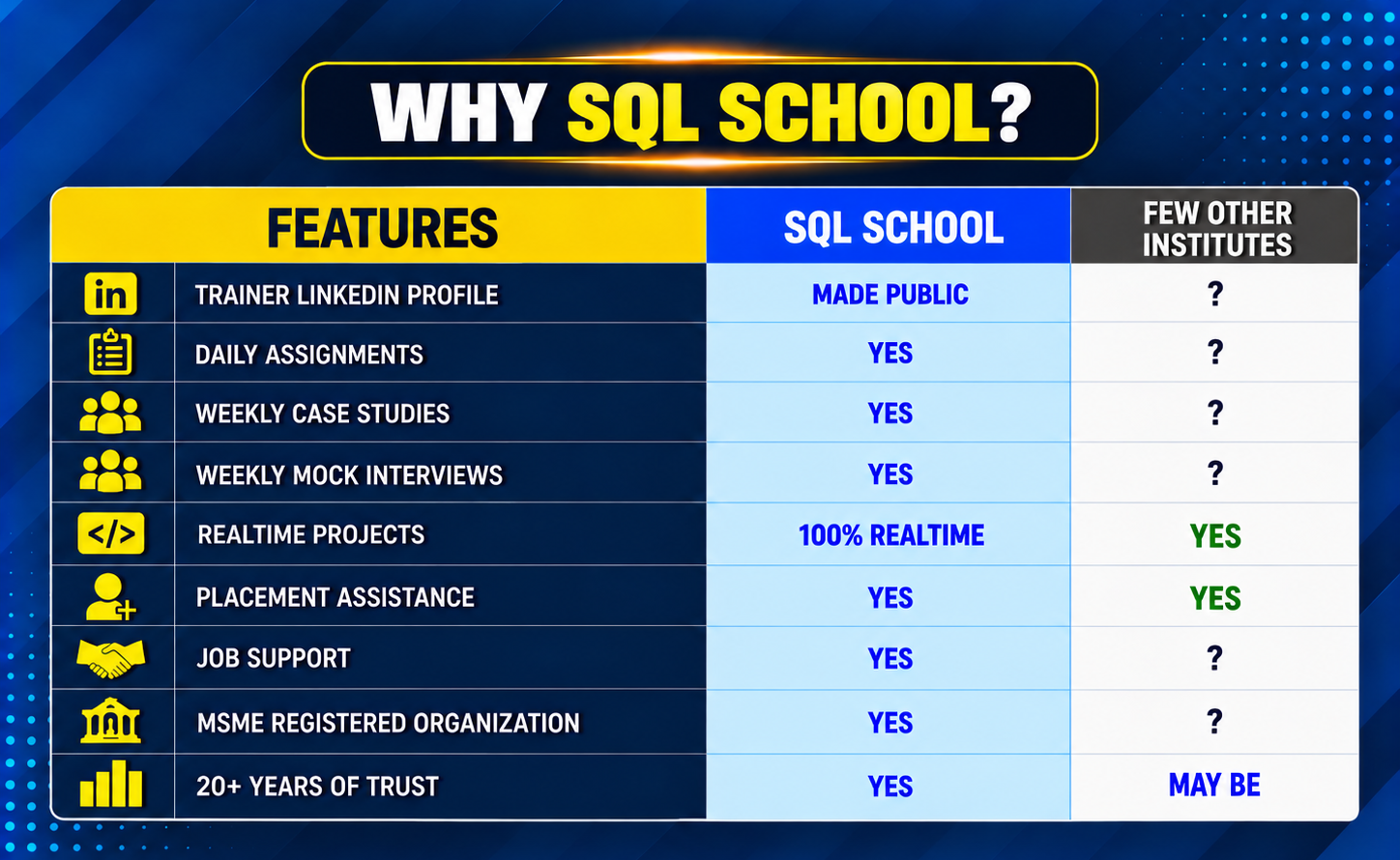
SQL SCHOOL vs Other Institutes

SQL SCHOOL vs Other Institute Comparistion image
SQL Server Training

Training Modes

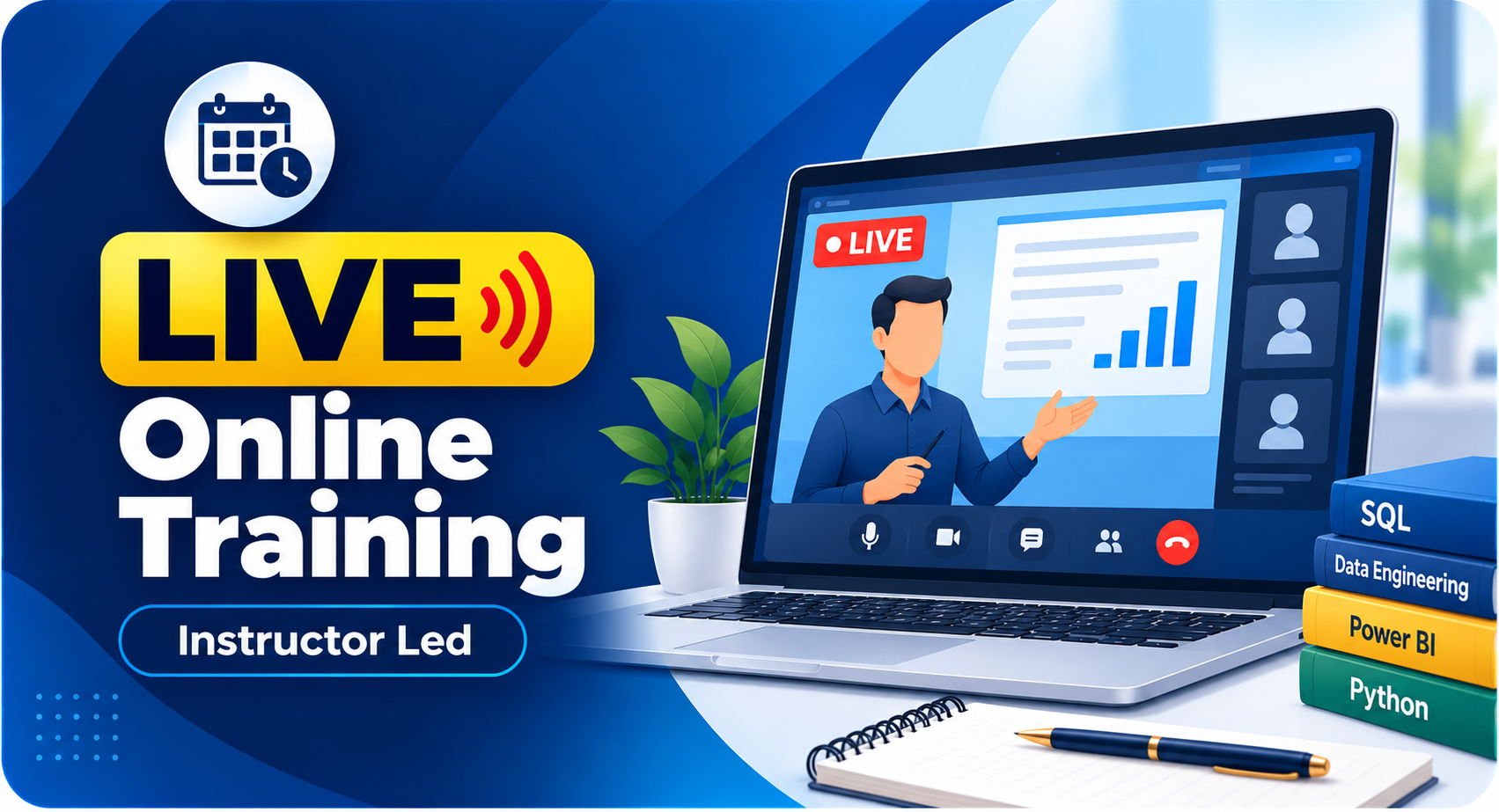
LIVE Online Training

Instructor Led

Self Paced Videos

 On-Demand

Corporate Training

With 100% Hands-On

Verified by MonsterInsights