#Microsoft Copilot

Master Microsoft Copilot, Prompt Engineering, and AI-powered productivity with hands-on training. Learn to automate tasks, build AI agents using Copilot Studio, and work smarter with Microsoft 365. Gain practical skills through 2 Real-Time Projects and 1 Capstone Project with SQL School.

Training Highlights

✅ Microsoft Copilot & Generative AI Fundamentals
✅ Prompt Engineering with Practical Exercises
✅ Microsoft 365 Copilot Hands-On Training
✅ AI-Powered Business Productivity
✅ Build Custom AI Assistants & Agents
✅ Microsoft Copilot Studio & Power Automate
✅ Enterprise Security & Responsible AI
✅ 2 Real-Time Projects + 1 Capstone Project

Modules We Learn

✅ Module 1: Microsoft Copilot & Generative AI Fundamentals
✅ Module 2: Prompt Engineering for Copilot
✅ Module 3: Microsoft 365 Copilot for Productivity
✅ Module 4: Copilot Chat & Agent Builder
✅ Module 5: Microsoft Copilot Studio: Agent Development
✅ Module 6: Enterprise Readiness & Responsible AI
✅ Module 7: Guided Real-Time Projects
✅ Module 8: Capstone, Assessment & Career Applications

Course Duration: 1.5 Months
Microsoft Copilot
Course Contents:

Module 1: Microsoft Copilot & Generative AI Fundamentals

Chapter 1. AI Foundations

  • AI, machine learning, generative AI and large language models
  • How prompts, context and output generation work
  • Hallucinations, accuracy, grounding and human review
  • Typical workplace use cases and limitations

Chapter 2. Microsoft Copilot Ecosystem

  • Microsoft Copilot consumer experiences versus Microsoft 365 Copilot Chat
  • Microsoft 365 Copilot in work apps and the role of Microsoft Graph
  • Microsoft Copilot Studio and agent use cases
  • Overview of GitHub Copilot and Microsoft Security Copilot (orientation only)

Chapter 3. Setup, Access & Licensing

  • Work/school account and Microsoft 365 tenant concepts
  • Licensing and feature availability overview
  • Copilot entry points, user interface and settings
  • Lab readiness checklist and data safety rules

Module 2: Prompt Engineering for Copilot

Chapter 4. Writing Better Prompts

  • Goals, context, source information and desired format
  • Role, tone, audience and output constraints
  • Zero-shot, few-shot and stepwise prompting
  • Prompt templates for recurring work

Chapter 5. Advanced Prompt Workflows

  • Prompt iteration and follow-up questions
  • Summarization, extraction, classification and rewriting
  • Comparing options and requesting evidence/citations
  • Evaluating outputs with a practical quality checklist

Chapter 6. Prompting Lab

  • Draft professional emails and meeting agendas
  • Create a project plan and status update
  • Summarize lengthy documents with source checking
  • Build a personal prompt library

Module 3: Microsoft 365 Copilot for Productivity

Chapter 7. Copilot in Word

  • Create first drafts, summaries and rewrites
  • Adjust voice, clarity, structure and length
  • Work with source documents where supported
  • Review generated content and factual accuracy

Chapter 8. Copilot in Excel

  • Describe data trends and request analysis
  • Explore formulas, tables and visual summaries
  • Interpret results and cross-check calculations
  • Practice with sample sales and operations data

Chapter 9. Copilot in PowerPoint

  • Build presentation outlines and draft slides
  • Summarize decks and refine slide messaging
  • Create speaker notes and adapt audience tone
  • Review design and data integrity

Chapter 10. Copilot in Outlook & Teams

  • Draft, summarize and prioritize email conversations
  • Prepare meetings and summarize discussions
  • Identify action items and follow-up tasks
  • Understand meeting transcription/recording prerequisites

Chapter 11. Microsoft 365 Search & Collaboration

  • Finding organizational information within access permissions
  • Working with SharePoint and OneDrive content
  • Grounding, references and permission boundaries
  • Cross-application productivity scenarios

Module 4: Copilot Chat & Agent Builder

Chapter 12. Working with Copilot Chat

  • Web-grounded and work-grounded experiences
  • Files, context and supported chat capabilities
  • Creating structured reusable conversations
  • Checking references and data boundaries

Chapter 13. Introduction to AI Agents

  • Chat assistants versus task-oriented agents
  • Agent instructions, knowledge, tools and actions
  • Agent scope, personas and guardrails
  • When an agent is the right solution

Chapter 14. Build a Simple Agent

  • Define agent objective and user questions
  • Create a declarative agent using available builder tools
  • Attach approved knowledge sources where supported
  • Test responses and refine instructions

Module 5: Microsoft Copilot Studio: Agent Development

Chapter 15. Copilot Studio Fundamentals

  • Environments, agent creation and authoring interface
  • Agent instructions, orchestration and configuration
  • Standard authoring concepts and feature differences
  • Create a customer-support or course-enquiry agent

Chapter 16. Knowledge & Conversations

  • Add approved websites, files and connected knowledge
  • Ground answers and address unsupported questions
  • Topics, variables and conversation branches
  • Fallbacks, escalations and safe response design

Chapter 17. Tools, Actions & Automation

  • Overview of tools, connectors and agent flows
  • Basic Power Automate integration concepts
  • Capture user inputs and invoke a permitted action
  • Error handling, confirmation and human handoff

Chapter 18. Test, Publish & Monitor

  • Test cases and response validation
  • Publish to supported channels based on licensing
  • Analytics, user feedback and response improvement
  • Versioning, maintenance and release checklist

Module 6: Enterprise Readiness & Responsible AI

Chapter 19. Microsoft 365 Security Foundations

  • Microsoft Entra identity and least-privilege access
  • Microsoft Graph and existing data permissions
  • SharePoint/OneDrive content hygiene and oversharing
  • Sensitive data handling and organizational policy

Chapter 20. Responsible AI & Governance

  • Privacy, fairness, transparency and accountability
  • Prompt injection, inaccurate answers and misuse risks
  • Human-in-the-loop approvals and quality reviews
  • Audit, data retention and governance overview

Chapter 21. Adoption & ROI

  • Identify high-value productivity workflows
  • Measure time saved and output quality
  • Create prompt/agent adoption playbooks
  • Plan support and ongoing improvement

Module 7: Guided Real-Time Projects

Chapter 22. Project 1: Productivity Accelerator

  • Create a reusable business prompt library
  • Summarize a project brief and prepare an executive update
  • Build a presentation and professional email follow-up
  • Deliver outputs with an accuracy and privacy checklist

Chapter 23. Project 2: Knowledge Assistant

  • Define FAQs for HR, IT support or training enquiries
  • Create an agent with approved knowledge documents
  • Test known, unknown and sensitive questions
  • Deliver a demo plus test evidence

Module 8: Capstone, Assessment & Career Applications

Chapter 24. Capstone: Business Process Agent

  • Select a use case and write the requirement document
  • Configure agent instructions, knowledge and conversation flow
  • Connect one simple approved action or escalation path
  • Test, demonstrate and document limitations

Chapter 25. Assessment & Portfolio

  • Prompt engineering practical assessment
  • Copilot productivity task demonstration
  • Agent build, test and presentation rubric
  • Prepare project README, screenshots and portfolio summary

Chapter 26. Roles, Next Steps & Certification Guidance

  • Copilot champion and business productivity roles
  • Copilot Studio maker and automation pathways
  • Microsoft Learn practice resources and role-based learning
  • Certification mapping subject to current Microsoft exam catalog

What is Microsoft Copilot Training?

Microsoft Copilot Training teaches you how to use AI-powered tools to improve productivity, automate daily tasks, create business content, analyze data, and develop AI agents using Microsoft Copilot and Copilot Studio.

Who can join the Microsoft Copilot Course?

This course is suitable for freshers, students, IT professionals, data analysts, business analysts, managers, support teams, and anyone interested in using AI for business productivity.

Is programming knowledge required to learn Microsoft Copilot?

No. Programming experience is not required for the core course. Basic computer skills and familiarity with Microsoft 365 are sufficient. The course covers low-code AI agent development.

What is the duration of Microsoft Copilot Training?

The course duration is 1.5 months (6 weeks), including approximately 36 hours of instructor-led training, guided practical exercises, and real-time projects.

Will I learn Microsoft Copilot Studio and AI Agent Development?

Yes. You will learn to create custom AI agents, connect knowledge sources, design conversations, configure actions, and test and publish agents using Microsoft Copilot Studio, subject to licensing availability.

Does the course include hands-on projects?

Yes. The course includes two guided projects and one capstone project:

  • Project 1: AI Productivity Accelerator

  • Project 2: AI Knowledge Assistant

  • Capstone: Business Process AI Agent

What career opportunities are available after Microsoft Copilot Training?

The course helps you develop skills relevant to Copilot Champion, AI Productivity Specialist, Copilot Studio Maker, and Business Process Automation roles. These are potential career pathways, not guaranteed job placements.

Demo Videos

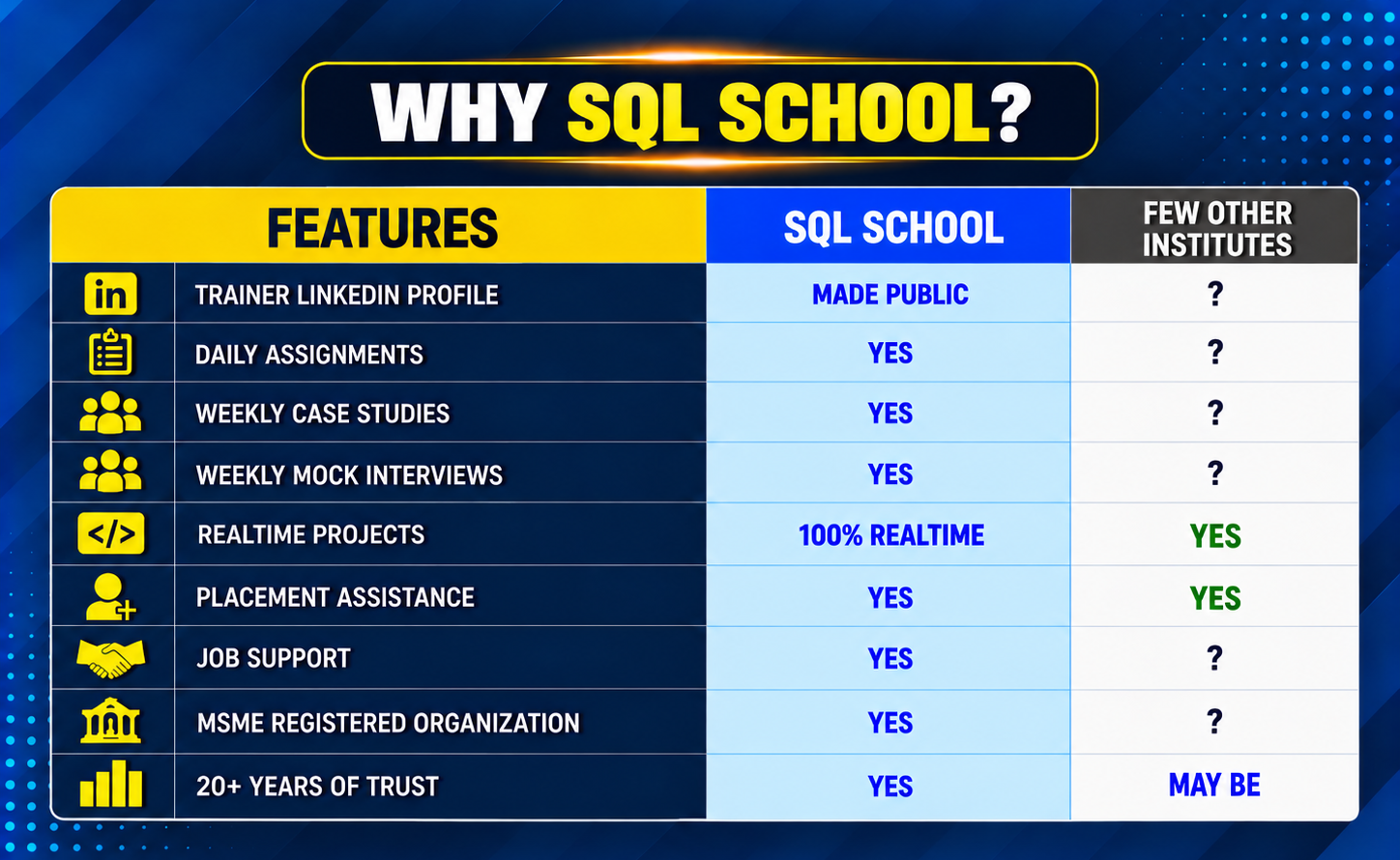
Why SQL SCHOOL?

Training Modes

Why Choose SQL School

  • 100% Real-Time and Practical
  • ISO 9001:2008 Certified
  • Concept wise FAQs
  • TWO Real-time Case Studies, One Project
  • Weekly Mock Interviews
  • 24/7 LIVE Server Access
A man smiling and giving a thumbs up while holding a notebook.
  • Realtime Project FAQs
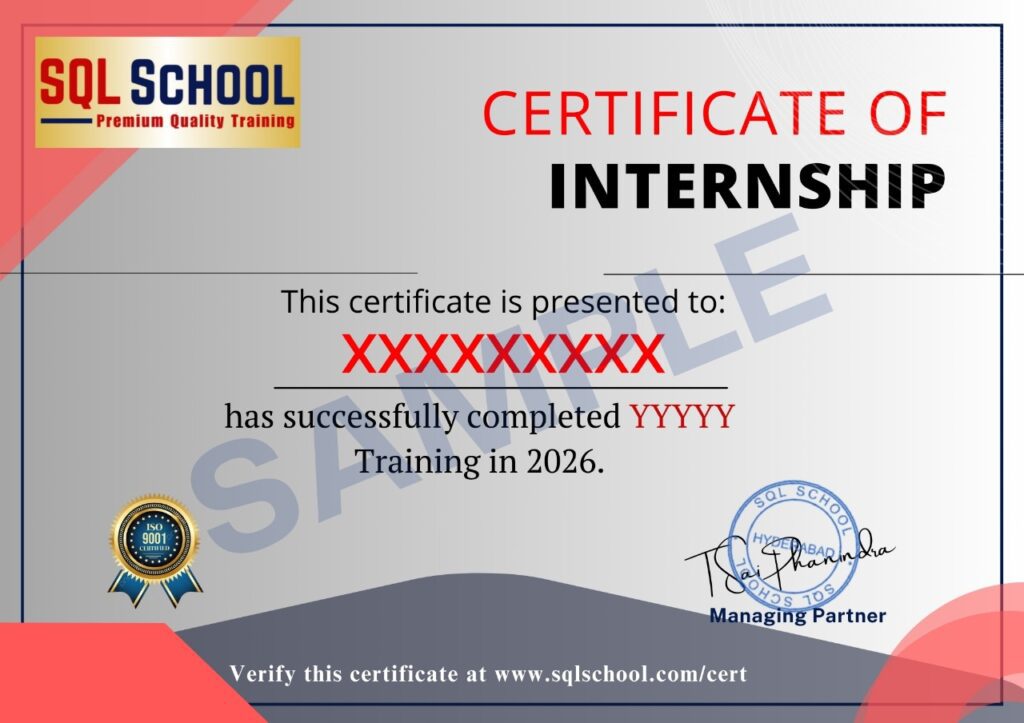
  • Course Completion Certificate
  • Placement Assistance
  • Job Support
  • Realtime Project Solution
  • MS Certification Guidance

SQL School Azure Data Engineer training certificate of completion issued in January 2026 with verification ID
Verified by MonsterInsights