#Fabric Full Stack

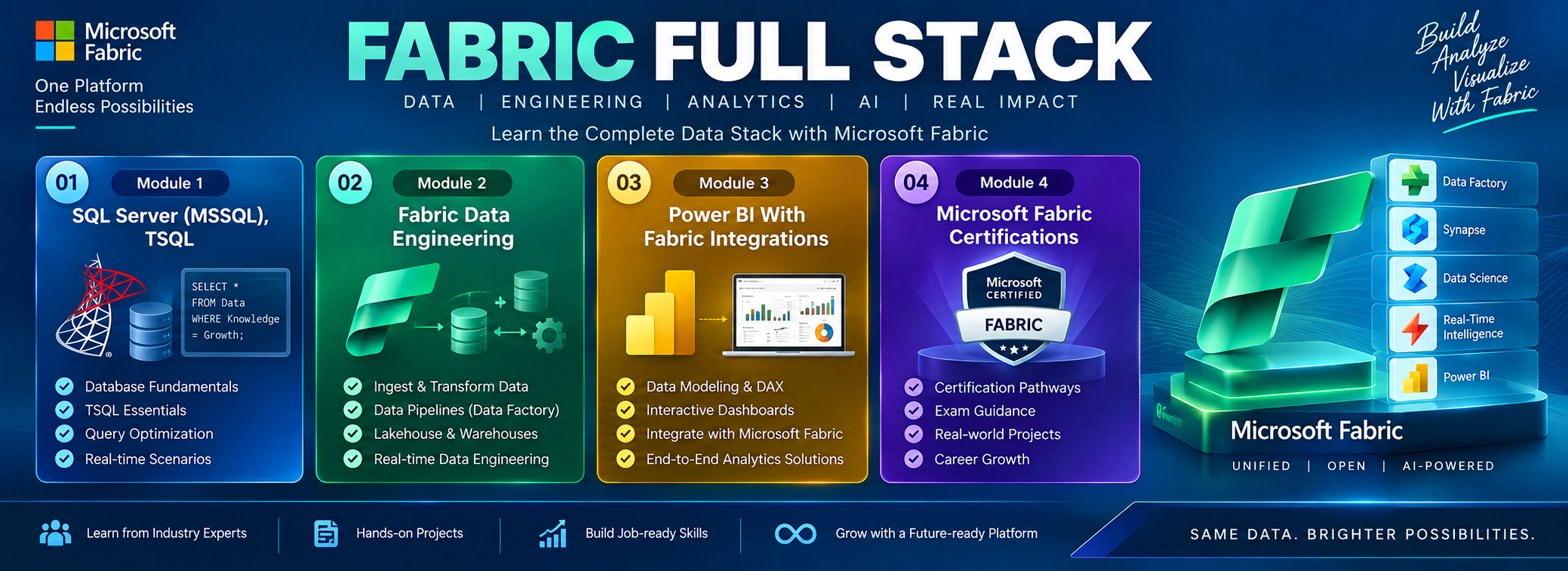
Fabric Full Stack Developer builds end-to-end data solutions using Microsoft Fabric, integrating data engineering, analytics, and AI in one platform. They work across all layers — from data pipelines to dashboards — delivering unified, scalable, and intelligent business solutions.

Training Highlights

✅ Fabric Data Factory & Pipelines
✅ OneLake Lakehouse Integration
✅ Dataflows Gen2, Semantic Models
✅ Power BI & AI CoPilot Dashboards
✅ Eventstream & Real-Time Insights
✅ Fabric Notebooks (PySpark, SQL)
✅ Git & CI/CD for Fabric Projects
✅ DP 600, DP 700 Exam Guidance
✅ End-to-End Fabric Stack Project
✅ 1:1 Mentorship, Resume

Modules We Learn

✅ Module 1: SQL Server (MSSQL) & TSQL
✅ Module 2: Fabric Data Engineering
✅ Module 3: Fabric Data Analytics
✅ Module 4: Realtime Projects & Resume
✅ Module 5: DP-700, DP-600 Exams Guidance

Fabric Full Stack
Training Course Contents:

Module 1: SQL Server (MSSQL), TSQL

Ch 1: SQL Database Job Roles

  • Database Intro
  • OLTP, DWH, OLAP
  • DBMS Basics
  • Data Engineer Job Roles

Ch 2: Database Intro & Installations

  • SQL Server Installations
  • Instance & Collations
  • SSMS Tool Installation
  • Connections, Authentications

Ch 3: SQL Basics V1 (Commands)

  • SQL Basics (DDL, DML, etc..)
  • Creating Databases, Tables
  • Data Inserts (GUI, SQL)
  • Basic SELECT Queries

Ch 4: SQL Basics V2 (Commands, Operators)

  • DDL: Create, Alter, Drop
  • DML: Insert, Update, Delete
  • DQL: Select, Fetch
  • Add, Truncate Statements
  • SQL Operators

Ch 5: Data Types & Variables

  • Integer Data Types
  • Character, MAX Data Types
  • Decimal & Boolean Data Types
  • Date and Time Data Types
  • SQL_Variant Type

Ch 6: Data Imports From Files

  • Data Imports with Excel
  • Data Imports with CSV
  • Auto Detection of DataTypes
  • OLE-DB Connections
  • Order By, TOP, OFFSET

Ch 7: Sub Queries

  • Basic Sub Queries
  • Aggregations
  • Combining Queries
  • UNION, UNION ALL

Ch 8: Schemas & Batches

  • Schemas: Creation, Usage
  • Schemas & Table Grouping
  • Real-world Banking Database
  • 2 Part, 3 Part & 4 Part Naming
  • Batch Concept & “Go” Command

Ch 9: Constraints, Keys & RDBMS

  • Null, Not Null Constraints
  • Unique Key & Check
  • Primary Key Constraint
  •  Foreign Keys, Default
  • DB Diagrams & ER Models

Ch 10: Normal Forms & RDBMS

  • Normal Forms: 1 NF, 2 NF
  • 3 NF, BCNF and 4 NF
  • 1:1, 1:M, M:1 Cardinality
  • Cascading Keys
  • Self Referencing Keys

Ch 11: Joins & Queries

  • Joins: Table Comparisons
  • Inner Joins & Matching Data
  • Outer Joins: LEFT, RIGHT
  • Full Outer Joins & Aliases
  •  Self Joins & Aliases

Ch 12: Views & RLS

  • Views: Realtime Usage
  • DML, SELECT with Views
  • Excel Analytics with Views
  • Important System Views

Ch 13: Stored Procedures – 1

  • Stored Procedures: Realtime Use
  • Parameters Concept with SPs
  • Procedures with SELECT
  • System Stored Procedures
  • Stored Procedures, Tuning

Ch 14: Stored Procedures – 2

  • Merge Statement (Upsert)
  • Merge with OLTP & DWH
  • Matched and Not Matched
  • Merge Statement inside SPs
  • SP Recompilations

Ch 15: User Defined Functions – 1

  • Scalar Functions in Real-world
  • Inline & Multiline Functions
  •  Parameterized Queries
  • Variables & Parameters
  • Function Executions

Ch 16: User Defined Functions – 2

  • Date & Time Functions
  • String Functions & Queries
  • Aggregated Functions & Usage
  • Window Functions (Rank)
  • Row_Number, DenseRank
  • Partition By & Order By

Ch 17: Triggers & Automations

  • Need for Triggers in Real-world
  • DDL & DML Triggers
  • For / After Triggers
  • Instead Of Triggers
  • Memory Tables with Triggers
  • Disabling DMLs Triggers

Ch 18: Group By Queries

  • Group By, Distinct
  • GROUP BY, HAVING
  • Cube( ) and Rollup( )
  • Sub Totals & Grand Totals
  • Grouping( ) & Usage

Ch 19: Joins with Group By

  • 3 Table, 4 Table Joins
  • Join Queries & WHERE
  • Join Queries & Group By
  • IIF(), CASE Statement
  • Query Execution Order

Ch 20: Transactions & ACID

  • Auto Commit Transaction
  • Explicit Transactions
  • COMMIT, ROLLBACK
  • Checkpoint & Query Blocking
  • READPAST, LOCKHINT

Ch 21: Indexes Basics, Tuning

  • Clustered Index, Primary Key
  • Non Clustered Index
  • Query Optimizer
  • Tuning Join Queries
  • Tuning Group By Queries

Ch 22: CTEs & Tuning

  • Common Table Expression
  • CTEs for Data Retrieval
  •  CTEs for DML Operations
  • CTEs for Data Cleansing
  • Using CTEs with Row Number

Ch 23: Cursors & Temp Tables

  • Cursors & Fetch
  • Local Temp Tables
  • Global Temp Tables
  • SELECT..INTO Statement

Ch 24: SQL Server Architecture

  • Network Protocols
  • Storage Engine
  • Query Processing Engine
  • Query Execution Order
  • SQL OS Components

Ch 25: Capstone Project (HealthCare Management System)

  • ECommerce Database
  • Data Validations
  • Query Writing
  • Query Tuning
  • Excel Analytics

Module 2: Fabric Data Engineering

Week 1: Microsoft Fabric Fundamentals & OneLake
Learning Modules

  • Introduction to Microsoft Fabric
  • Understand OneLake Architecture
  • Lakehouse Fundamentals
  • Delta Lake Foundations
  • Fabric Capacity & Workspaces

Hands-on Labs

  • Create Fabric Trial Workspace
  • Create Lakehouse
  • Upload CSV files
  • Explore OneLake Explorer
  • Configure Workspace Roles

Learning Outcome

  • Understand Fabric architecture
  • Differentiate Lakehouse, Warehouse, Event house

Week 2: Data Ingestion & Data Factory
Learning Modules

  • Data Factory in Microsoft Fabric
  • Dataflows Gen2
  • Incremental Loading
  • Data Integration Patterns
  • Data validation
  • SCD Type 1
  • SCD Type 2
  • Data Pipelines
  • Copy Activities & Pipelines
    → Parameters & Variables
    → Expressions
    → Lookup
    → ForEach
    → If Condition
    → Stored Procedure
    → Notebook Activity
    → Pipeline-to-Pipeline execution
    → Scheduling & Triggers
    → Error Handling
    → Retry mechanisms
    → Logging
    → Incremental Loads
    → Metadata-driven Pipelines

Hands-on Labs
Lab 1: Pipeline Development

  • Create Pipeline
  • Copy from Azure SQL Database
  • Copy from ADLS Gen2
  • Schedule execution

Lab 2: Dataflows Gen2

  • Import CSV
  • Apply transformations
  • Load to Lakehouse

Lab 3: Incremental Processing

  • Watermark columns
  • Historical + Delta Load

Learning Outcome

  • Pipeline orchestration
  • Incremental ingestion strategies

Week 3: Spark & Notebook Engineering
Learning Modules

  • Apache Spark Fundamentals
  • Spark SQL
  • PySpark Transformations
  • Delta Tables
  • Medallion Architecture
  •  PySpark
    → DataFrames
    → Schema management
    → Joins
    → Aggregations
    → Window Functions
    → Null handling
    → Deduplication
    → JSON processing
    → Explode
    → UDFs
    → Date/time transformations
  • Delta Lake
    → MERGE
    → UPDATE/DELETE
    → Schema evolution
    → Time Travel
    → OPTIMIZE
    → VACUUM
    → Partitioning
  • Performance
    → Lazy evaluation
    → Shuffle
    → Partitioning
    → Repartition vs Coalesce
    → Cache/Persist
    → Spark execution plan basics

Labs

  • Create Notebook
  • Bronze Layer
  • Raw ingestion
  • Silver Layer
  • Cleansing
  • Deduplication
  • Gold Layer
  • Business aggregations

Advanced Labs

  • Delta Merge
  • Upsert operations
  • Performance Optimizations
  • Partitioning

Learning Outcome

  • PySpark development
  • Delta Lake engineering

Week 4: Data Warehouse Engineering
Learning Modules

  • Fabric Warehouse
  • T-SQL Development
  • Dimensional Modeling
  • Fact & Dimension Design
  • Performance Optimization
  • Star Schema
  • Surrogate Keys
  • Fact table grain
  • Conformed Dimensions
  • Date Dimension
  • Incremental Fact Loading

Labs

  • Create Warehouse
  • Star Schema
    Build:
  • FactSales
  • DimCustomer
  • DimDate
  • DimProduct
  • Warehouse Objects
  • Views
  • Stored Procedures
  • Functions

Learning Outcome

  •  Modern Data Warehousing
  • Analytical Modeling

Week 5: Real-Time Analytics & Streaming

Learning Modules

  • Eventstream
  • Real-Time Analytics
  • Eventhouse
  • KQL Fundamentals
  • Streaming Solutions

Labs

  • Eventstream
  • Simulated IoT Device
  • Ingest streaming data
  • Route data to Lakehouse
  • Eventhouse
  • Create KQL Tables
  • Build near real-time reporting

Learning Outcome

  • Streaming analytic
  • Eventhouse & KQL

Week 6: Enterprise Fabric – Security, Governance, DevOps & Monitoring
Learning Modules

  • Security in Fabric
  • Governance
  • Git Integration
  • Deployment Pipelines
  • Monitoring & Troubleshooting
  • Workspace architecture
  • Dev/Test/Prod strategy
  • Git branching strategy
  • Environment configuration
  • Secrets/credentials concepts
  • Lineage
  •  Impact analysis
  • Capacity monitoring
  • Pipeline monitoring
  • Spark monitoring
  •  Cost optimization

Labs

  • Security
  • Workspace Roles
  • Object Level Security
  • Row Level Security
  • Git Integration
  • Commit Changes
  • Monitoring Hub
  • Capacity Metrics
  • Refresh Tracking

Learning Outcome

  • Enterprise Deployment
  • Deployment – Dev → Test → Prod
  • Branch Management
  • Connect Fabric Workspace

Week 7: Real-Time Project
Project Activities

  • Ingest data from Azure SQL, ADLS, CSV & APIs
  • Build Fabric Data Factory Pipelines
  • Implement Full & Incremental Loads
  • Create Bronze, Silver & Gold Layers
  • Perform Data Cleansing & Transformations using PySpark
  • Build Delta Tables
  • Implement MERGE & Upsert Operations
  • Handle Duplicate & Missing Data
  • Build Fact & Dimension Tables
  • Implement Star Schema
  • Create Fabric Warehouse
  • Automate End-to-End Pipeline Execution
  • Implement Error Handling & Logging
  • Monitor Pipeline & Spark Jobs
  • Optimize Lakehouse & Warehouse Performance

Enterprise Deployment

  • Configure Dev, Test & Production Workspaces
  • Integrate Fabric with Git
  • Branch & Version Management
  • Configure Deployment Pipelines
  • Deploy Dev → Test → Production
  • Configure Workspace & Item-Level Security
  • Implement RLS / OLS
  • Monitor Fabric Workloads
  • Capacity & Performance Optimization

Module 3: Power BI With Fabric Integrations

Ch 1: Power BI Intro, Installation

  • Power BI & Data Analysis
  • Power BI Eco System
  • Power BI Design Tools
  • PBI Hosting Solutions
  • Power BI Installation

Ch 2: Report Design Concepts

  • Basic Report Design (PBIX)
  • Get Data, Canvas (Design)
  • Data View, Data Models
  • Data Points, Spotlight
  • Focus Mode, PDF Exports

Ch 3: Visual Interactions, PBIT

  • Visual Interactions & Edits
  • Limitations with Visual Edits
  • Creating Power BI Templates
  • CSV Exports & PBIT Imports

Ch 4: Grouping, Hierarchies

  • Creating Groups: Lists
  • Creating Groups: Bins
  • List Items & Group Edits
  • Bin Size & Bin Count

Ch 5: Slicer & Visual Sync

  • Slicer Visual in Power BI
  • Slicer: Format Options
  • Single Select, Multi Select
  • Slicer: Select All On / Off
  • Visual Sync with Slicers

Ch 6: Hierarchies & Drill-Down

  • Hierarchies: Creation, Use
  • Hierarchies: Advantages
  • Drill Up, Drill Down
  • Conditional Drill Down
  • Filtered Drill Down, Table View

Ch 7: Filters & Drill Thru

  • Power BI Filters
  • Basic, Top & Advanced
  • Visual Filters, Page Filters
  • Report Level Filters, Clear Filter
  • Drill Thru Filters & Usage

Ch 8: Bookmarks, Buttons

  • Power BI Bookmarks
  • Images: Actions, Bookmarks
  • Buttons: Actions, Bookmarks
  • Page to Page Navigations
  • Score Cards, Master Pages

Ch 9: SQL DB Access & Big Data

  • SQL DB Access, Queries
  • Storage Modes: Direct Query
  • Formatting & Date Time
  • Storage Modes in Power BI
  • Azure (Big Data) Access & Formatting

Ch 10: Power BI Visualizations

  • Charts, Bars, Lines, Area
  • TreeMaps & HeatMaps
  • Funnel, Card, Multrow Card
  • PieCharts & Waterfall
  • Scatter Chart, Play Axis
  • Infographics, Classifications

Ch 11: Power Query Introduction

  • Power Query (Mashup)
  • ETL Transformations in PBI
  • Table Combine Options
  • Merge, Union All Options
  • Missing Values, Duplicate Records
  • Wrong Data Types, Outliers
  • Close, Apply & Visualize

Ch 12: Power Query: Table Transformations

  • Table Duplicate, Header Promotion
  • Group By Transformation
  • Aggregate, Pivot Operation
  • Reverse Rows, Count Rows
  • Advanced Power Query Mode
  •  Data Cleaning, Null Handling

Ch 13: Power Query: Column Transformations

  • Any Column Transformations
  • Data Type Detection, Change
  • Rename, Replace, Move
  • Fill Up, Fil Down
  • Step Edits & Rollbacks

Ch 14: Power Query: Text, Date Transformations

  • String / Text Transformations
  • Split, Merge, Extract, Format
  • Numeric and Date Time
  • Add Column & Expressions
  • Column From Examples

Ch 15: Power Query: Parameters, Expressions

  • Parameters in Power Query
  • Static Parameters, Defaults
  • Dynamic Dropdowns, Lists
  • Linking with Table Queries
  • Step Edits, Type Conversions
  • API & Web Data Sources

Ch 16: Power BI Cloud & Fabric

  • Power BI Cloud, Microsoft Fabric
  • Microsoft Fabric Concepts
  • Fabric One Lake (DWH, LH, etc.)
  • Microsoft Fabric Workspace
  • Power BI Desktop Connections
  • Report Uploads (PBIX)
  • Report Edits, Semantic Models

Ch 17: Power BI Cloud Dashboards

  • Power BI Dashboards
  • Dashboard Creation, Usage
  • Pin Visuals, Pin LIVE Pages
  • Add Image, Video Tiles
  • Q&A & Pin Tiles

Ch 18: Power BI Cloud Operations

  • Report Shares, Alerts
  • Subscriptions, Exploration
  • Downloads & Edits
  • Report Cloning in Cloud
  • QR Codes, Web Publish
  • Lineage & Metrics

Ch 19: Power BI Cloud Gateways

  • Data Gateways, Data Refresh
  • Install, Configure Gateways
  • Data Refresh & Scheduling
  • Gateway Optimizations
  • Incremental Refresh
  • Large Dataset Optimization

Ch 20: Power BI Cloud Apps

  • Power BI Apps: Creation
  • App Sections & Content
  • Audience & App Security
  •  App URL, End User Access

Ch 21: Power BI Report Server

  • SQL Server 2025
  • Power BI Report Server
  • RS Config Tool Options
  • Report Database, TempDB
  • Web Service & Server URL

Ch 22: Paginated Reports

  • Report Builder Tool
  • Paginated Report (RDL)
  • Tablix, Chart Wizards
  • Fields & Drill-Down
  • RDL Report Publish

Ch 23: DAX Concepts (Basics)

  • DAX Concepts: Intro & Realtime Need
  • DAX Columns: Creation, Use
  • DAX Measures: Creation, Use
  • DAX Functions: IIF, ISBLANK
  • SUM, CALCULATE Functions

Ch 24: DAX Quick Measures

  • Quick Measures in Power BI
  • Running Totals
  • Star Rating Calculations
  • DAX Measures in Data View
  • DAX in Cloud Reports

Ch 25: Data Modelling, DAX

  • Dimensions Tables
  • Fact Tables & DAX Measures
  • Data Models & DDAX Joins
  • Star & Snowflake Schemas
  • Many-to-Many Relationships
  • Calculation Groups

Ch 26: DAX Joins, Variables

  • CALCULATEX & Variables
  • COUNT, COUNTA, etc..
  • SUM, SUMX, etc..
  • SELECTED MEMEBER
  • Filter Context, RETURN

Ch 27: DAX Models & Calculations

  • VAR, SWITCH, SUMMARIZE
  • TREATAS, USERELATIONSHIP
  • CROSSFILTER, GENERATE
  • RANKX, TOPN, WINDOW
  • OFFSET, INDEX

Ch 28: DAX Time Intelligence

  • Need for Time Intelligence
  • Date Table Generation
  • Time Intelligence with DAX
  • PARALLELPERIOD, DATE
  • CALENDAR, Total Functions
  • YTD, QTD, MTD with DAX

Ch 29: DAX – Row Level Security

  • RLS: Row Level Security
  • Data Modelling & Roles
  • Add Cloud Users & KPIs
  • CoPilot with DAX

Ch 30: Analytical Reports

  • Analytical Report Concepts
  • Excel with Power BI Cloud
  • SQL, AVRO, JSON Sources
  • Analyze in Excel
  • Excel Pivot Reports

Ch 31: PL 300 Exam Guidance

  • PL 300 Exam Guidance
  • Exam Samples
  • Exam Scenarios

Realtime Project 2 (Health Care Platform) – For Your Resume
Project Objective

Design and implement a modern Healthcare Data Platform using Power BI Analytics and Reporting services
to process patient, hospital, clinical, and operational data for reporting, analytics, and decision-making.

Technologies Used

  • On-Premise SQL Server
  • Azure SQL Database
  • Power BI Service
  • Power Pivot, CoPilot
  • Report Builder

Learning Outcomes
After completing this project, you can confidently showcase experience in:

  • Power BI Reporting
  • Power BI Service, CoPilot
  • Power BI Server
  • Azure Synapse with Power BI
  • Spark Schemas with Power BI
  • Performance Optimization
  • End-to-End Azure Data Engineering Solutions

Career Guidance

  • ATS-Friendly Resume
  • Resume Optimization
  • Interview Strategy
  • Job Search Platforms

Module 4: DP-700, DP-600 Exams Guidance

DP-700 — Microsoft Fabric Data Engineer
Develop the skills to design, build, and manage modern data engineering solutions using
Microsoft Fabric. Gain practical experience with Lakehouse, Data Factory, Data Pipelines,
Spark, Data Warehouse, Real-Time Intelligence, and data orchestration.

DP-600 — Microsoft Fabric Analytics Engineer
Build expertise in enterprise analytics using Microsoft Fabric and Power BI. Learn to create
semantic models, optimize data models, work with DAX, build analytics solutions,
implement security, and deliver actionable business insights

What is Fabric Fullstack Job Role?

A Fabric Fullstack Developer works on building end-to-end data and analytics solutions using the complete Microsoft Fabric ecosystem. The role involves designing, developing, and integrating Fabric Data Pipelines, Lakehouses, Warehouses, Power BI dashboards, and semantic models, ensuring that the solution is scalable, secure, and optimized. Fabric Fullstack professionals bridge the gap between data engineering, analytics, and business intelligence using a single, unified platform.

What are the Job Roles of a Fabric Fullstack Developer?

💼 Top Job Roles:

1️⃣ Design and implement Lakehouses and Data Warehouses using Fabric
2️⃣ Build data ingestion and transformation pipelines
3️⃣ Create semantic models for business reporting
4️⃣ Develop and publish dashboards and reports using Power BI in Fabric
5️⃣ Ensure data security, governance, and compliance across components
6️⃣ Collaborate with architects, analysts, and business users to deliver end-to-end analytics and more..!

What does our Fabric Fullstack Training course contains?

The course is carefully curated with below module:
👉🏻Module 1: MSSQL & TSQL Queries
👉🏻Module 2: Fabric Data Engineer
👉🏻Module 3: Fabric Data Analyst

Who can join this course?

  • Freshers starting a career in fullstack data analytics

  • Power BI developers looking to master the entire Fabric stack

  • ETL/SQL developers expanding into end-to-end Fabric solutions

  • Data engineers transitioning to unified data platforms

  • Anyone interested in building modern data and BI solutions on Fabric

No prior coding experience is required. All concepts are taught from scratch

What training modes are available?

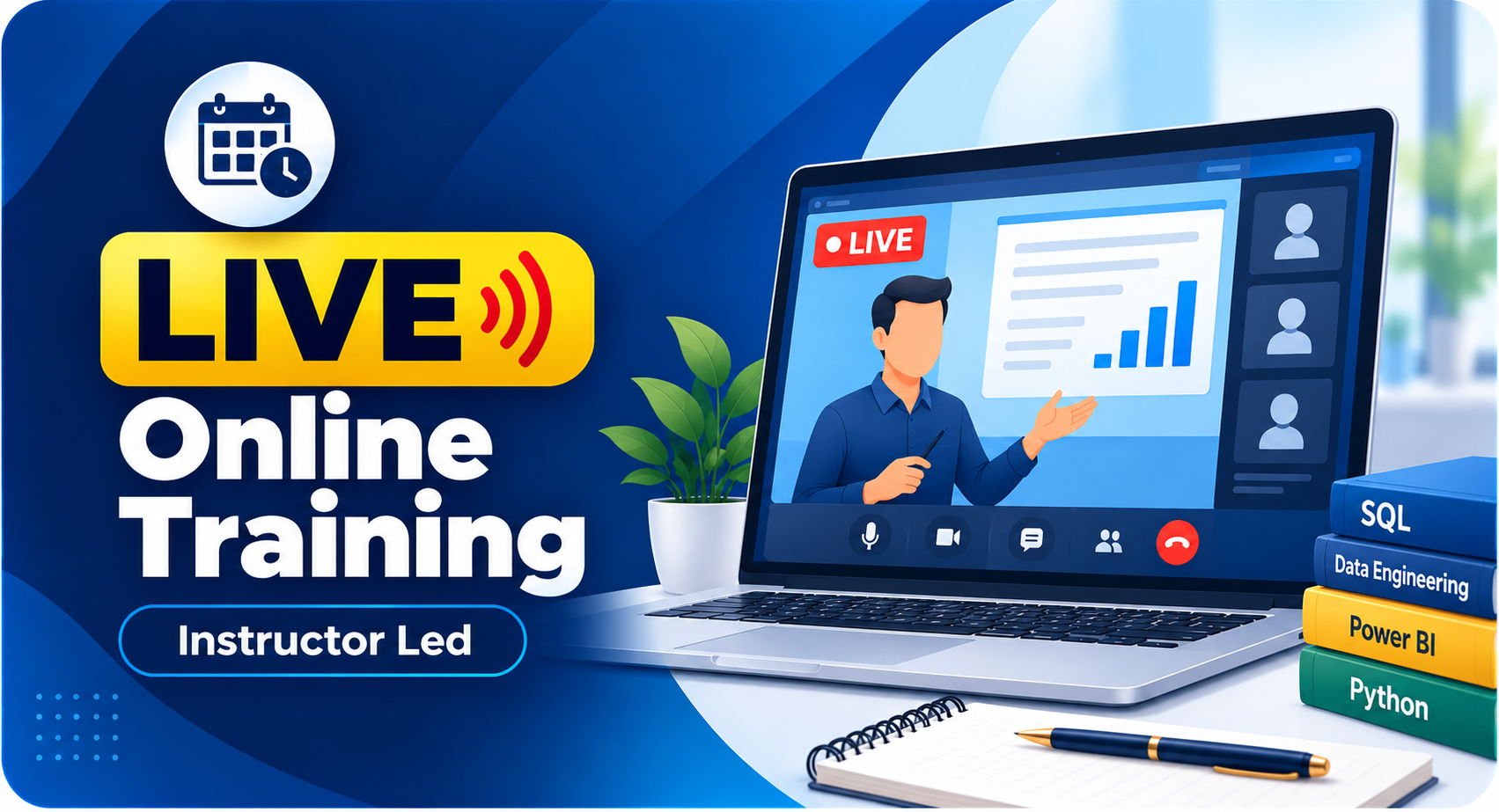
Option 1:        LIVE Online Training  (100% Interactive, step by step, assignments)

Option 2:        Self Paced Videos (100% practical, step by step with concept wise assignments)

You may choose any one of these options, same curriculum!

I (Trainer) shall be available for doubts and clarifications, assignment check and review.

Why should I choose SQL School for Fabric Fullstack training?

👉🏻 Every session is Practical, Step by Step with Concept wise FAQs !!

👉🏻 100% results with on-time practice.  Daily Tasks for every session.

👉🏻 Concept wise tasks be submitted before next class for Job Waiters / Starters.

👉🏻 Concept wise tasks due for submission by Weekends for Working Professionals.

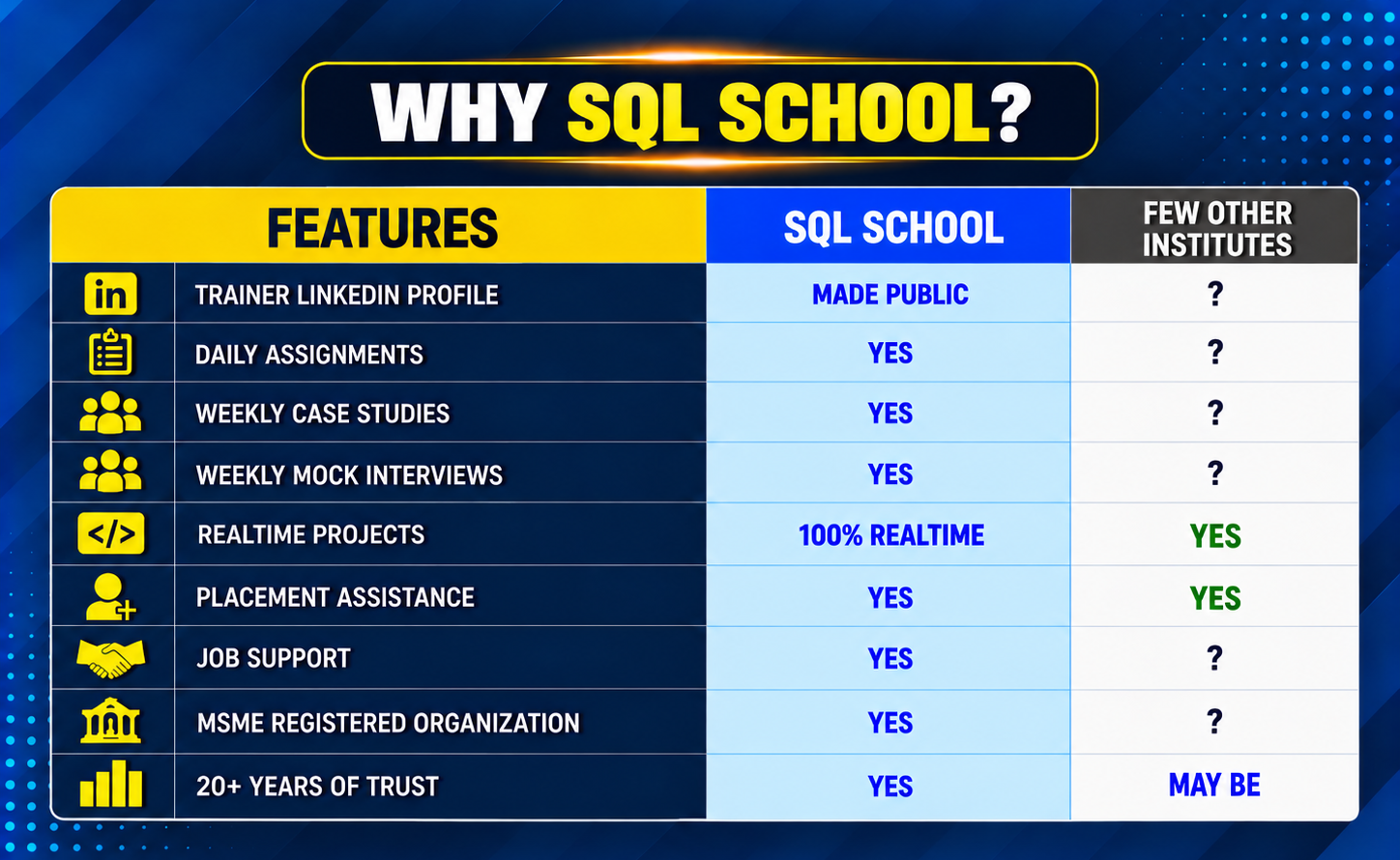
SQL SCHOOL vs Other Institutes

SQL SCHOOL vs Other Institute Comparistion image
SQL Server Training

Training Modes

LIVE Online Training

Instructor Led

Self Paced Videos

 On-Demand

Corporate Training

With 100% Hands-On

Why Choose SQL School

  • 100% Real-Time and Practical
  • ISO 9001:2008 Certified
  • Concept wise FAQs
  • TWO Real-time Case Studies, One Project
  • Weekly Mock Interviews
  • 24/7 LIVE Server Access
A man smiling and giving a thumbs up while holding a notebook.
  • Realtime Project FAQs
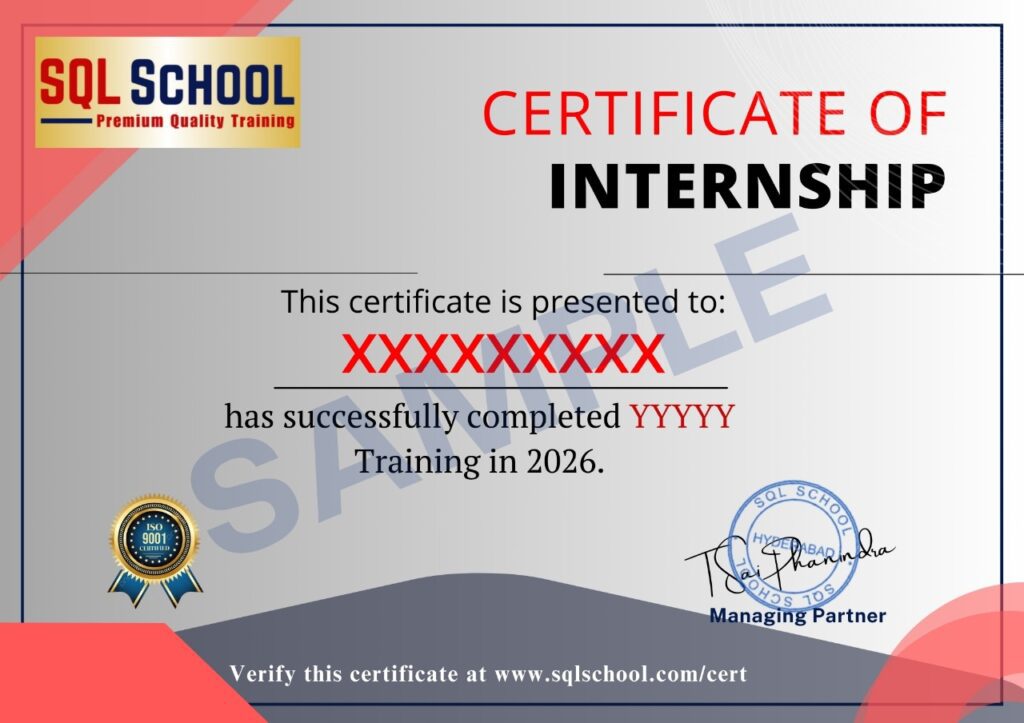
  • Course Completion Certificate
  • Placement Assistance
  • Job Support
  • Realtime Project Solution
  • MS Certification Guidance

SQL School Azure Data Engineer training certificate of completion issued in January 2026 with verification ID
Verified by MonsterInsights