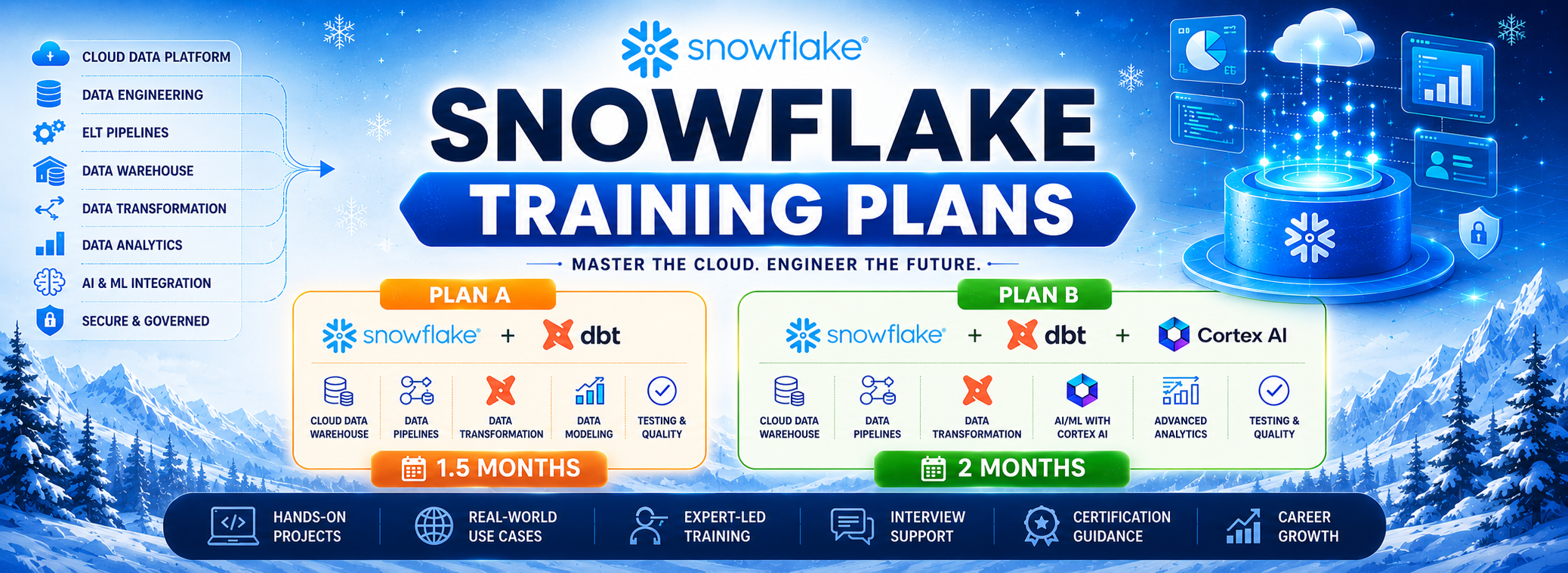


A Snowflake Data Engineer specializes in building and managing scalable data pipelines using the Snowflake Data Cloud platform. They handle data ingestion, transformation, and optimization for analytics and reporting. Engineers use SQL, Snowpipe, Streams, and Tasks to automate and manage workflows. This role is in high demand for cloud-based data engineering and modern data warehouse solutions.
Training Highlights
✅ Snowflake Cloud DWH
✅ Virtual Warehouses & Compute
✅ Database Objects, Schemas & Cloning
✅ Snowflake SQL, Query Optimization
✅ Time Travel & Zero-Copy Cloning
✅ Snowpipes & Incremental Loads
✅ SnowPark For ETL, ELT
✅ DBT : Data Build Tool
✅ 1:1 Mentorship, Interview Guidance
Modules We Learn
✅ Module 1: Snowflake (Cloud ETL, DWH)
✅ Module 2: Data Build Tool (DBT)
✅ Module 3: Real-time Projects
✅ Module 4: Snowflake Cortex AI
✅ Module 5: Real-time Project 2
Course Duration: 7 Weeks
Snowflake Data Engineer
Course Contents:
Module 1: Snowflake (Cloud ETL, DWH)
Ch 1: Introduction to Snowflake
- Database, DWH Introduction
- Cloud Data Warehouse
- Cloud DWH Implementations
- Snowflake Cloud Intro
- Snowflake: SaaS Platform
Ch 2: Snowflake Concepts
- Snowflake Account (Cloud)
- Snowflake Components
- Snowflake Editions, Credits
- Snowflake Editions
- Virtual Private Edition (VPS)
- Snowflake Pricing
Ch 3: Architecture, Warehouse
- Compute Architecture
- Shared Disk Architecture
- CPU & Memory in Clusters
- Database Query & Data Cycle
- ColumnStore, Virtual Warehouse
- Classic UI with Snowflake
- Massively Parallel Processing
Ch 4: Snowflake Databases & Tables
- Snowflake Database Types
- Snowflake Table Types
- Retention Time, Connections
- Permanent, Transient Types
- CREATE TABLE AS SELECT (CTAS)
Ch 5: Time Travel, Recovery
- Time Travel in Snowflake
- Invoking Time Travel Feature
- Timestamp, Offset, Query ID
- Data Recovery, TIMESTAMP
- Fail Safe and UNDROP, OFFSET
- Transient Tables, Real-time
Ch 6: Schemas and Session Context
- Schema Creation Usage
- Permanent, Transient Schemas
- Managed Schemas in Snowflake
- Invoking Schemas & Cloning
- Session Context & Schema
- Data Loading with GUI
Ch 7: Snowflake Cloning
- Cloning with Snowflake
- Zero Copy, Schema Cloning
- Snapshot, Metadata
- Storage & Metadata Layer
- Real-time Considerations
- Transactions & Injection
Ch 8: Procedures & Views
- Procedures and Functions
- SQL and JavaScript & CALL
- sqlText:command
- Cursoring Data and Operations
- Dynamic DML with SPs
- RETURN, RETURNS Statements
Ch 9: Security Management
- Security with Snowflake
- Users & Roles in Snowflake
- Privileges and Groups
- Organization, Account, Users
- Creating, Using Roles, Users
- System Defined Roles Usage
- Role Hierarchy in Realtime
- Views For Security
- RBAC & DAC in Real-time
Ch 10: Snowflake Transactions
- Transaction ACID Properties
- Implicit, Explicit and Auto
- Durability and Data Storage
- current transaction() Usage
- to_timestamp_ltz and Usage
- Failed Transactions with SPs
- Transactions and SPs
- Scoped & INNER Transactions
Ch 11: Snowflake Streams & Audits
- Snowflake Streams & Usage
- Streams and DML Auditing
- Snapshot Creation, Offset
- METADATA Options & Streams
- Data Flow & Snowflake Streams
- Streams on Transient Tables
- Time Travel with Stream Tables
Ch 12: Snowflake Tasks
- Tasks, Serverless Compute
- Tasks Tree: Root and DAG
- Tasks Schedules and RESUME
- User & Snowflake Managed
- CRON Syntax with Tasks
- Virtual Warehouse Concepts
- Multi Cluster Warehouse
- Auto Scale Options, Billing
Ch 13: SnowSQL and Variables
- SnowSQL Configurations
- DDL, DML & SELECT
- SnowSQL Command Line
- Variables and Batch Process
- DECLARE, LET, BEGIN & END
- EXECUTE IMMEDIATE, FOR
- Creating Virtual Warehouse
- Writing Output to Files
Ch 14: Snowflake Partitions, Stages
- Snowflake Partitions, Views
- Micro Partition with DML, CDC
- Cluster Key, Depth and Overlap
- Internal Partition Types & Usage
- List, Range and Hash Partitions
- Snowflake Stages, Types
- Internal and External Stages
- COPY Command, Bulk Loads
Ch 15: Azure / AWS External Stages
- Azure Storage Account, BLOB
- SAS: Shared Access Signature
- Using SAS Key and FILE PATH
- Azure Storage with BLOB
- COPY INTO Command Usage
- Snowflake Patterns & RegEx
- File Formats: Creation, Usage
Ch 16: Snow Pipes & Incr Loads
- SnowPipe Incremental Loads
- Azure Queues & Integrations
- Azure Active Directory
- External Stage, Enterprise AD
- Snow Pipes and Data Loads
- Incremental Data Loads
- File Format with Reg Expr
Ch 17: Power BI with Snowflake
- Power BI: Big Data Analytics
- Snowflake Data Access, Views
- Datawarehouse Access, Views
- Server URL & View Access
- Data Analytics with Views
Ch 18: SnowPro Certification Exam Guidance
- SnowPro Certification Overview & Exam Structure
- Certification Domains & Key Topics
- Important Snowflake Concepts for the Exam
- Topic-wise Exam Preparation Strategy
- Practice Questions & Scenario-Based Questions
- Mock Tests & Exam Readiness Assessment
- Common Exam Mistakes & Tips to Avoid Them
- Time Management & Question-Solving Techniques
- Revision Checklist & Last-Minute Preparation
- Guidance on Certification Registration & Exam Process
Module 2: Data Build Tool (DBT)
Ch 1: DBT Fundamentals
- What is Data Build Tool?
- DBT as a data transformation tool
- Importance of DBT in ELT workflows
- DBT Cloud for data transformations
Ch 2: DBT Models and Materializations
- Building models in DBT
- Types of materializations
- Table, view, incremental materializations
- Model configurations
Ch 3: DBT Jinja Templating
- Introduction to Jinja
- Using Jinja with DBT
- Macros and reusable code
- Implementing dynamic SQL
Ch 4: DBT Testing and Documentation
- Writing and executing tests
- Data quality checks
- DBT documentation and lineage graphs
- Generating DBT docs
Ch 5: DBT Seeds and Sources
- Using seeds for static data
- Defining and using sources
- Source freshness checks
- Integrating external data
Ch 6: DBT Deployment and CI/CD
- Deployment strategies for DBT
- Continuous integration and deployment
- Automating DBT workflows
- Version control with Git
Ch 7: DBT Best Practices
- Project structure recommendations
- Coding standards and guidelines
- DBT project optimization
- Performance tuning tips
Ch 8: Hooks in DBT
- Custom scripts to run at specific points
- Adding additional logic to streamline Snowflake
- Analyses and exploratory data workflows
- Ad-hoc analyses that do not get materialized
Ch 9: DBT Snapshots
- Managing historical data
- Implementing DBT snapshots
- Snapshot configuration
- Strategies for handling changes
Ch 10: DBT Packages and Extensions
- Leveraging DBT packages
- Using community packages
- Extending DBT functionality
- Integrations with other data tools
Module 3: Real-time Projects
- E-Commerce Domain
- Defining project requirements
- Initial project setup and DBT configuration
- Model planning and development
- Project deployment and monitoring
- Implementing advanced DBT features
- Comprehensive testing and documentation
- Real-world deployment considerations
- Solution Explanation
- Resume Points
- Interview FAQs and Answers
Module 4: Snowflake Cortex AI
Ch 1: Cortex AI Fundaments
- AI Fundamentals
- Snowflake Data Engineering
- Snowflake ETL Operations
- Snowflake DWH Operations
- Need for AI Extensions
Ch 2: Introduction to Cortex AI
- What is Cortex AI?
- Why Cortex AI in Snowflake?
- Benefits of AI inside Data Cloud
- Cortex AI Architecture
- AI Use Cases in Modern Organizations
- Cortex AI Components Overview
- Snowflake AI Ecosystem
Ch 3: Cortex AI Concepts
- Cortex AI Setup and Configuration
- Security & Access Management
- Required Roles and Privileges
- Understanding AI Compute Resources
- Creating Sample AI Environment
- Cost Considerations and Best Practices
Ch 4: Snowflake Cortex Functions
- Introduction to Cortex Functions
- AI-Powered SQL Queries
- Text Analysis Functions
- Language Translation Functions
- Text Summarization
- Sentiment Analysis
- Classification Functions
- Information Extraction
- Named Entity Recognition (NER)
Ch 5: Large Language Models (LLMs) in Cortex
- Understanding LLM Concepts
- Foundation Models Supported by Snowflake
- Prompt Engineering Fundamentals
- Effective Prompt Design
- Zero-shot Learning
- Few-shot Learning
- Chain-of-Thought Prompting
- AI Response Optimization
Ch 6: Cortex Complete
- Introduction to Cortex Complete
- Text Generation with SQL
- Generating Summaries
- Content, Email Creation
- Ticket Resolution Suggestions
- Business Intelligence Narratives
Ch 7: Cortex Analyst
- What is Cortex Analyst?
- Natural Language to SQL
- Conversational Analytics
- Semantic Models
- Business Question Answering
- Dashboard Integration
- AI-Powered Self-Service Analytics
Ch 8: Cortex Search Service
- Introduction to Vector Search
- Semantic Search Concepts
- Search Service Architecture
- Creating Search Indexes
- Query Optimization
- Similarity Search
- Enterprise Knowledge Search
Ch 9: Cortex Agents
- Introduction to AI Agents
- Agent Architecture
- Multi-Step Reasoning
- Tool Calling
- Workflow Automation
- Building Intelligent Agents
- Enterprise AI Assistants
Ch 10: Document AI
- Introduction to Document AI
- PDF Data Extraction
- Contract Analysis
- Form Data Extraction
Module 5: Real-time Project 2
- Finance / Accounting / HealthCare Domain
- Defining project requirements
- Initial project setup and DBT configuration
- Model planning and development
- Project deployment and monitoring
- Implementing advanced DBT features
- Comprehensive testing and documentation
- Real-world deployment considerations
- Solution Explanation, Resume Points
- Interview FAQs and Answers
What is the Snowflake Engineer course and who should join?
This course is meant for Data Engineers, ETL Developers, SQL Developers, BI Engineers, Cloud Engineers, and anyone wanting to build scalable Cloud Data Warehouses using Snowflake. The training combines SQL, Snowflake, and DBT for full-stack ELT development.
What are the Snowflake job roles?
Snowflake Engineers work on data extraction, transformations, big data loading, DWH design, analytics, streaming data, cloud computing, and security operations. These responsibilities are clearly listed on page 1 of the PDF.
What prerequisites are required for the Snowflake course?
No prior experience is required. SQL is taught from scratch (Module 1) before moving into Snowflake and DBT.
What modules are included in the Snowflake Engineer training?
Module 1 – MSSQL & TSQL Queries
Module 2 – Snowflake with ELT
Module 3 – DBT (Data Build Tool)
Does the course include real-time projects?
Yes. Real-world case studies, hands-on assignments, SQL mini project, Snowflake tasks/streams project, and a complete DBT real-time ELT project are included.
What SQL fundamentals will I learn in Module 1?
SQL basics, commands, joins, subqueries, indexing, views, schemas, RLS, functions, stored procedures, triggers, transactions, CTEs, cursor operations, window functions, aggregations, and normalization concepts.
Does the training cover Data Warehouse concepts?
Yes. OLTP vs OLAP, DWH architecture, schema design, normalization, constraints, and DWH usage are included before learning Snowflake.
What Snowflake architecture topics are covered?
Shared Disk architecture, Virtual Warehouses, Compute layers, MPP, nodes & clusters, caching, columnar storage, and metadata layers are covered in detail.
Will I learn Snowflake Tables, Schemas, and Data Types?
Yes. Permanent, transient tables, CTAS, cloning, constraints, data types, schemas, session context, history, and metadata usage are covered.
Does the course include Time Travel and Fail-Safe features?
Yes. Time Travel, data retention periods, continuous data protection, UNDROP, fail-safe, timestamps, and recovery scenarios are covered with real-time examples.
Is Zero Copy Cloning included?
Yes. Schema cloning, table cloning, metadata cloning, permissions, snapshot behavior, and real-time usage scenarios are included.
Does the course cover Snowflake Security and RBAC?
Yes. You will learn users, roles, privileges, role hierarchy, access control mechanisms, secure data governance, and enterprise-level security operations.
Is ELT automation using Streams & Tasks included?
Yes. You will learn how to implement CDC using Streams, create automated workflows with Tasks, schedule jobs using CRON expressions, and build end-to-end ELT pipelines.
Does the course include Azure Cloud integration?
Yes. You will learn Azure Storage integration, SAS Tokens, BLOB connections, external stages, COPY INTO usage, file formats, and secure data ingestion.
Do we learn Snowpipes and Incremental Data Loads?
Yes. Snowpipes, event-driven micro-batch loads, Azure Queue integration, incremental ELT patterns, regular expressions, and enterprise ingestion pipelines are taught.
Is DBT included in the Snowflake Engineer program?
Yes. DBT fundamentals, models, materializations, jinja templating, testing, documentation, lineage, CI/CD, macros, packages, and Snowpark integrations are covered.
What can I do using DBT after this training?
You will be able to create staging models, transformation layers, incremental models, manage schema changes, write tests, generate documentation, and deploy ELT pipelines in production.
Does the course include end-to-end ELT project work?
Yes. You will complete two-phase DBT real-time projects including model design, transformations, validations, deployment, optimization, and production-level workflow design.
Is this course suitable for beginners and non-IT learners?
Yes. Since SQL fundamentals are taught from scratch and the entire program follows a step-by-step approach, beginners can comfortably learn and transition into Data Engineering roles.
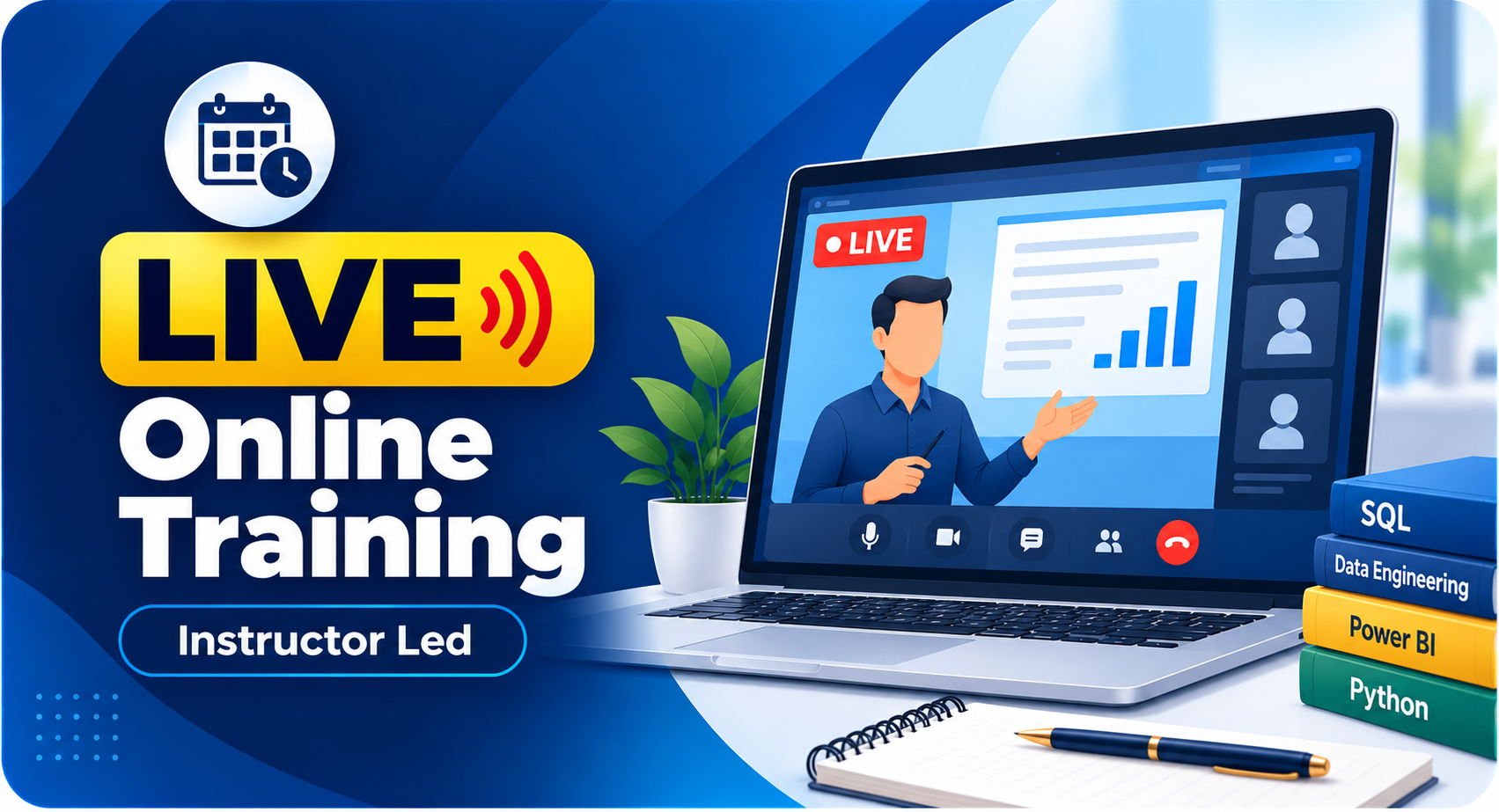
What training modes are available?
Live Online Training, Self-Paced Video Training, Corporate Batches, and Free Demo Sessions with the trainer.
Training Modes






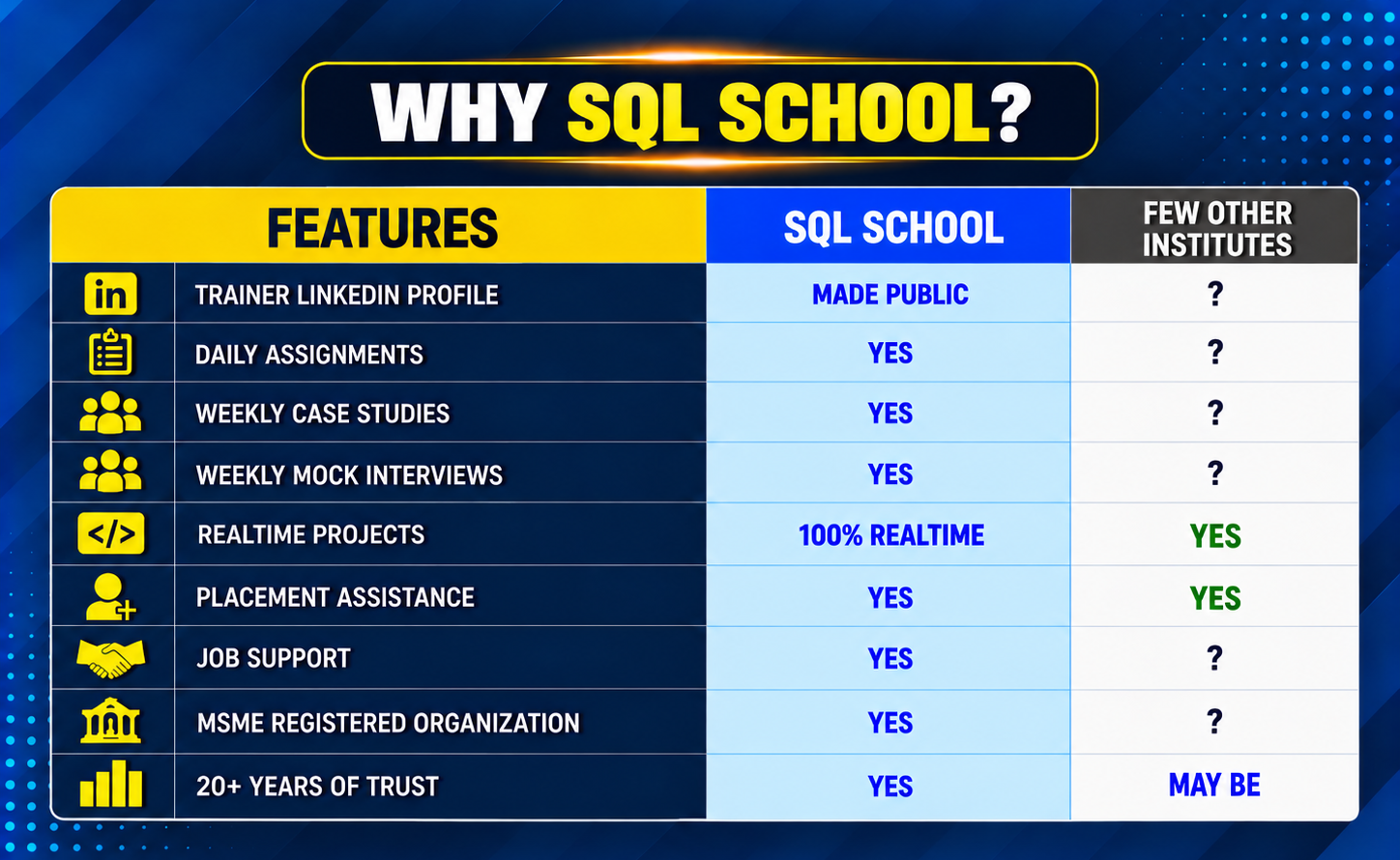
Why Choose SQL School
- 100% Real-Time and Practical
- ISO 9001:2008 Certified
- Concept wise FAQs
- TWO Real-time Case Studies, One Project
- Weekly Mock Interviews
- 24/7 LIVE Server Access

- Realtime Project FAQs
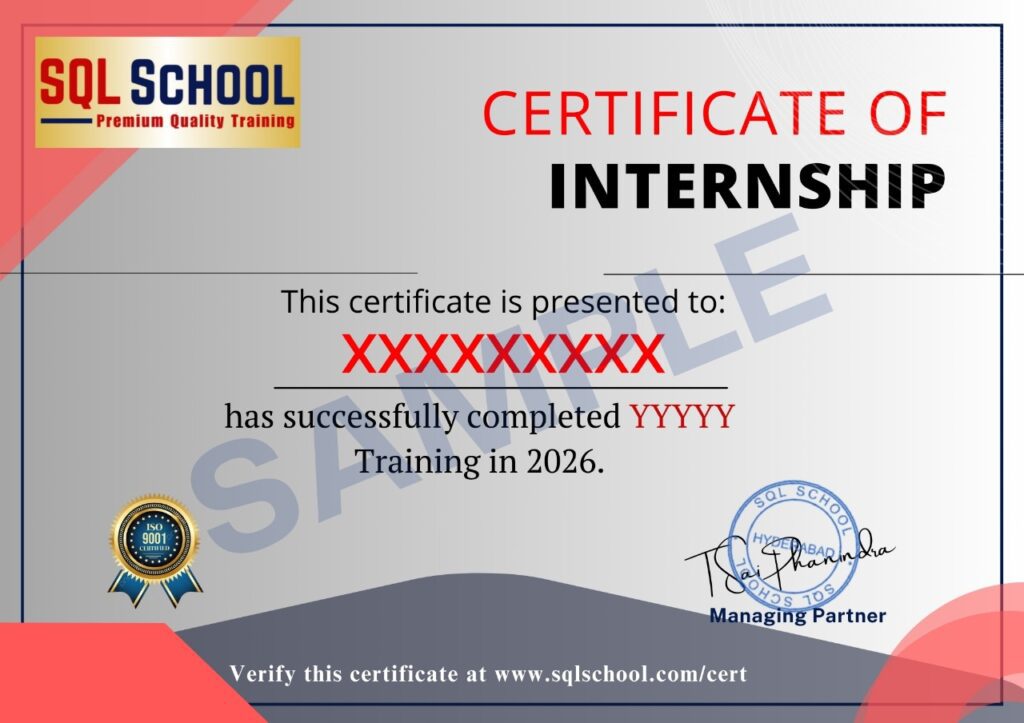
- Course Completion Certificate
- Placement Assistance
- Job Support
- Realtime Project Solution
- MS Certification Guidance