Yes. The program includes a mini SQL project, one Fabric real-time project, and one Power BI project, including end-to-end pipeline implementation in an E-commerce domain.


Fabric Data Engineer Data Engineer is the latest trending job role that deals with End to End Data Warehouse design (DWH) using ETL (Extract, Transform, Load) techniques. This prominent job role also involves Big Data Analytics and Business Intelligence implementation using Spark, PySpark, Cloud Computing, TSQL and more.
Training Highlights
✅ Cloud ETL, DWH with Big Data Analytics
✅ OneLake & Lakehouse for Unified Storage
✅ Fabric Data Factory for ETL
✅ Dataflows Gen2, Self-Service Data Prep
✅ Delta Lake, Delta Tables with Big Data
✅ ETL Notebooks with PySpark, TSQL
✅ Realtme IoT with Eventstreams
✅ CI/CD with Fabric Git Integrations
✅ 1:1 Mentorship, Interview Guidance
Modules We Learn:
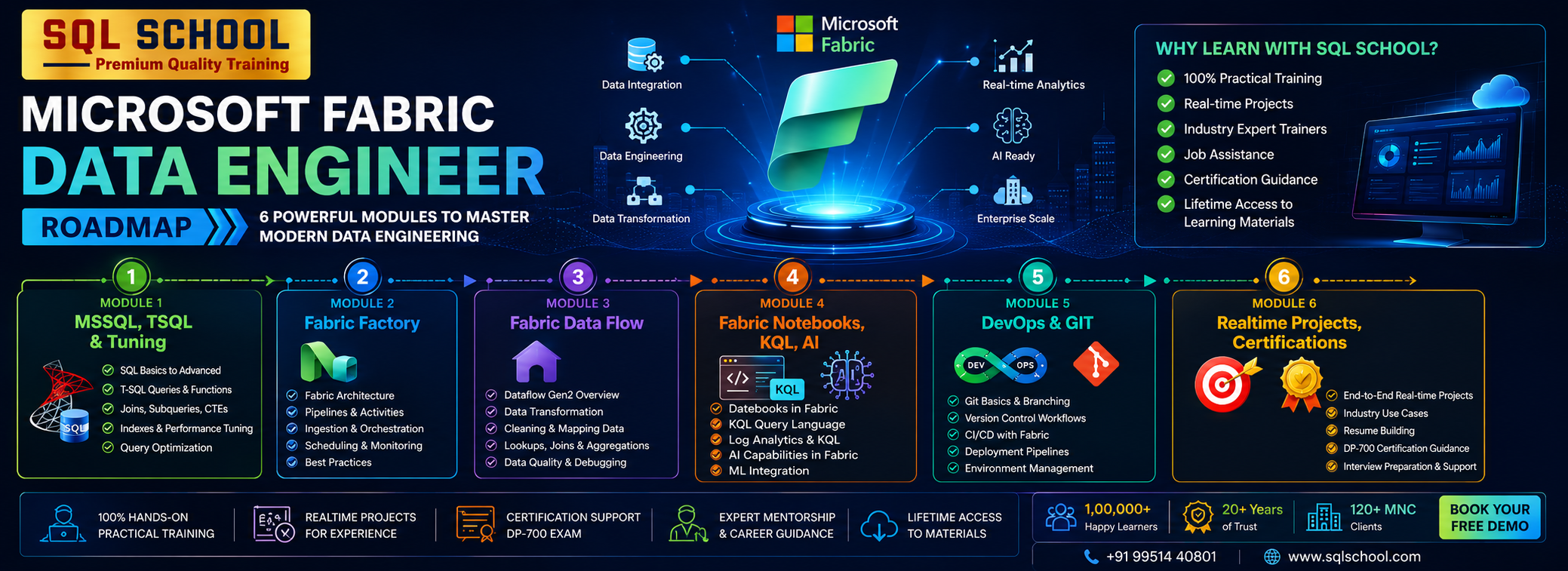
✅ Module 1: SQL Server (MSSQL), TSQL
✅ Module 2: Fabric Data Engineering
✅ Module 3: Real-Time Projects
Course Duration: 14 Weeks
Fabric Data Engineer
Course Contents:
Module 1: MSSQL & TSQL
Ch 1: SQL Database Job Roles
- Database Intro
- OLTP, DWH, OLAP
- DBMS Basics
- Data Engineer Job Roles
Ch 2: Database Intro & Installations
- SQL Server Installations
- Instance & Collations
- SSMS Tool Installation
- Connections, Authentications
Ch 3: SQL Basics V1 (Commands)
- SQL Basics (DDL, DML, etc..)
- Creating Databases, Tables
- Data Inserts (GUI, SQL)
- Basic SELECT Queries
Ch 4: SQL Basics V2 (Commands, Operators)
- DDL: Create, Alter, Drop
- DML: Insert, Update, Delete
- DQL: Select, Fetch
- Add, Truncate Statements
- SQL Operators
Ch 5: Data Types & Variables
- Integer Data Types
- Character, MAX Data Types
- Decimal & Boolean Data Types
- Date and Time Data Types
- SQL_Variant Type
Ch 6: Data Imports
- Data Imports with Excel
- Data Imports with CSV
- Data Types Detection
- OLE-DB Connections
- ORDER BY, TOP, OFFSET
Ch 7: Schemas & Batches
- Schemas & Table Grouping
- Real-world Banking Database
- 2 Part, 3 Part & 4 Part Naming
- Batch Concept & “Go” Command
Ch 8: Constraints, Keys & RDBMS
- Null, Not Null Constraints
- Unique Key & Check
- Primary Key Constraint
- Foreign Keys, Default
- DB Diagrams & ER Models
Ch 9: Normal Forms & RDBMS
- Normal Forms: 1 NF, 2 NF
- 3 NF, BCNF and 4 NF
- 1:1, 1:M, M:1 Cardinality
- Cascading Keys, Self Referencing Keys
Ch 10: Joins & Queries
- Joins: Table Comparisons
- Inner Joins & Matching Data
- Outer Joins: LEFT, RIGHT
- Full Outer Joins & Aliases
- Self Joins & Aliases
Ch 11: Sub Queries
- Basic Sub Queries
- Aggregations
- Combining Queries
- Correlated Sub Queries
- UNION, UNION ALL
Ch 12: Group By Queries
- Group By, Distinct
- GROUP BY, HAVING
- Cube( ) and Rollup( )
- Sub Totals & Grand Totals
- Grouping( ) & Usage
- ISNULL, COALESCE
Ch 13: Joins with Group By, Sub Queries
- 3 Table, 4 Table Joins
- Join Queries & WHERE
- Join & Group By, Sub Queries
- IIF(), CASE Statement
- EXISTS, NOT EXISTS
- Query Execution Order
Ch 14: Views & RLS
- Views: Realtime Usage
- DML, SELECT with Views
- WITH CHECK OPTION
- Row Level Security (RLS)
- Important System Views
Ch 15: Functions & Queries
- User Defined Functions
- Scalar, Table Value Functions
- Variables & Parameters
- Date & Time Functions
- String Functions
- Aggregated Functions
- Data Conversion Functions
Ch 16: Advanced SQL & Window Functions
- Window Functions (Rank)
- Row_Number, DenseRank
- Partition By & Order By
- Lag & Lead Functions
- Pivot, UnPivot
- Running Totals
- Moving Average
Ch 17: Stored Procedures – 1
- Stored Procedures: Realtime Use
- Parameters Concept with SPs
- Procedures with SELECT
- System Stored Procedures
- Stored Procedures, Tuning
Ch 18: Stored Procedures – 2
- Merge Statement (Upsert)
- Merge with OLTP & DWH
- Matched and Not Matched
- Merge & SP Recompilations
Ch 19: Triggers & Automations
- Need for Triggers in Real-world
- DDL & DML Triggers
- For / After Triggers
- Instead Of Triggers
- Disabling DMLs Triggers
Ch 20: Transactions & ACID
- Auto Commit Transaction
- Explicit Transactions
- COMMIT, ROLLBACK
- Checkpoint & Query Blocking
- READPAST, LOCKHINT
- TRY…CATCH & Error Handling
Ch 21: SQL Query Performance & Indexing
- Clustered vs Nonclustered Indexes
- Index Seek vs Scan
- Execution Plans
- SARGable Queries
- Tuning Queries
- Indexing JOIN/WHERE columns
- Query Optimization Examples
Ch 22: CTEs & Tuning
- Common Table Expression
- CTEs for Data Retrieval
- CTEs for DML Operations
- Data Cleansing Techniques
- Duplicate Detection/Removal
Ch 23: Temp Tables & Query Techniques
- Local & Global Temp Tables
- SELECT..INTO Statement
- Cursor Basics – When to Use & Avoid
- NULLIF
Ch 24: Bonus / Advanced Module: SQL Server Internals
- Database Engine Components
- Parser, Compiler & Optimizer
- Parsing and Compilation
- Memory Manager & IO Managers
Module 2: Fabric Data Engineering
Ch 1: Fabric Introduction
- Need for Fabric, Big Data
- Fabric Data Engineering Model
- Fabric Components (Items)
- Microsoft Fabric: Advantages
- Azure Versus Fabric DWH
Ch 2: Fabric Account, Workspace
- Need for Fabric Workspace
- Workspace Creation Process
- ETL, Storage, Analytical
- Streaming, Monitoring
- Compute & Separation
Ch 3: Fabric OneLake Architecture
- Intelligent Data Foundation
- Polaris Distributed Engine
- Stateless & Stateful
- Cache, Metadata, Xact & Data
- Fabric Tasks, Inputs & DAG
- State Machine & Statistics
- Hot Spot Recovery
Ch 4: Fabric Warehouse
- Fabric Warehouse Creation
- Fabric Warehouse Properties
- DWH Internal Operations
- Default Schemas & Objects
- SSMS Connections
Ch 5: Fabric Data Types
- Exact, Approximate Numbers
- Date and Time Data Types
- Fixed & Variable Length
- Binary & String Data Types
- Fabric Type Limitations
Ch 6: Fabric Caching, Tuning
- Fabric Caching Process
- In-memory Cache, Disk Cache
- Cache Types: LRU /MRU
- Cold Cache / Cold Run
- Warehouse Optimizations
Ch 7: Fabric Statistics, Tuning
- Query Engine Options
- Statistic Types
- Auto, Manual Statistics
- Update Statistics
- Statistics Lists & Reports
Ch 8: Time Travel
- Continuous Data Protection
- Data Storage, Retention
- FOR TIMESTAMP AS OF
- Time Travel Scenarios
- Time Travel on Queries
Ch 9: Zero Copy Cloning
- User Layer, Storage Layer
- Cloning & Parquet Files
- Synapse Data Warehouse
- Point In Time, Schema Level
- Zero Copy Cloning Limitations
Ch 10: Fabric Security
- Workspace Security
- Warehouse Security
- Item Security & Roles
- Adding AD Users
- MFA & Client Security
Ch 11: Fabric Copy Job
- ETL Implementation Options
- Copy Job Item
- Data Loads with Copy Job
- Full Loads
- Testing Copy Jobs
Ch 12: Fabric Copy Job
- Incremental Loads with Copy Job
- Business Key Concept
- DWH: Data Storage
- Testing Initial Loads
- Testing Incremental Loads
- Copy Job Limitations
Ch 13: Fabric Data Factory
- Need for Fabric Data Factory
- ETL Operations in FDF
- Data Sources, Transformations
- Activities and Connections
- Data Destinations (Sinks)
- Creating Pipelines
Ch 14: Fabric Pipelines Design
- Creation Options for Pipelines
- Azure SQL DB Data Loads
- Creating Data Sets
- Copy Command Usage
- Run ID & Monitoring
- Pipeline Creation, Verification
Ch 15: Data Loads with Azure
- Azure Data Lake Storage (ADLS)
- Azure BLOB Containers
- Fabric Data Loads From Azure Files
- Fabric Warehouse with Azure
- Run IDs and Activity
- Compressions & Advantages
Ch 16: ETL Staging
- Staging: Advantages
- Caching & Storing Concept
- Staging Types in Fabric
- Workspace & External
- External Stages in Pipelines
- Pipeline Trigger, Monitor
Ch 17: Fabric Aggr Data Loads
- Aggregation Scenarios
- Creating Views in TSQL
- Views in FDF Pipelines
- Pipeline Editor
- Data Loads to Warehouse
- Pipeline Verifications
Ch 18: Fabric Incremental Loads – 1
- Upsert (Incremental Loads)
- Business Key Concept
- SCD: Slowly Changing Dimension
- Full Loads Vs Incr Loads
- Testing Incrementing Loads
- Pipeline Execution Tests
Ch 19: Fabric Incremental Loads – 2
- Control Tables
- Watermark Columns
- Lookup Activity
- Stored Procedure Activity
- Parameters & Runs
- Concurrency & Batch Count
Ch 20: OnPrem Gateways
- On-Premise Gateway
- Installing & Configuring
- Authentication, Usage
- On-Premise Connections
- Pipelines for Data Loads
- Warehouse Data Storage
- Data Refresh with Gateways
Ch 21: Data Factory Pipeline Tuning
- Intelligent Throughput
- DOCP & Optimizations
- Staging & In-Memory
- Spark Compute Options
- Concurrent Connections
- ETL Partitions in Real World
Part 2: Fabric Data Flow, Lake House
Ch 1: Fabric Lakehouse
- Fabric Lakehouse Architecture
- Files and Tables Storage
- Direct Lake & AI
- Creating Lakehouse
- Azure SQL Database Source
- UI: Limitations
Ch 2: Lakehouse File Loads
- Creating Lakehouse
- Incremental Refresh
- Computed Tables
- Reusable Transformations
- Scheduling, Monitoring
Ch 3: Power Query Level 1
- Power Query Concept
- Fabric Lake House
- ETL, ELT Process with AI
- Data Combine: Union, Append
- Duplicate / Reference Queries
- Warehouse Data Loads
Ch 4: Power Query Level 2
- Table Transformations
- Group By, Transpose
- Header Row Promotion
- Reverse Rows, Count Rows
- Any Column Transformations
- Data Type, Fill & Pivot
Ch 5: Power Query Level 3
- Text Transformations
- Format, SubString
- Number Transformations
- Date Time Transformations
- Add Column Transformation
Ch 6: Power Query Level 4
- Column From Examples
- Conditional Column
- Index Transformation
- Duplicate Rows, Errors
- Advanced Editor
Ch 7: Power Query Level 5
- ETL Parameters
- Big Data Access
- Dynamic Parameters
- List Queries
- M Language Expressions
Ch 8: Stream House, KQL
- Need for Stream House
- Auto creation of KQL
- Manual KQL Databases
- Differences with Warehouse
- Differences with Lakehouse
Ch 9: KQL Query Sets
- KQL Database Extraction
- File Imports – on Premises
- Metadata Edit Options
- Query Analytics
- Exports, Visualizations
Ch 10: Fabric Data Activator
- Need for Alerts, Notifications
- Fabric Data Activator Options
- Alert Conditions, Thresholds
- Events & Email Notifications
- Edit / Enable / Disable
Ch 11: Mirror Database
- Need for Mirror Databases
- Configure Mirror Databases
- Data Replication
- Connections & Usage
- Mirror DB Practical uses
Part 3: Python, PySpark, DWH
Ch 1: Fabric Notebooks
- Need for Notebooks
- Fabric Notebook Types
- Creating Environment
- Creating Spark Clusters
- Standard, High Concurrency
- Magic Command
Ch 2: Spark SQL – 1
- Spark SQL Notebooks
- Creating Schemas
- Delta Tables
- Parquet Tables
- Spark Joins
- Data Partitioning
- Union, Views in Spark
Ch 3: Spark SQL – 2
- Math, Sort Functions
- String, Date Time Functions
- Conditional Statements
- Data Recovery & Undo
- Version Number
- Describe Extended
Ch 4: Python Intro & Print
- Python Introduction
- Python Versions
- Python in Spark (PySpark)
- Python Print()
- Single, Multiline Statements
Ch 5: Python Variables
- Working with Variables
- Printing Variables
- Display Variables
- Variable Types
- Multi Value Variables
- If … Else Statement
Ch 6: Python Operators
- Integer Operators
- String Operators
- Arithmetic Operators
- Assignment Operators
- Comparison Operators
- Formatted Strings
- Indexing Operators
- ELIF, ELSE IF Statements
Ch 7: Python Data Types
- Python Data Types
- Integer / Int Data Types
- Float, String Data Types
- List Data Type
- Dictionary Data Type
Ch 8: Python Dataframes
- Pandas Module (Python)
- Dataframes from Lists
- Dataframe from Dict
- Pandas Dataframes
- Dataframe print, display
Ch 9: Python Dataframes Transformations
- Append
- Append with NoIndex
- Merge with ON, KIND
- spark.read.csv()
- spark.read.format()
Ch 10: Medallion Architecture
- Bronze, Gold and Silver
- Raw Data
- Data Preparation (Prepping)
- Temporary Views
- Big Data Analytics
Ch 11: PySpark: Medallion Loads 1
- Data Prep (Silver)
- Filtering DataFrame Records
- Removing Duplicate Records
- Sorting and Limiting Records
- Spark SQL Dataframes
- Gold Layer Implementation
- Testing Aggregated Loads
Ch 12: PySpark: Medallion Loads 2
- Azure SQL DB Connections
- SQL Queries in PySpark
- Data Prep (Silver)
- Filtering Null Values
- Grouping and Aggregating
- Spark SQL Dataframes
- Gold Layer Implementation
- Notebook Utilities
Ch 13: PySpark: SCD
- Slowly Changing Dimension
- Merge Into Statement
- Error Handling
- Merge with OLTP Data Sources
Ch 14: PySpark: Widgets
- Notebook Parameters
- Text Widgets
- Parameters & JSON
- Notebook Schedules, Retry
- Modular Notebook Design
- Notebook Chaining
Ch 15: LakeHouse Architecture Optimizations
- Delta Log
- Delta Versioning
- Partition Strategy
- Small File Problem
- Adaptive Query Execution
- Explain Plan, Spark UI
- mssparkutils
Ch 16: LakeHouse Optimizations
- VACUUM, OPTIMIZE
- ZORDER
- Broadcast Join
- Cache, Persist
- Shuffle Optimization
Ch 17: Semantic Models
- Creating Semantic Model
- Spark SQL: DDL, DML
- Adding Refences, Keys
- Using Model Layouts
Ch 18: Fabric Security
- Workspace Security
- Lakehouse Security
- Security Principals
- Authentication Options
- MFA (Multi Factor Authentication)
Ch 19: Fabric Migrations
- Azure Data Factory to Fabric Data Factory
- Azure Synapse to Fabric Warehouse
- Azure One Lake Migrations
- Realtime Migration Considerations
Module 3: Real-Time Projects
Project 1: HealthCare Domain
Project Requirement:
Solve 20+ Real-World Healthcare Business Requirements.
Project Workflow:
Database Design → SQL Development → Data Analysis → Performance Optimization
Project Operational Flow:
Healthcare DB → Patients → Doctors → Appointments → Treatments → Billing → Insurance → SQL
Analysis → Stored Procedures → Performance Tuning → Business Reports
Business Requirements:
Monthly Hospital Revenue, Top Doctors By Patients Treated, Repeat Patients, Department
Performance, Average Treatment Cost, Unpaid Bills, Insurance Claim Analysis, Patient Trends,
Month-Over-Month Revenue And Top Procedures…
Project 2: ECommerce Platform
Business Scenario
A multinational e-commerce company wants to centralize sales, customers, products, orders,
inventory, logistics and payment data into Microsoft Fabric.
Goal:
Create a scalable Fabric Data Platform capable of processing millions of records daily.
Skills Gained:
- Fabric Pipelines
- Fabric Notebooks
- Fabric Data Flow
- Semantic Models
- Medallion Architecture (Bronze/Silver/Gold)
- Real-Time Industry Experience
- Fabric APIs (REST, Workspace)
Components For Project (From Resume Perspective):
- Bronze
- Silver
- Gold
- PySpark
- CI/CD
- End to End Integrations
- DP-700 Exam: Complete Guidance
Career Guidance
- ATS-Friendly Resume
- Resume Optimization
- Interview Strategy
- Job Search Platforms
What is the Fabric Data Engineer course and who can join?
This course is designed for Data Engineers, BI Developers, Cloud Engineers, SQL Developers, and professionals who want to work with Microsoft Fabric, Lakehouse, Warehouses, Data Engineering Pipelines, and AI-powered analytics.
What are the prerequisites for learning Fabric Data Engineering?
Basic SQL knowledge is helpful, but not mandatory. The program includes MSSQL + TSQL fundamentals before moving into Fabric components.
What modules are included in the Fabric Data Engineer course?
Module 1: MSSQL & TSQL (3 Weeks)
Module 2: Fabric Data Engineering (6 Weeks)
Module 3: Power BI with AI (6 Weeks)
DP-700 Exam Guidance is also included
What is Microsoft Fabric and why is it important?
Microsoft Fabric is an end-to-end analytics platform combining Data Engineering, Data Factory, Data Science, Power BI, Real-time Analytics, and Storage into a single unified service. It provides better performance, cost optimization, and simpler data architecture.
Does the course cover Fabric Security and Roles?
Yes. Workspace security, warehouse & item security, role management, MFA, and AD user permissions are included with practical demonstrations.
Does the course include Power BI integration with Fabric?
Yes. You will learn Semantic Models, Direct Lake Mode, CoPilot, AI-powered insights, DAX, modelling, visualizations, and dashboard creation in Fabric context.
What training modes are available?
LIVE Online Training, Self-paced Video training, Corporate Training, and Free Demo sessions directly with the trainer.
Demo Videos
Training Modes






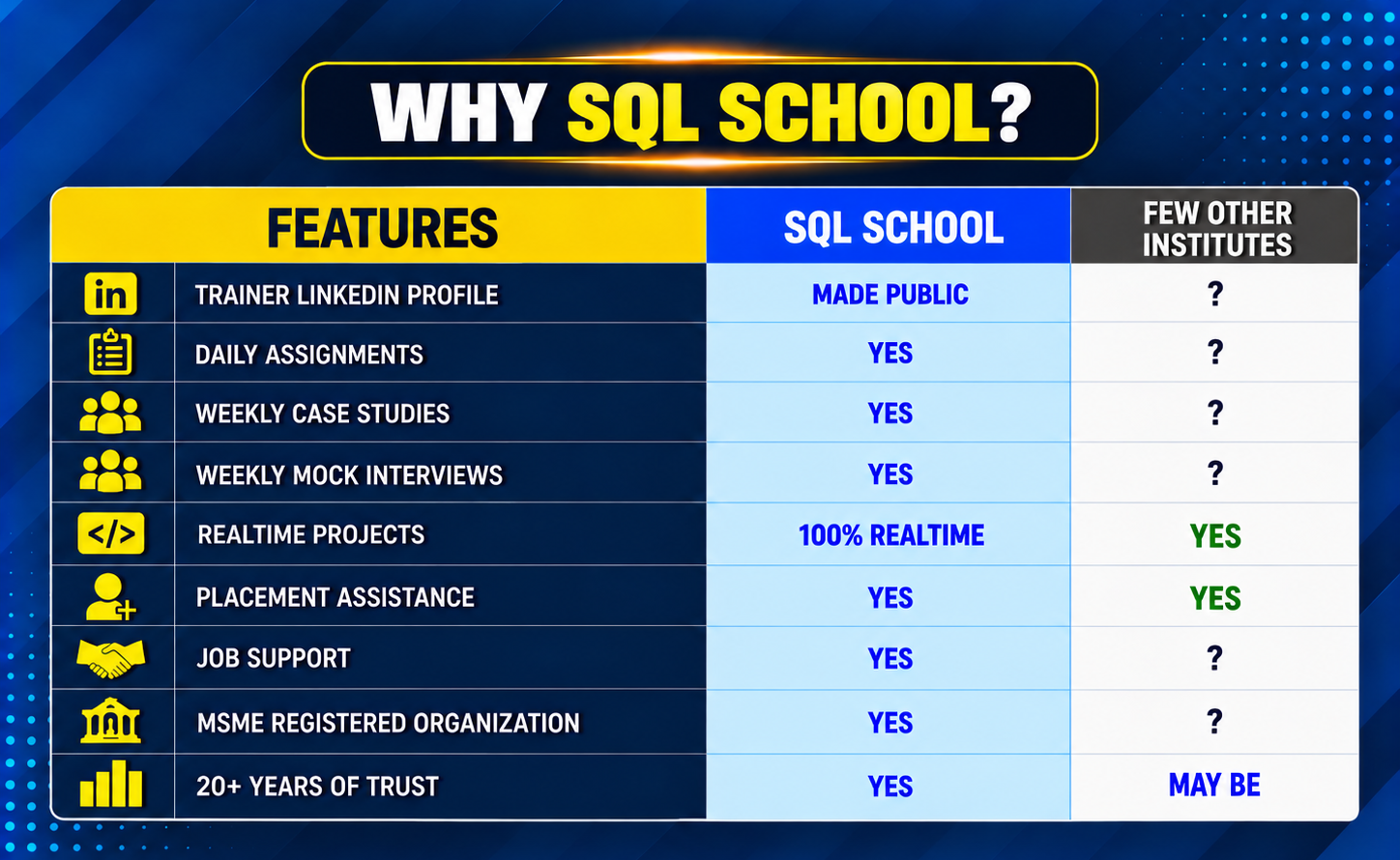
Why Choose SQL School
- 100% Real-Time and Practical
- ISO 9001:2008 Certified
- Concept wise FAQs
- TWO Real-time Case Studies, One Project
- Weekly Mock Interviews
- 24/7 LIVE Server Access

- Realtime Project FAQs
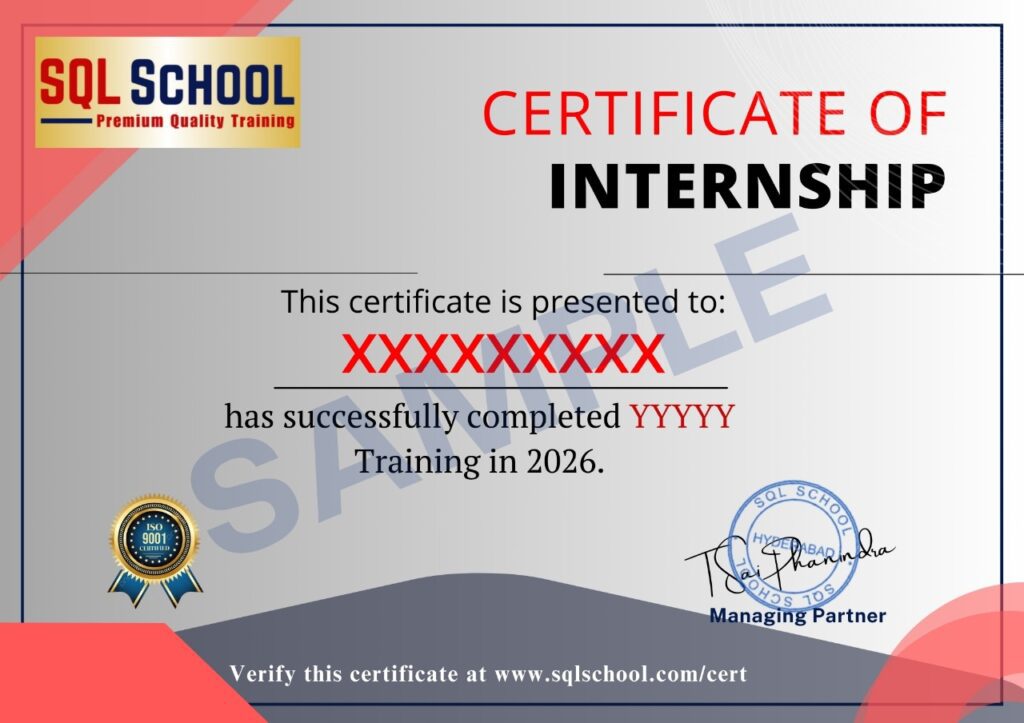
- Course Completion Certificate
- Placement Assistance
- Job Support
- Realtime Project Solution
- MS Certification Guidance