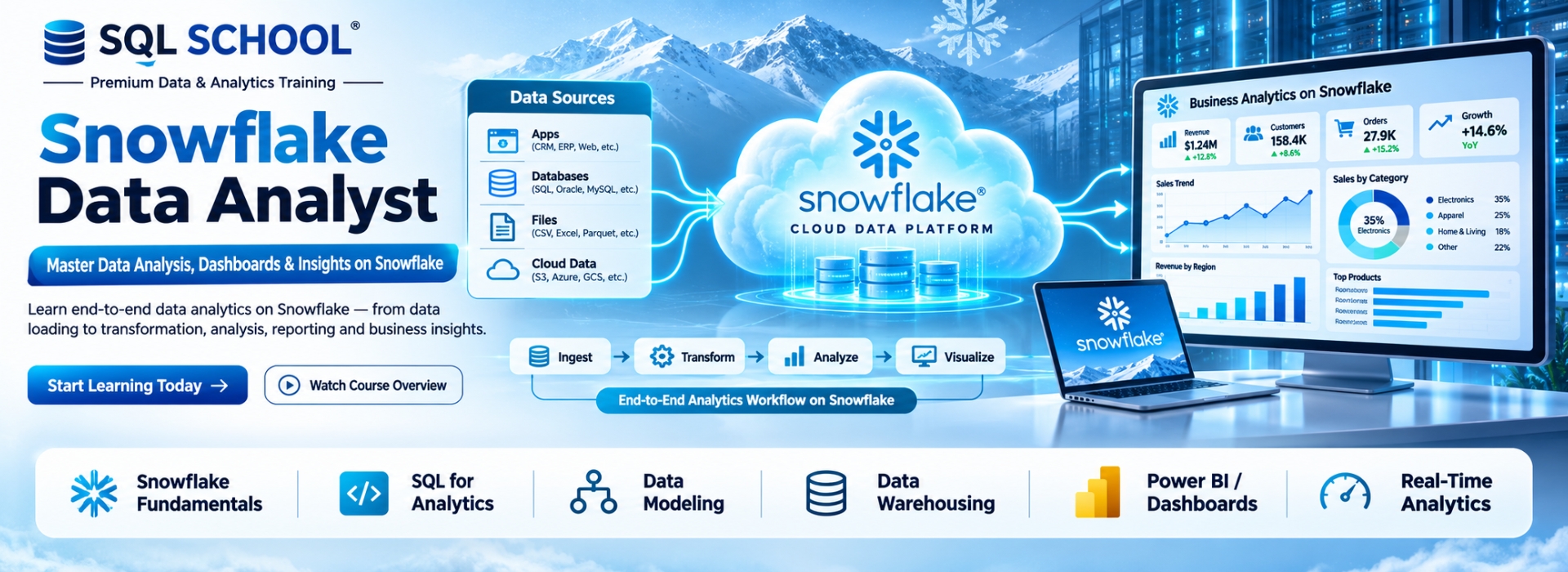
Snowflake Data Analyst refers to using the Snowflake Data Cloud platform for business intelligence and advanced analytics. It enables seamless integration with top BI tools like Power BI, Tableau, and Looker for real-time data reporting. BI professionals use it for building dashboards, KPIs, and interactive reports from massive datasets. Mastering Snowflake BI leads to roles like BI Developer, Data Analyst, and Snowflake Reporting Specialist.
✅ Snowflake SQL for Analysis
✅ Time Travel & Data Sharing
✅ Data Warehousing Queries
✅ Integration with Tableau/Power BI
✅ Role-Based Access for Analysts
✅ Semi-Structured Data (JSON/XML)
✅ Query Optimization Techniques
✅ End-to-End Analytics Project
✅ Resume & Portfolio Preparation
✅ 1:1 Mentorship & Interview Prep
Snowflake Data Analyst
Training Course Contents:
Module 1 : Microsoft SQL (TSQL)
Ch 1: SQL SERVER INTRODUCTION
- Database Introduction
- Types of Databases
- Need for & ETL, DWH
- BI Implementations
- SQL Server Advantages
- Version, Editions of MSSQL
- Data Analyst Job Roles
Ch 2: SQL SERVER INSTALLATIONS
- SQL Server 2019, 2017
- SSMS Tools Installation
- Database Engine (OLTP)
- SCM, Configuration Tools
- Instance Types, Uses
- Authentication Modes
- Collation, File Stream
Ch 3: SQL BASICS – 1
- Need for Databases, Tables
- Need for SQL Commands
- DDL, DML & DQL Statements
- Database Creation @ GUI
- Data Operations @ GUI
- Session ID, SQL Context
- DB, Tables, Data @ SQL
Ch 4: SQL BASICS – 2
- DDL Variants in MSSQL
- DML Variants in MSSQL
- INSERT & INSERT INTO
- SELECT & SELECT INTO
- Basic Operators in SQL
- Special Operators in MSSQL
- ALTER, ADD, TRUNCATE, DROP
Ch 5: Data Imports, Schemas
- Data Imports with Excel
- ORDER BY & UNION
- UNION ALL For Sorting Data
- Creating, Using Schemas
- Real-world Banking Database
- Table Migrations @ Schemas
- 2 Part, 3 Part & 4 Part Naming
Ch 6 : Constraints, Index Basics
- Need for Constraints, Keys
- NULL, NOT NULL, UNIQUE
- Primary Key & Foreign Key
- RDBMS and ER Models
- Identity Property, Default
- Clustered Index, Primary Key
- Non Clustered Index, Unique
Ch 7: Joins & Views Basics
- JOINS: Purpose. Inner Joins
- Left / Right / Full Outer Joins
- Cross Joins, Query Tuning
- Creating & Using Views
- DML, SELECT with Views
- RLS : WITH CHECK OPTION
- System Views & Metadata
Ch 8: Functions(UDF), Data Types
- Using Functions in MSSQL
- Scalar Value Functions
- Inline & Multiline Functions
- Date & Time Functions
- String, Aggregate Functions
- Data Types : Integer, Char, Bit
- SQL Variant, Timestamp, Date
Ch 9: Stored Procedures,Models
- Stored Procedures & Usage
- Creating, Testing Procedures
- Encryption, Deferred Names
- SPs for Validations, Analysis
- System SPs, Recompilation
- Normal Forms & Types
- Data Models, Self-References
Ch 10: Triggers, Temp Tables
- Need for Triggers
- DDL & DML Triggers
- Using Memory Tables
- Data Replication, Automation
- Local & Global Temp Tables
- Testing & Using Temp Tables
- SELECT .. INTO & Bulk Loads
Ch 11: DB Architecture, Locks
- Planning VLDBs : Files, Sizing
- Filegroups, Extents & Types
- Log Files : VLF, Mini LSN
- Table Location, Performance
- Schemas, Transfer, Synonyms
- Transactions Types, Lock Hint
- Query Blocking Scenarios
Ch 12 : Cursors & CTEs, Links
- Cursors : Realtime Use
- Fetch & Access Cursor Rows
- CTEs for SELECT, DML
- CTEs: Scenarios & Tuning
- Linked Servers, Remote Joins
- Linked Servers: MSDTC, RPC
- Tuning Remote Queries
Ch 13: Merge, Upsert & Rank
- Need for Merge in ETL
- Incremental Loads with SQL
- MERGE and RANK Functions
- Window Functions, Partition
- Identify, Remove Duplicates
Ch 14: Grouping & Cube
- Group By & HAVING
- Cube, Rollup & Grouping
- Joins with Group By
- 3 Table, 4 Table Joins
- Query Execution Order
Ch 15: Self Joins, Excel Analysis
- Self Joins & Self References
- UNION, UNION ALL
- Sub Queries with Joins
- IIF, CASE, EXISTS Statements
- Excel Analytics, Pivot Reports
Module 2: Snowflake
Ch 1: Introduction to Snowflake
- Database, DWH Introduction
- OLTP, OLAP and DWH
- Data Warehouse Advantages
- Cloud DWH Implementations
- IaaS, PaaS & SaaS Concepts
- Snowflake Cloud Intro
- Snowflake: SaaS Platform
- Snowflake Advantages
Ch 2: Snowflake Concepts
- Snowflake Account (Cloud)
- Snowflake Components
- Snowflake Editions, Credits
- Web UI & Snow Sight
- Snowflake Editions
- Snowflake Storage
- Virtual Private Edition (VPS)
- Snowflake Pricing
Ch 3: Architecture, Warehouse
- Compute Architecture
- Shared Disk Architecture
- Nodes and Clusters
- CPU & Memory in Clusters
- Database Query & Data Cycle
- ColumnStore,Virtual Warehouse
- Classic UI with Snowflake
- Massively Parallel Processing
Ch 4: Snowflake DB & Tables
- DB Objects and Hierarchy
- Worksheet Parameters
- DB Creation with Snowflake
- Snowflake Tables and Usage
- Retention Time, Connections
- Permanent, Transient Types
- CREATE TABLE AS SELECT
- ALTER, DROP & UNDROP
Ch 5: Time Travel, Recovery
- Time Travel in Snowflake
- Continuous Data Protection
- Invoking Time Travel Feature
- Timestamp, Offset, Query ID
- Data Recovery, TIMESTAMP
- OFFSET in Real-world
- Fail Safe and UNDROP
- Transient Tables, Real-time
Ch 6: Schemas and Session Context
- Schema Creation Usage
- Permanent, Transient Schemas
- Managed Schemas in Snowflake
- Invoking Schemas & Cloning
- Snowflake Workspaces
- Session Context & Schema
- Query and History Tab in GUI
- Data Loading with GUI
Ch 7: Constraints & Data Types
- Constraints & Validations
- NULL, NOT NULL Properties
- Keys & Constraints, Usage
- Inline, Out Of LineConstraints
- Table Constraints, Use
- ENFORCED Constraints
- DEFERRED, IMMEDIATE
- Snowflake Data Types
Ch 8: Snowflake Cloning
- Cloning with Snowflake
- Zero Copy, Schema Cloning
- Real-time Cloning
- Snapshot, Metadata
- Permissions for Cloning
- Accessing, Clone
- Storage & Metadata Layer
- Real-time Considerations
Ch 9: Snowflake Procedures
- Procedures and Functions
- SQL and JavaScript & CALL
- Transactions & Injection
- sqlText:command
- Cursoring Data and Operations
- Dynamic DML with SPs
- Working with Loops
- RETURN, RETURNS Statements
Ch 10: Security Management
- Security with Snowflake
- Users & Roles in Snowflake
- Privileges and Groups
- Organization, Account, Users
- Creating, Using Roles, Users
- System Defined Roles Usage
- Role Hierarchy, Dependency
- RBAC & DAC in Real-time
Ch 11: Snowflake Transactions
- Transaction ACID Properties
- Implicit, Explicit and Auto
- Durability and Data Storage
- current_transaction() Usage
- to_timestamp_ltz and Usage
- Failed Transactions with SPs
- Transactions and SPs
- Scoped & INNER Transactions
Ch 12: Snowflake Streams & Audits
- Snowflake Streams & Usage
- Streams and DML Auditing
- Snapshot Creation, Offset
- METADATA Options & Streams
- Auditing DML Operations
- Data Flow & Snowflake Streams
- Streams on Transient Tables
- Time Travel with Stream Tables
Ch 13: Snowflake Tasks, Partitions
- Tasks, Serverless Compute
- Tasks Tree: Root and DAG
- Tasks Schedules and RESUME
- User & Snowflake Managed
- CRON Syntax with Tasks
- Virtual Warehouse Concepts
- Multi Cluster Warehouse
- Auto Scale Options, Billing
Ch 14: SnowSQL and Variables
- SnowSQL Configurations
- DDL, DML & SELECT
- SnowSQL Command Line
- Variables and Batch Process
- DECLARE, LET, BEGIN & END
- EXECUTE IMMEDIATE, FOR
- Creating Virtual Warehouse
- Writing Output to Files
Ch 15: Snowflake Partitions, Stages
- Snowflake Partitions, Use
- Micro Partition with DML, CDC
- Cluster Key, Depth and Overlap
- Internal Partition Types & Usage
- List, Range and Hash Partitions
- Snowflake Stages, Types
- Internal and External Stages
- COPY Command, Bulk Loads
Ch 16: Azure & External Stages
- Azure Subscriptions
- Azure Storage Account, BLOB
- SAS: Shared Access Signature
- Using SAS Key and FILE PATH
- Azure Storage with BLOB
- COPY INTO Command Usage
- Snowflake Patterns & RegEx
- File Formats: Creation, Usage
Ch 18: Realtime Case Study
Module 3: Power BI
Ch 1 : Power BI Introduction
- Reporting Basics & Types
- Interactive,Analytical Reports
- Paginated Reports (RDL)
- Power BI Eco System
- Power BI Tools,Service,Server
- Need for Power Query (M)
- Need for DAX & Cloud
Ch 2: Power BI Basic Reports
- Power BI Desktop Installation
- Basic Report Design (PBIX)
- Data View, Data Models
- Data Points, Aggregations
- Focus Mode, Spotlight, Exports
- ToolTip, PBIX and PBIT
- Visual Interactions & Edits
Ch 3 : Grouping, Hierarchies
- Creating Groups in Power BI
- Groups : Creation & Usage
- Group Edits Options
- Bins & Bin Size, Bin Count
- Hierarchies: Creation, Use
- Drill Down, Drill Up
- Conditional Drill Down
Ch 4 : Visual Sync, Filters
- Slicer & Single Select
- Multi Select Options
- Integer, Character Slicers
- Visual Sync with Slicers
- Filters: Visual, Page, Report
- Drill Thru Filters & Usage
- Basic, Top & Advanced
- Clear Filter Options, Resets
Ch 5 : Bookmarks, Big Data
- Bookmarks Creation & Usage
- Visual Interactions, Bookmarks
- Images : Actions, Bookmarks
- Big Data Access with Power BI
- Storage Modes: Direct Query
- Import & Performance Impact
- Formatting & Data Refresh
- Summary, Date Time Formats
Ch 6 : Power BI Visualizations
- Chart and Bar Visuals
- Line and Area Charts
- Maps, TreeMaps, HeatMaps
- Funnel, Card, Multrow Card
- PieCharts & Settings
- Waterfall, Sentiment Colors
- Scatter Chart, Play Axis
- Infographics, Classifications
Ch 7 : Power Query Level 1
- Power Query (Mashup)
- ETL Transformations in PBI
- Power Query Expressions
- Table Combine Options
- Merge, Union All Options
- Table Transformations
Ch 8 : POWER QUERY LEVEL 2
- Any Column Transformations
- String / Text Transformations
- Numeric Analytics & Mashup
- Date Time Transformations
- Add Column Transformations
- Expressions and New Columns
Ch 9 : POWER QUERY LEVEL 3
- Parameters in Power Query
- Static Parameters, Defaults
- Dynamic Dropdowns, Lists
- Linking with Table Queries
- Column From Examples
- Step Edits, Type Conversions
Ch 10 : Power BI Cloud – 1
- Power BI Cloud Concepts
- Workspace Creation, Usag
- Report Publish & Edits
- Semantic Models in Realtime
- Dashboard Creation, Usage
- Clone, Share, Subscribe
- Q&A, Lineage, Settings
Ch 11 : Power BI Cloud – 2
- Data Gateways, Data Refresh
- Data Source Configurations
- Data Refresh & Scheduling
- Gateway Optimizations
- Semantic Model Optimizations
- Report Optimizations
- Dashboard Optimizations
Ch 12 : Power BI Cloud – 3
- Power BI Apps, Shares
- App Sections & Options
- App Updates, Security
- Excel Analytics
- Data Explorer Option
- Sharing, Subscriptions
- Alerts, Metrics, Insights
Ch 13 : Report Server & DAX
- Power BI Report Server
- Report Database, TempDB
- Web Service & Server URL
- Paginated Reports (RDL)
- Report Builder Tool Usage
- DAX : Purpose, Realtime Use
Ch 14: DAX Level 2
- DAX Measures Creation, Use
- DAX Functions: IIF, ISBLANK
- SUM, CALCULATE Functions
- DAX Cheat Sheet : Examples
- Quick Measures in Power BI
- Running Totals, Filters
Ch 15 : DAX Level 3
- Star Rating Calculations
- Data Models & DAX
- Star & Snowflake Schemas
- Dimensions, Fact Tables
- DAX Expressions & Joins
- DAX Variables, Usage
Ch 16 : DAX Level 4
- Dynamic Report with DAX
- SELECTED MEMEBER
- Time Intelligence with DAX
- PARALLELPERIOD, DATE
- DAX with Big Data
- Big Data Analytics
Ch 17 : Realtime Project Phase 1
- Project Requirement Spec
- Understanding Data, Formats
- Report Pattern Design
- Report Design & Modelling
- Power Query, DAX, Insights
- Analytical Reports in Cloud
Ch 18 : Realtime Project Phase 2
- Complete Project Solution
- Project FAQs, Key Roles
- Real-world Considerations
- Power BI Admin Concepts
- Resume Points, FAQs
- PL 300 Exam Guidance
Demo Videos
Training Modes