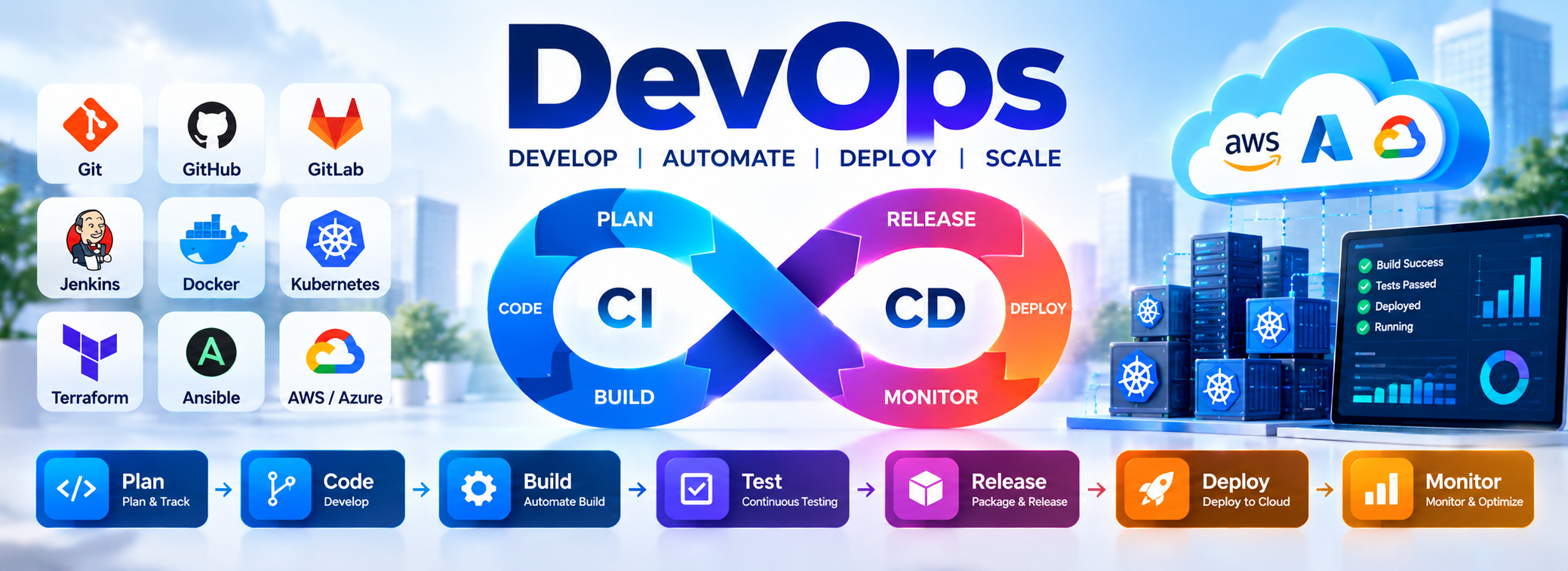
#DevOps Training
- ✅ Agile Project Management
- ✅ Version Control
- ✅ CI/CD Pipelines
- ✅ Testing & Quality Assurance
- ✅ Package Management
- ✅ Security & Compliance
- ✅ Integration & Extensibility
- ✅ Scalability & Flexibility
- ✅ Collaboration & Code Review
Module 1: LINUX Concepts
Ch 1: Introduction to Server & Linux
● Client-Server Architecture
○ Concepts and examples
○ Roles of client and server in a network
● GUI vs CLI
○ Differences and use cases
○ Advantages of CLI for server management
● Navigating through CLI
○ Basic commands: pwd, cd, ls
○ Understanding the file system hierarchy
● Getting Help
○ Using man pages
○ Help commands like –help and info
Ch 2: File Hierarchy System (FHS)
● Using Relative Path and Absolute Path
○ Understanding and using paths
● Common File Types
○ Regular files, directories, links, and special files
Ch 3: Basic File Management
● Create Files and Directories
○ touch and mkdir
● File and Directory Operations
○ Copy (cp), paste, remove (rm), move (mv), rename
● File Editing
○ Introduction to text editors (vim)
Ch 4: Basic User Management
● User Login Activity and Information
○ Viewing login records (last, who, w)
● Local User Authentication Files
○ Understanding /etc/passwd, /etc/shadow
● User Account Management
○ useradd, usermod, userdel
○ Custom configurations and user profiles
Ch 5: Advanced User Management
● Setting Passwords
○ Using passwd command
● Linux Groups and Their Management
○ Group management commands: groupadd, groupmod, groupdel
● Substituting Users and Super User (SUDO)
○ Configuring and using sudo
○ Security best practices for sudoers
● Changing Ownership
○ Using chown and chgrp
Ch 6: Advanced File Management
● File and Directory Access Permissions
○ Understanding and setting permissions with chmod
○ Symbolic and numeric modes
● File Searching with find Command
○ Using find for file searches
○ Practical examples with find
Ch 7: Variables and Meta Characters
● Variables
○ Environment variables and shell variables
○ Variable substitution
● Command Substitution
○ Using backticks and $(command)
● Metacharacters
○ Understanding and using metacharacters (e.g., *, ?, {} |)
○ Grep command
Ch 8: Linux Processes and Task Scheduling
● Processes and Priorities
○ Understanding process states
○ Monitoring processes with ps and top
● Controlling Processes with Signals
○ Sending signals with kill
● Job Scheduling
○ One-time jobs with at
○ Recurring jobs with cron
○ Managing cron jobs (crontab)
Ch 9: Package Management and Systemctl
● Installing Packages
○ Using package managers (e.g., apt, yum)
● Uninstalling Packages
○ Removing packages with package managers
● Managing Services with systemctl
○ Starting, stopping, enabling, and disabling services
○ Checking service status
Module 2: AWS
Ch 1: Introduction to Cloud Computing
● What is Cloud Computing
○ Definition and key concepts
○ On-demand availability and scalability
● Cloud Implementation Models
○ Public, Private, and Hybrid Clouds
● Advantages of Cloud Computing
○ Cost efficiency, flexibility, disaster recovery, and more
Ch 2: Getting Started with AWS
● Creating an AWS Free Tier Account
○ Account setup and initial configuration
● AWS Global Infrastructure
○ Overview of Regions, Availability Zones & Edge locations
● Tour of the AWS Console & Services in AWS
○ Navigation and key services overview
Ch 3: Elastic Compute Cloud (EC2)
● Creating EC2 Instances
○ Instance types, AMIs, and instance launch
● Security Groups & Classic Ports
○ Configuring security groups and common port settings
● SSH Overview
○ Key pair creation and SSH connection setup
● Private vs Public vs Elastic IP
○ IP addressing and usage
● EC2 hibernate
○ Setting up and using hibernation
Ch 4: Identity and Access Management (IAM)
● IAM Introduction
○ Core IAM concepts and architecture
● Managing Users and Groups
○ Creating and managing IAM users and groups
● IAM Group Policies and Inline Policies
○ Difference and use cases
● IAM Multi-Factor Authentication (MFA)
○ Setting up MFA for enhanced security
● IAM Roles for AWS Services
○ Creating and assigning roles
● AWS CloudShell
○ Introduction and use cases
● IAM Best Practices
○ Security best practices and guidelines
● AWS Policy Simulator
○ Testing and validating policies
Ch 5: EC2 Instance Storage
● EBS Overview
○ Types and uses of Elastic Block Store
● Managing EBS Volumes
○ Creating, attaching, and resizing volumes
● EBS Snapshots
○ Creating and managing snapshots
● Cross-AZ and Regional Replication for EBS Volumes: Best Practices
○ Configuring replication for high availability
● EBS Encryption
○ Setting up encryption for data security
● Amazon Machine Images (AMI)
○ Creating and managing AMIs
● Amazon EFS
○ Setting up and using Elastic File System
● EFS Lifecycle Management
○ Managing the lifecycle of files in EFS
● EBS vs EFS
○ Comparison and use cases
Ch 6: Simple Storage Service (S3)
● Introduction to S3
○ Overview and use cases
● S3 Buckets and Objects
○ Creating and managing buckets and objects
● S3 Versioning
○ Enabling and managing versioning
● S3 Security and Bucket Policies
○ Setting up bucket policies and access control
● Static Website Hosting
○ Hosting a static website on S3
● Cross-Region and Same-Region Replication
○ Configuring replication for data redundancy
● S3 Storage Classes
○ Overview of storage classes and cost optimization
● Configuring S3 Lifecycle Rules
○ Automating transitions and expiration
Ch 7: High Availability and Scalability
● High Availability and Scalability
○ Core concepts and benefits
● Introduction to Load Balancing
○ Basic principles and use cases
● Different Types of Load Balancers in AWS
○ Classic Load Balancers , Application Load Balancers
● Elastic Load Balancer
○ Configuration and management
○ Sticky Sessions (Cookies)
○ Cross-Zone Load Balancing
○ Connection Draining
● Auto Scaling Groups
○ Setting up and configuring ASGs
● Scaling Policies
○ Dynamic and scheduled scaling policies
● Scaling Triggers with CloudWatch Alarms
○ Configuring alarms for auto-scaling
Ch 8: DNS and Route 53
● What is DNS
○ Basic DNS concepts
● Route 53 Overview
○ Features and benefits
● Registering a Domain
○ Domain registration and management
● Creating Records
○ A, AAAA, CNAME, and other record types
● Routing Policies
○ Simple, Weighted, Latency, Failover, Geo Proximity
● Integrating 3rd Party Domains with Route 53
○ Setting up external domain
Ch 9: Cloud Networking and VPC
● Introduction to Networking
○ Basic networking concepts in the cloud
● CIDR
○ Understanding and using CIDR notation
● Creating Public and Private Subnets
○ Subnet creation and management
● Creating Public and Private VPCs
○ VPC setup and configuration
● Creating a Custom VPC
○ Advanced VPC configurations
● Creating and Managing Internet Gateways
○ Setting up internet connectivity
● VPC Peering
○ Configuring peering connections between VPCs
Ch 10: CloudFront and Global Accelerator
● Introduction to CloudFront
○ Content delivery and caching
● Setting Up CloudFront Distributions
○ Configuring and managing distributions
● Global Accelerator Overview
○ Improving performance and availability
● Setting Up Global Accelerator
○ Configuration and management
Ch 11: Budgets and Cost Management
● AWS Budgets Overview
○ Setting up and managing budgets
● Cost Management Tools
○ Using AWS Cost Explorer and reports
● Cost Optimization Best Practices
○ Strategies for reducing AWS costs
Module 3: DevOps & GIT, GITHUB
Ch 1: DevOps Concepts
- What is Dev-Ops and SDLC ?
- Understanding the DevOps terminology
- Continuous Integration and Continuous Deployment
Ch 2: Introduction to Version Control
- Introduction to Version Control Systems (VCS)
- Benefits of using VCS (e.g., collaboration, version tracking, backup)
Ch 3: Installing and Configuring Git
- Downloading and installing Git on various operating systems
- Initial configuration (git config for username, email, etc.)
■ git config –global user.name “Your Name”
■ git config –global user.email
“your.email@example.com”
Ch 4: Creating a GitHub Account
○ Setting up a GitHub account
○ Overview of GitHub features and interface
Ch 5: Familiarizing with Git Bash
○ Basic command-line interface commands
○ Navigating directories, and basic file operations in Git Bash
■ Commands: pwd, ls, cd, touch, mkdir, rm
Ch 6: Demystifying the Git Workflow
- Working Area
○ Understanding the working directory
○ Tracking changes with git status
○ Viewing differences with git - Staging Area
○ Adding changes to the staging area with git add
○ Viewing staged changes with git - Local Repository
○ Committing changes with git commit
○ Viewing commit history with git log
■ Commands: git commit -m “commit message”, git log
Ch 7: Remote Repositories
- Managing Remote Repositories
○ Connecting to remote repositories with git remote
○ Viewing and managing remote connections
■ Commands: git remote add origin <URL>, git remote - Pushing Code to Remote Repositories
○ Pushing changes with git push
○ Understanding the push workflow and upstream branches
■ Command: git push origin main - Cloning Repositories
○ Cloning repositories with git clone
○ Working with cloned repositories
■ Command: git clone <URL>
Ch 8: Branching & Merging Repositories
- Creating & Managing Branches
○ Creating branches with git branch and git checkout
○ Switching branches with git switch
○ Viewing branches with git branch –list
■ Commands: git branch <branch-name>, git checkout
<branch-name>, - Merging Branches
○ Merging branches with git merge
○ Understanding fast-forward and recursive merges
■ Command: git merge <branch-name> - Resolving Merge Conflicts
○ Identifying merge conflicts
○ Manually resolving conflicts and committing the resolution
Demo Videos
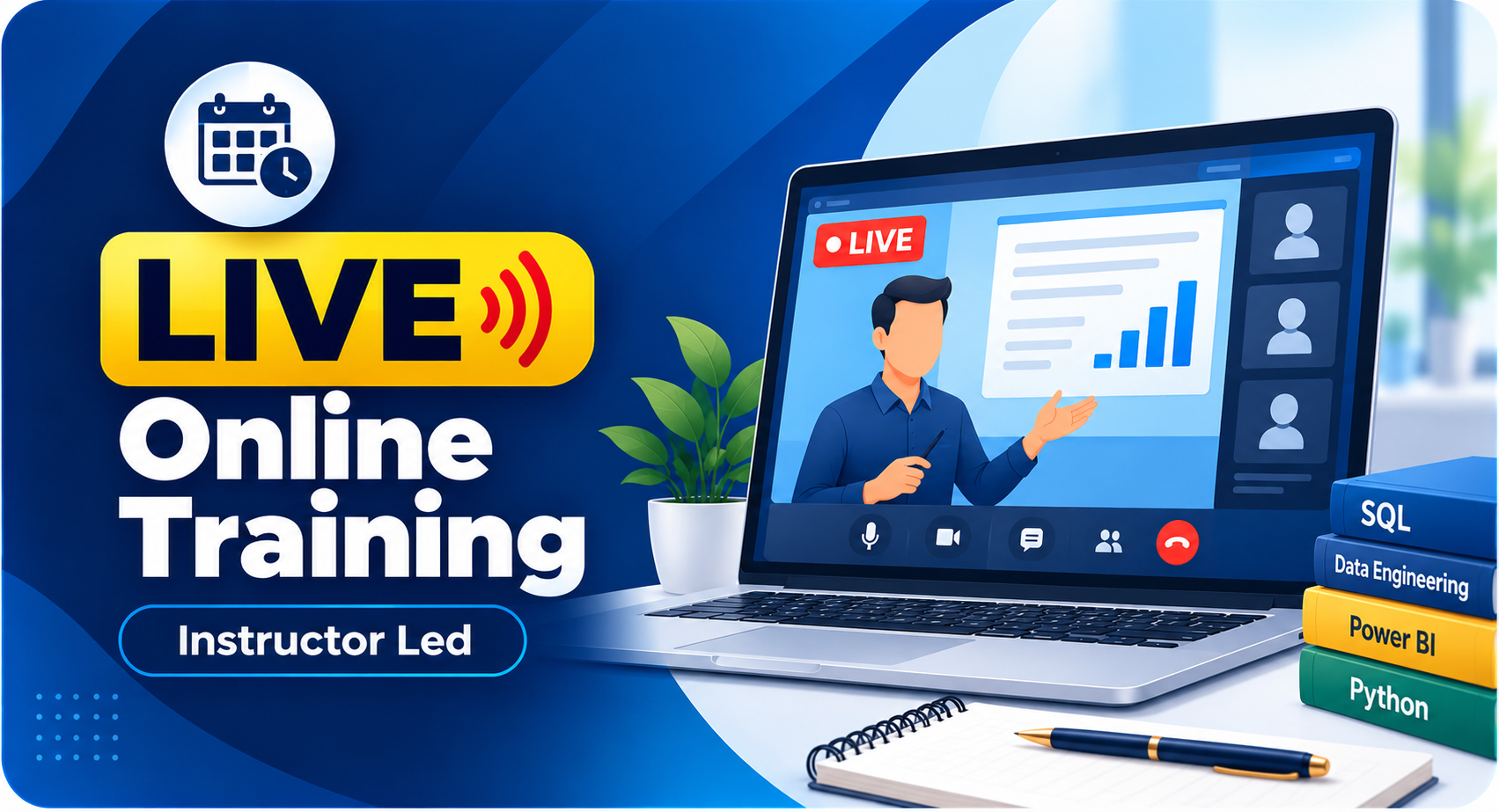
Training Modes






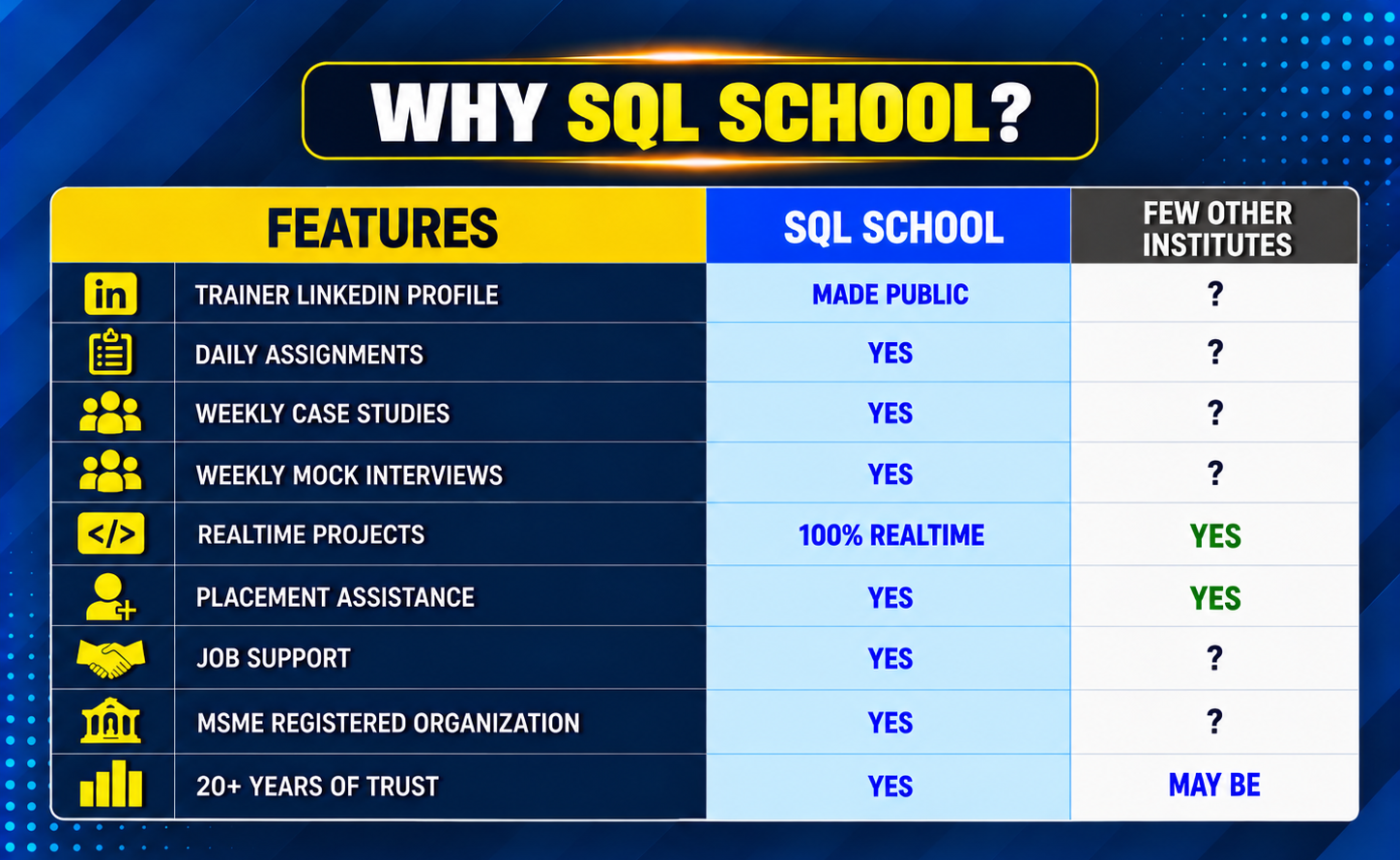
Why Choose SQL School
- 100% Real-Time and Practical
- ISO 9001:2008 Certified
- Concept wise FAQs
- TWO Real-time Case Studies, One Project
- Weekly Mock Interviews
- 24/7 LIVE Server Access

- Realtime Project FAQs
- Course Completion Certificate
- Placement Assistance
- Job Support
- Realtime Project Solution
- MS Certification Guidance