
Power BI Developer 2026: The Definitive Guide to Smarter Data Analytics
Information has a million uses, but only a few are useful. This is where Power BI can help: Microsoft’s full analytics suite that transforms raw data into visual narratives, drives business decisions in the cloud, and now brings AI directly into your workflow. Whether you are a new or existing Power BI developer, this book is for you and will be your perfect introduction to the capabilities of Power BI today and why it is more relevant than ever.
What is special about Power BI?
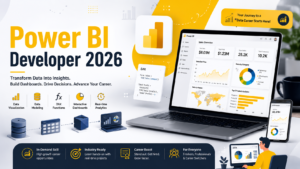
Power BI is not simply a reporting product, it’s an entire analytics ecosystem. It integrates with SQL databases and transforms messy data in Power Query, creates the most advanced calculations with DAX, creates rich visuals, and publishes to the cloud. The platform spans all aspects of the analytics lifecycle, allowing teams to dedicate less time to tool-switching and more to discovering insights. An experienced Power BI developer in 2026 will be able to confidently manage all of these layers.
- Rich Visuals
Dozens of pre-set chart types and a marketplace of custom visuals. - Power Query
Complex transforms with no-code data shaping using M language. - DAX Engine
Time Intelligence, KPIs, and custom metrics in formula. - SQL DB Access
Run queries, or import them from any major SQL data source. - Cloud Analytics
Power BI Service and Power BI Fabric integration and integration with Azure is built-in. - Dynamic RLS
Access level security that is tailored to each user’s access.
Power Query: Transform first, analyze later.
Clean data is the first step to good analytics. Power Query is Power BI’s data transformation engine and it’s quite powerful. You can then link to hundreds of data sources (SQL databases, Excel files, APIs, SharePoint, etc.) and then mold the data with a point-and-click interface that uses the M language. Web Parameters allow you to make your queries dynamic, allowing reports to adapt without having to re-create the queries from scratch. Each transformation step is captured and repeatable, allowing for audit and easy maintenance of your data pipeline. It is the basic knowledge for any Power BI developer in 2026, developing production grade solutions in 2026.
Imagine Power Query as your data kitchen, where raw ingredients are washed, cut and cooked before the real analysis comes in.
The brain of your numbers is DAX.DAX is the brain behind your numbers.
The difference between Power BI and a charting tool is DAX (Data Analysis Expressions). It enables you to create measures, calculated column, and KPIs beyond simple sums and averages. DAX brings to life time intelligence like SAMEPERIODLASTYEAR, running totals, dynamic segmentation, and what-if analysis. If you learn a few of these DAX patterns, the value of insights your reports can provide is heightened significantly. It’s not a surprise that deep DAX fluency is one of the most valuable skills you can acquire as a Power BI developer in 2026 — and AI CoPilot can help you do it faster.
Cloud, DWH and enterprise scale.
Collaboration, scheduling and governance are integrated in Power BI Service — the cloud layer. Reports published to the cloud can be shared between teams, embedded into apps, and can be automatically refreshed from data warehouse sources. Now with Microsoft Fabric, Power BI seamlessly integrates with OneLake to provide a true data lakehouse architecture. In regulated industries, Power BI Report Server allows them to host everything on-premises with a familiar Power BI authoring experience. As a Power BI developer in 2026, it is crucial to grasp how these layers of the cloud work together to provide reliable, governed analytics to any enterprise at work scale.
Dynamic RLS and security at scale
For enterprise deployment, data governance is needed not just bolted on. Dynamic row-level security (RLS) in Power BI provides row-level security that will limit the data each user can access without creating a separate report for each team. A single report can be shared among hundreds of users with each user receiving only the data they are allowed to see by specifying the security rules in DAX and the user context functions like USERPRINCIPALNAME(). In 2026, one of the most powerful actions a Power BI developer can take is to design a clean RLS model, as it can scale a solution with minimal maintenance
AI and CoPilot: the new frontier
Microsoft has infused Power BI with a lot of AI. Smart narratives automatically generate written summaries of your visuals. Automatically detect unusual patterns in the data with anomaly detection. Q&A enables business users to ask data questions in natural language. CoPilot for Power BI enables you to simply say what you would like to see, and then watch it come to life: Use simple textual prompts to write DAX measures, and get AI-generated insights surfaced directly in your dashboards. This evenens the playing field. However, a top-notch Power BI developer in 2026 is still familiar with the right moments to lead the AI and when to intervene. The human touch and the power of AI are best served when paired together.
Frequently asked questions
Do I need coding skills to use Power BI?
No. It’s all point & click with No PowerQuery and the visual canvas. DAX and M language are reserved for advanced users, those looking for custom calculations — but every Power BI developer in 2026 will need to know at least the basics.
What’s the difference between Power BI Desktop and Service?
Reports are built and designed locally on Desktop. Service is the cloud platform where you publish, share, schedule refreshes and collaborate with your team.
Will Power BI be able to access my SQL database?
Yes — Power BI supports SQL Server, MySQL, PostgreSQL, Azure SQL, and many more. Data can be imported or DirectQuery for Live connections with live results.
What’s Dynamic RLS and when to use it?
Dynamic RLS filters report data based on the user who is logged in. You will need it when you want to show different rows to different users, such as showing each sales person only his or her sales.
What is CoPilot for Power BI and how can it help improve Power BI workflows?
In 2026, every Power BI developer will save countless build hours by describing the desired functionality in plain English, which will then be reflected in reports, DAX measures, and insights automatically generated by CoPilot.
Can Power BI be used for large data warehouses?
Absolutely. Power BI supports enterprise DWH workloads at scale with high performance and low latency using DirectQuery, Aggregations and Microsoft Fabric integration.
Author
Trainer: Mr. Sai Phanindra
20+ Years of Industry Experience
Corporate & Porfessional Trainer
Profile: https://www.linkedin.com/in/saiphanindra
Reach me for career / resume advise: +91 9030040801
For Registrations: +91 9666440801 | +91 9666640801
www.sqlschool.com
