
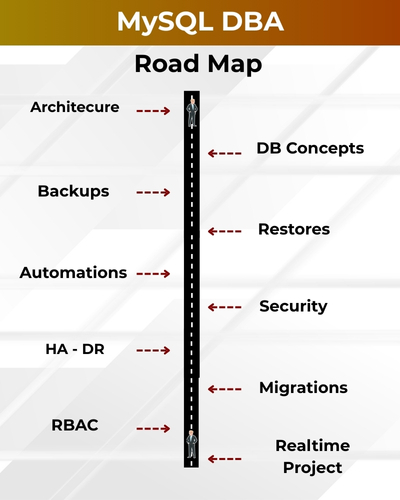
MySQL DBA (Database Administrator) is responsible for managing, securing, and optimizing MySQL database environments for high performance and reliability. They handle tasks such as installation, configuration, backup, recovery, replication, and tuning to ensure seamless database operations
✅ Installation & Configuration
✅ Schema, Tables & Users
✅ Backup & Restore Strategies
✅ Replication & High Availability
✅ Query Optimization & Indexes
✅ Monitoring & Query Tuning
✅ Security, Access Management
✅ Upgrades, Migration Projects
✅ Real-Time My SQL Projects
✅ 1:1 Mentorship & Career Prep
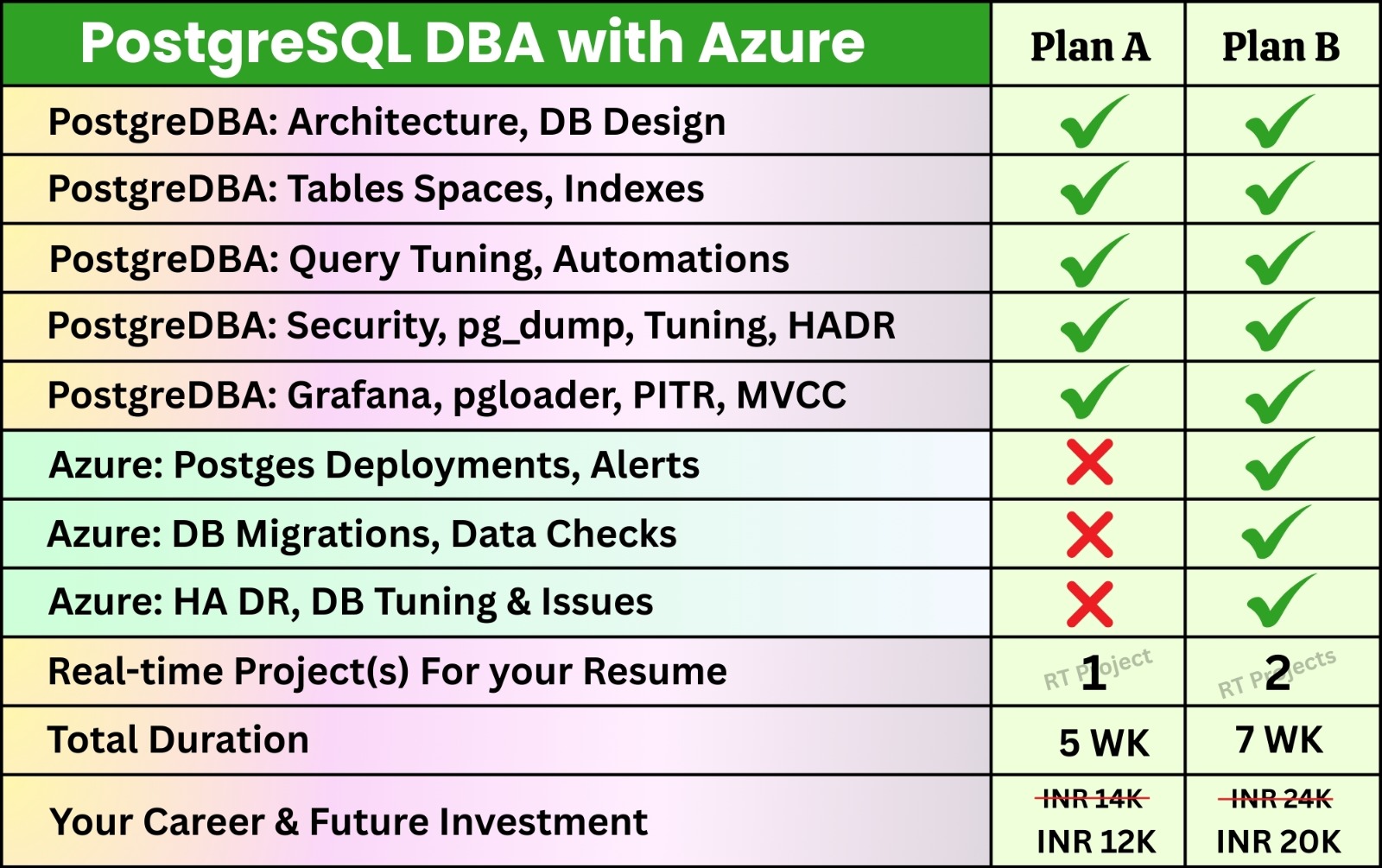
Postgre SQL DBA Course Contents:
Module 1: PostgreSQL DBA Concepts
Ch 1: PostgreSQL Introduction
- Database Concepts
- DBA Job Roles
- PostgreSQL DBMS
- Postgres Features
- Postgres Editions
Ch 2: Installation & Setup
- Installing PostgreSQL on Linux
- Installing PostgreSQL on Windows
- Package-based Installation
- Source Installation
- PostgreSQL Directory Structure
- Initial Cluster Creation
- Start, Stop & Restart using pg_ctl
- Managing PostgreSQL using systemctl
Ch 3: Database Administration
- Creating Databases
- Managing Schemas
- Tablespaces
- Roles & Users
- Privileges & Permissions
- Default Privileges
Ch 4: Configuration Management
- postgresql.conf
- pg_hba.conf
- pg_ident.conf
- Configuration Reload vs Restart
- Parameter Classification
- Memory Configuration
- Logging Configuration
Ch 5: Security Management
- Authentication Methods
- SSL Basics
Ch 6: PostgreSQL Architecture
- PostgreSQL Process Architecture
- PostgreSQL Storage Architecture
- System Catalogs
Ch 7: Tools & Utilities
- psql
- pgAdmin
- createdb
- dropdb
- createuser
- dropuser
Ch 8: Backup & Recovery
- Logical Backup
- pg_dump
- pg_restore
- pg_dumpall
- Physical Backup
- Base Backup (pg_basebackup)
Ch 9: WAL Fundamentals
- WAL Architecture
- WAL Files
- Checkpoints
- WAL Configuration
Ch 10: Routine Maintenance
- VACUUM
- VACUUM FULL
- ANALYZE
- AUTOVACUUM
- REINDEX
- CLUSTER
- MVCC
- Maintenance Best Practices
Ch 11: Monitoring
- pg_stat_activity
- pg_stat_database
- pg_locks
- pg_stat_user_tables
- pg_stat_statements
- Session Monitoring
Ch 12: Extensions
- pg_stat_statements
- pg_buffercache
- postgres_fdw
- pg_repack
- pgstattuple
- uuid-ossp
Module 2: PostgreSQL Administration in Cloud (Azure)
Ch 13: Cloud Fundamentals
- IaaS
- PaaS
- SaaS
- Managed PostgreSQL
Ch 14: Introduction to Azure Database for PostgreSQL
- Overview of Azure Database Services
- PostgreSQL on Azure Architecture
- Deployment Models
Ch 15: Azure Postgres DBA: Flexible Server
- Creating Flexible Server
- Compute and Storage Options
- Networking Configuration
- Start/Stop Server
- Cost Optimization
Ch 16: Azure Postgres DBA: Single Server
- Single Server Architecture
- Features and Limitations
- Single Server vs Flexible Server
Ch 17: Azure Postgres DBA: Backups
- Automated Backups
- Backup Retention Period
- Point-in-Time Recovery (PITR)
- Restore Operations
- Backup Monitoring
- Backup Best Practices
Ch 18: Azure Postgres DBA: Migration
- Azure Database Migration Service (DMS)
- Migration using pg_dump and pg_restore
Ch 19: Azure Postgres DBA: Monitoring
- Metrics and Alerts
- Performance Dashboard
- Query Performance Insights
Ch 20: Azure Postgres DBA: High Availability and Replication
- HA Architecture
- Read Replica
- Replica Creation
- Failover Process
- Disaster Recovery (DR)
Module 3: PostgreSQL Advanced Administration
Ch 21: Advanced Backup & Recovery Strategies
- WAL Archiving
- Point-in-Time Recovery (PITR)
- Recovery Targets
- pgBackRest/Barman
- Backup Scheduling using Cron Jobs
Ch 22: Performance Tuning – 1
- PostgreSQL Optimizer
- Query Planner
- EXPLAIN
- EXPLAIN ANALYZE
- Buffer Usage
Ch 23: Performance Tuning – 2
- Cost Estimation
- Slow Query Analysis
- Index Optimization
- Execution Plans
- Join Strategies
- Parallel Queries
Ch 24: Indexing
- B-tree
- Hash
- GIN
- GiST
- BRIN
- Expression Indexes
- Partial Indexes
- Covering Indexes (INCLUDE)
- Concurrent Index Creation
Ch 25: Vacuum Internals
- Dead Tuples
- Autovacuum Internals
- Bloat Analysis
Ch 26: Locking & Wait Events
- Lock Types
- Deadlocks
- Blocking Sessions
- Types of Wait Events
- Transaction Isolation Levels
Ch 27: Replication
- Streaming Replication
- Logical Replication
- Synchronous Replication
- Asynchronous Replication
- Cascading Replication
- Replication Lag Monitoring
Ch 28: High Availability
- Failover
- Switchover
- Automatic Failover (pgpool-II / Patroni)
- Disaster Recovery (DR)
Ch 29: Partitioning
- Range
- List
- Hash
- Partition Pruning
Ch 30: Upgrades
- Minor Version Upgrade
- Major Version Upgrade
- pg_upgrade
- Best Practices Upgrade
- Rollback Planning
Ch 31: Enterprise Monitoring
- Prometheus
- Grafana
- pgBadger

SQL SCHOOL
24x7 LIVE Online Server (Lab) with Real-time Databases.
Course includes ONE Real-time Project.
#Top Technologies



Who is SQL School? How far you have been in the training services ?
SQL School is a registered training institute, established in February 2008 at Hyderabad, India. We offer Real-time trainings and projects including Job Support exclusively on Microsoft SQL Server, T-SQL, SQL Server DBA and MSBI (SSIS, SSAS, SSRS) Courses. All our training services are completely practical and real-time. CREDITS of SQL School Training Center
- We are Microsoft Partner. ID# 4338151
- ISO Certified Training Center
- Completely dedicated to Microsoft SQL Server
- All trainings delivered by our Certified Trainers only
- One of the few institutes consistently delivering the trainings for more than 20+ Years online as inhouse
- Real-time projects in
- Healthcare
- Banking
- Insurance
- Retail Sales
- Telecom
- ECommerce
I registered for the Demo but did not get any response?
Make sure you provide all the required information. Upon Approval, you should be receiving an email containing the information on how to join for the demo session. Approval process usually takes minutes to few hours. Please do monitor your spam emails also.
Why you need our Contact Number and Full Name for Demo/Training Registration?
This is to make sure we are connected to the authenticated / trusted attendees as we need to share our Bank Details / Other Payment Information once you are happy with our Training Procedure and demo session. Your contact information is maintained completely confidential as per our Privacy Policy. Payment Receipt(s) and Course Completion Certificate(s) would be furnished with the same details.
What is the Training Registration & Confirmation Process?
Upon submitting demo registration form and attending LIVE demo session, we need to receive your email confirmation on joining for the training. Only then, payment details would be sent and slot would be allocated subject to availability of seats. We have the required tools for ensuring interactivity and quality of our services.
Please Note: Slot Confirmation Subject to Availability Of Seats.
Will you provide the Software required for the Training and Practice?
Yes, during the free demo session itself.
How am I assured quality of the services?
We have been providing the Trainings – Online, Video and Classroom for the last 20+ years – effectively and efficiently for more than 100000 (1 lakh) students and professionals across USA, India, UK, Australia and other countries. We are dedicated to offer realtime and practical project oriented trainings exclusively on SQL Server and related technologies. We do provide 24×7 Lab and Assistance with Job Support – even after the course! To make sure you are gaining confidence on our trainings, participans are requested to attend for a free LIVE demo based on the schedules posted @ Register. Alternatively, participants may request for video demo by mailing us to contact@sqlschool.com Registration process to take place once you are happy with the demo session. Further, payments accepted in installments (via Paypal / Online Banking) to ensure trusted services from SQL School™
YES, We use Enterprise Edition Evaluation Editions (Full Version with complete feature support valid for SIX months) for our trainings. Software and Installation Guidance would be provided for T-SQL, SQL DBA and MSBI / DW courses.
Why Choose SQL School
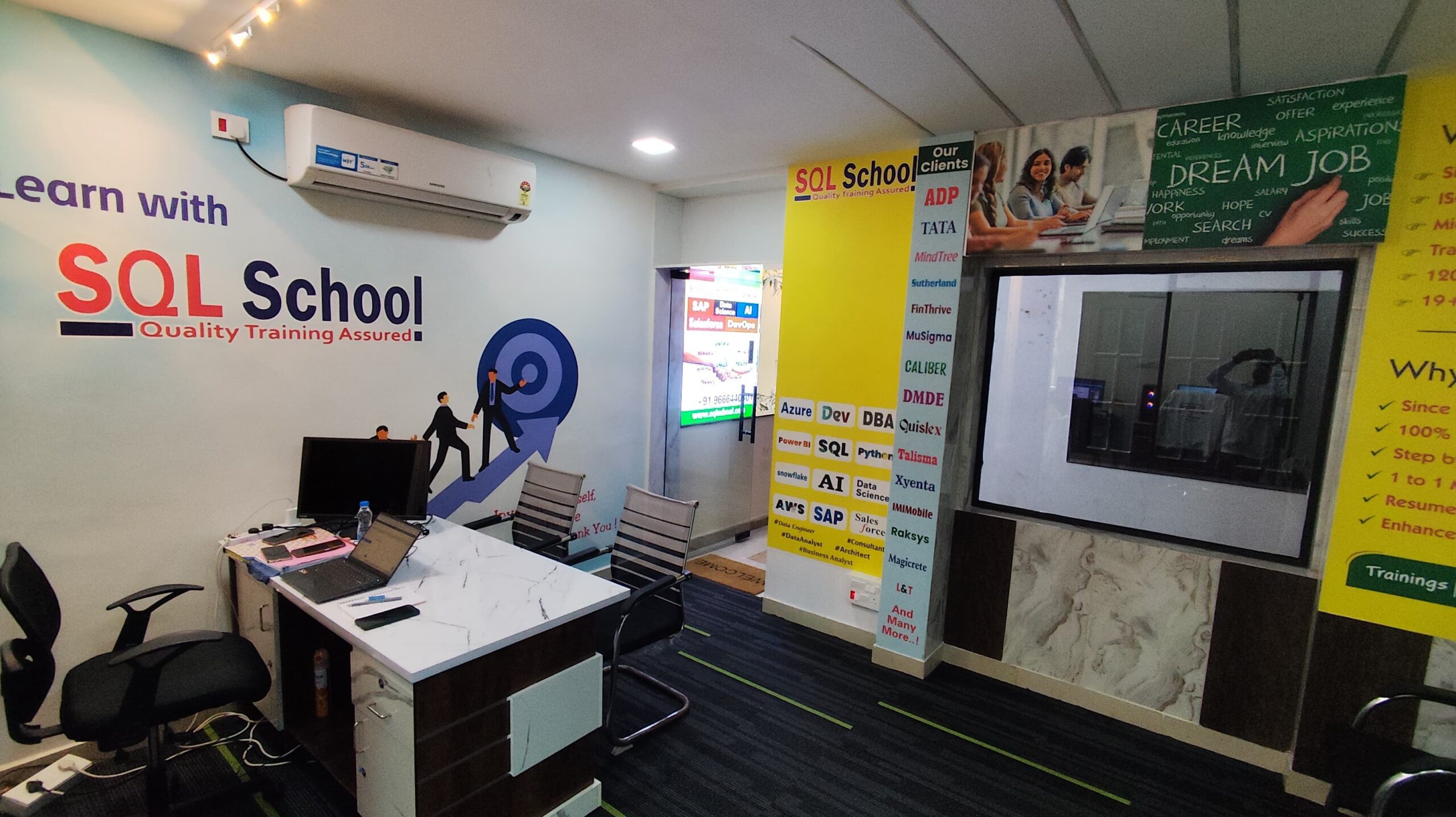
- 100% Real-Time and Practical
- ISO 9001:2008 Certified
- Weekly Mock Interviews
- 24/7 LIVE Server Access
- Realtime Project FAQs
- Course Completion Certificate
- Placement Assistance
- Job Support
