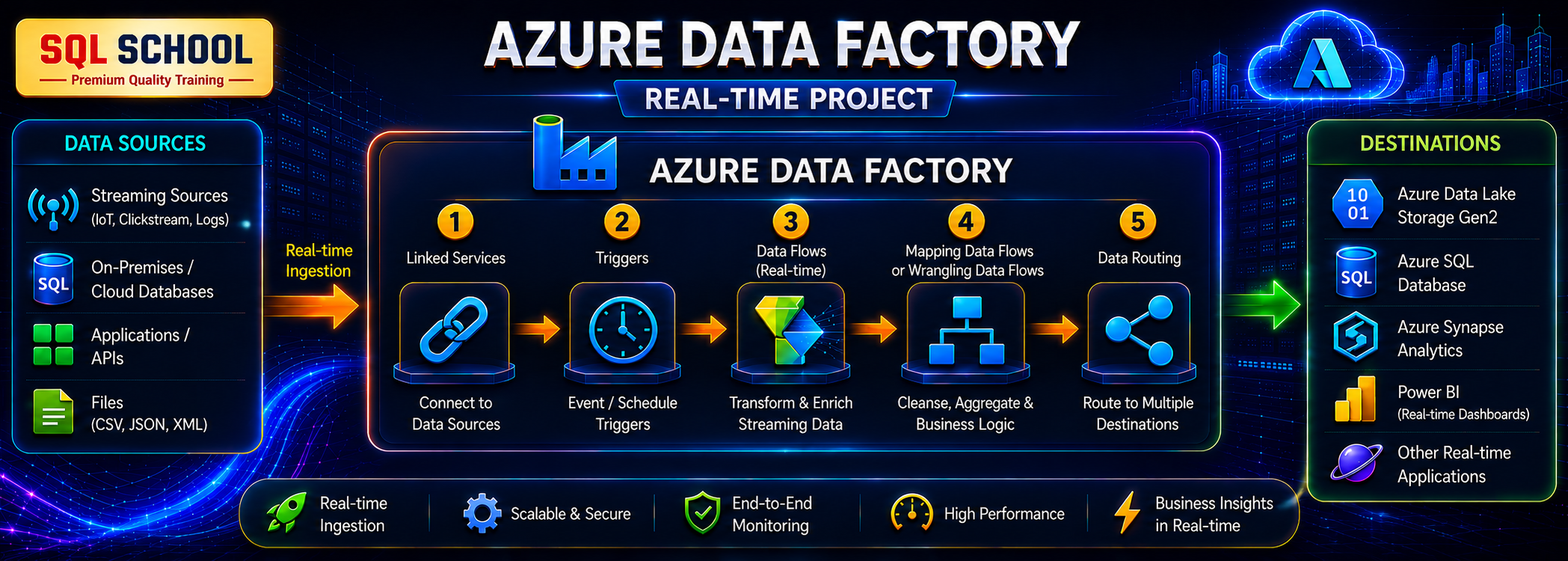
ADF
previous arrow
next arrow

#Azure Data Factory

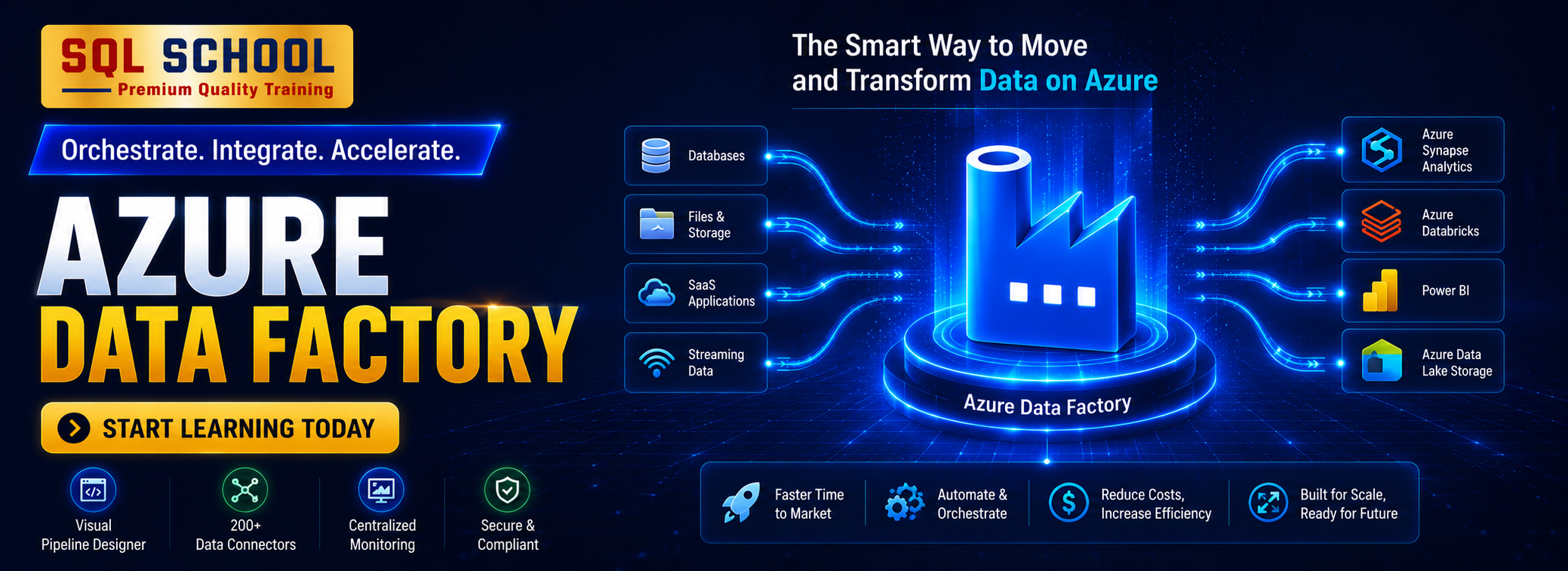
 Azure Data Factory Training course is carefully designed for aspiring ETL Developers and Architects. This Azure Data Factory Training includes basic to advanced ETL Concepts, Data Warehouse (DWH) and Data Mashups / Data Flow concepts using SQL Server, Azure SaaS Components. This Azure Data factory Training course also includes Azure SQL Database Migrations, Azure Storage, Azure Data Warehouse (ADW), Incremental Loads, Power Query, Azure Data Lake required for Big Data Analytics and Warehouse design with ONE Real-time Project.

Training Highlights

This Azure Data  Factory course includes:

✅ Cloud ETL, DWH with Big Data Analytics
✅ Azure Data Factory (ADF) for ETL
✅ Azure Synapse For DWH, Analytics
✅ Azure Stream Analytics For IoT, Insights
✅ Azure Key Vault, RBAC For Security
✅ Azure Databricks for ETL, ELT, Analytics


Azure Data factory
Training Course Contents:

Module 1: MSSQL & TSQL

Ch 1: SQL Database Job Roles

  • Database Intro
  • OLTP, DWH, OLAP
  • DBMS Basics
  • Data Engineer Job Roles

Ch 2: Database Intro & Installations

  • SQL Server Installations
  • Instance & Collations
  • SSMS Tool Installation
  • Connections, Authentications

Ch 3: SQL Basics V1 (Commands)

  • SQL Basics (DDL, DML, etc..)
  • Creating Databases, Tables
  • Data Inserts (GUI, SQL)
  • Basic SELECT Queries

Ch 4: SQL Basics V2 (Commands, Operators)

  • DDL: Create, Alter, Drop
  • DML: Insert, Update, Delete
  • DQL: Select, Fetch
  • Add, Truncate Statements
  • SQL Operators

Ch 5: Data Types & Variables

  • Integer Data Types
  • Character, MAX Data Types
  • Decimal & Boolean Data Types
  • Date and Time Data Types
  • SQL_Variant Type

Ch 6: Data Imports

  • Data Imports with Excel
  • Data Imports with CSV
  • Data Types Detection
  • OLE-DB Connections
  • ORDER BY, TOP, OFFSET

Ch 7: Schemas & Batches

  • Schemas & Table Grouping
  • Real-world Banking Database
  • 2 Part, 3 Part & 4 Part Naming
  • Batch Concept & “Go” Command

Ch 8: Constraints, Keys & RDBMS

  • Null, Not Null Constraints
  • Unique Key & Check
  • Primary Key Constraint
  • Foreign Keys, Default
  • DB Diagrams & ER Models

Ch 9: Normal Forms & RDBMS

  • Normal Forms: 1 NF, 2 NF
  • 3 NF, BCNF and 4 NF
  • 1:1, 1:M, M:1 Cardinality
  • Cascading Keys, Self Referencing Keys

Ch 10: Joins & Queries

  • Joins: Table Comparisons
  • Inner Joins & Matching Data
  • Outer Joins: LEFT, RIGHT
  • Full Outer Joins & Aliases
  • Self Joins & Aliases

Ch 11: Sub Queries

  • Basic Sub Queries
  • Aggregations
  • Combining Queries
  • Correlated Sub Queries
  • UNION, UNION ALL

Ch 12: Group By Queries

  • Group By, Distinct
  • GROUP BY, HAVING
  • Cube( ) and Rollup( )
  • Sub Totals & Grand Totals
  • Grouping( ) & Usage
  • ISNULL, COALESCE

Ch 13: Joins with Group By, Sub Queries

  • 3 Table, 4 Table Joins
  • Join Queries & WHERE
  • Join & Group By, Sub Queries
  • IIF(), CASE Statement
  • EXISTS, NOT EXISTS
  • Query Execution Order

Ch 14: Views & RLS

  • Views: Realtime Usage
  • DML, SELECT with Views
  • WITH CHECK OPTION
  • Row Level Security (RLS)
  • Important System Views

Ch 15: Functions & Queries

  • User Defined Functions
  • Scalar, Table Value Functions
  • Variables & Parameters
  • Date & Time Functions
  • String Functions
  • Aggregated Functions
  • Data Conversion Functions

Ch 16: Advanced SQL & Window Functions

  • Window Functions (Rank)
  • Row_Number, DenseRank
  • Partition By & Order By
  • Lag & Lead Functions
  • Pivot, UnPivot
  • Running Totals
  • Moving Average

Ch 17: Stored Procedures – 1

  • Stored Procedures: Realtime Use
  • Parameters Concept with SPs
  • Procedures with SELECT
  • System Stored Procedures
  •  Stored Procedures, Tuning

Ch 18: Stored Procedures – 2

  •  Merge Statement (Upsert)
  • Merge with OLTP & DWH
  • Matched and Not Matched
  •  Merge & SP Recompilations

Ch 19: Triggers & Automations

  • Need for Triggers in Real-world
  • DDL & DML Triggers
  • For / After Triggers
  • Instead Of Triggers
  • Disabling DMLs Triggers

Ch 20: Transactions & ACID

  • Auto Commit Transaction
  • Explicit Transactions
  • COMMIT, ROLLBACK
  • Checkpoint & Query Blocking
  • READPAST, LOCKHINT
  • TRY…CATCH & Error Handling

Ch 21: SQL Query Performance & Indexing

  • Clustered vs Nonclustered Indexes
  • Index Seek vs Scan
  •  Execution Plans
  • SARGable Queries
  • Tuning Queries
  • Avoiding SELECT *
  • Indexing JOIN/WHERE columns
  • Statistics Basics
  • Query Optimization Examples

Ch 22: CTEs & Tuning

  • Common Table Expression
  • CTEs for Data Retrieval
  •  CTEs for DML Operations
  • Data Cleansing Techniques
  • Duplicate Detection/Removal

Ch 23: Temp Tables & Query Techniques

  •  Local & Global Temp Tables
  • SELECT..INTO Statement
  • Cursor Basics – When to Use & Avoid
  • NULLIF
  • Basic Execution-Plan Reading

Ch 24: Bonus / Advanced Module: SQL Server Internals

  • Database Engine Components
  • Parser, Compiler & Optimizer
  • Parsing and Compilation
  • Memory Manager & IO Managers

Real-Time Project on HealthCare Domain
Project Requirement:

Solve 20+ Real-World Healthcare Business Requirements.
Project Workflow:

Database Design → SQL Development → Data Analysis → Performance Optimization

Project Operational Flow:
Healthcare DB → Patients → Doctors → Appointments → Treatments → Billing → Insurance → SQL
Analysis → Stored Procedures → Performance Tuning → Business Reports

Business Requirements:
Monthly Hospital Revenue, Top Doctors By Patients Treated, Repeat Patients, Department
Performance, Average Treatment Cost, Unpaid Bills, Insurance Claim Analysis, Patient Trends,
Month-Over-Month Revenue And Top Procedures…

Module 2: Azure Data Factory

Section 1: Azure Data Factory & Synapse, ADLS
Ch 1: Azure Fundamentals

  • Cloud Introduction, Azure
  • Cloud Implementations
  • Azure Account, Subscription
  • Azure ETL & DWH Resources
  • Azure Storage, IoT Resources

Ch 2: Azure Storage & ADLS

  • Azure Data Lake Storage
  • Azure BLOB Containers
  • Access Keys
  • SAS Keys
  • IAM & ACLs

Ch 3: Azure Deployments, Azure SQL

  • Azure SQL Server Deployment
  • Azure SQL DB Deployment
  • Azure SQL Database (OLTP)
  • Azure Firewall Rules
  • Connections from SSMS Tool

Ch 4: Azure SQL DB Migrations

  • Azure Storage Account
  • On-Premise SQL DB, bacpac
  • Azure SQL DB Migration
  • SQL Server Imports from BLOB
  • Migration Verifications

Ch 5: Azure Synapse Analytics (DWH)

  • Synapse Pool Architecture
  • Control Node, Compute Node
  • DMS (Data Movement Service)
  • Azure DWH Tables: Partitions
  • Distributions & MAXDOP

Ch 6: Azure Data Factory – Pipelines

  • ADF Intro & Pipeline Artifacts
  • Integration Runtime (IR)
  • Linked Services, Datasets
  • Copy Data Activity
  • Azure SQL DB Loads
  • Azure Synapse Analytics Writes
  • Pipeline Validation, Runs

Ch 7: ADF: Azure Blob Data Loads

  • ADF Author & Pipeline Runs
  • Azure BLOB Storage Access
  • Storage Containers in ADF
  • Pipeline Staging
  • Pipeline Logging
  • Validations & Schedules

Ch 8: Table Incremental Loads

  • Implement SCD with ADF
  • Self Hosted IR: Realtime Use
  • On-premise Data: Incr Loads
  • Copy Method: Upsert, Keys
  • Staging & ADF Optimizations
  • Pipeline Logging

Ch 9: ADF Data Flow – 1

  • Creating Data Flow Items
  • Using Multiple Sinks
  • Conditional Split Transformation
  • Select, Sort, Union, Loops
  •  ADF Debug Options

Ch 10: ADF Data Flow – 2

  • Working with Multiple Tables
  • Join Transform, Broadcast
  • Surrogate Keys, Derived Cols
  • ETL Loads Dates, Sink Options
  • Aggregated Data Loads

Ch 11: ADF Data Flow – 3

  • Pivot Transformation
  • Group By & Pivot Keys
  • Column Pattern, Deduplicate
  • Lookup, Cached Lookup
  • Tuing Transformations
  • Tuning Data Flow, Spark

Ch 12: ADF Data Flow – 4

  • Get Metadata
  • IF & Lookup Transformation
  • Cache Lookup
  • Broadcast Options
  • DIU, DOCP

Ch 13: ADF Parameters, Security

  • Linked Service Parameters
  • Creating Logins & Users
  • Schemas, ETL Permissions
  • Logins Parameters in ADF
  • Dynamic Linked Services

Ch 14: SCD & ETL with Control Tables

  • ADF Templates in Realtime
  • Incremental Loads (SCD)
  • Control Tables, Watermarks
  • Lookup Activity, Delta Queries
  •  SP Activity & Parameters
  • Pipeline Parameters, SPs

Ch 15: ADF Metrics, Alerts

  • Azure Insights
  • Azure Metrics for ADF
  • Azure Metrics for Synapse
  • Alerts and Notifications
  • Action Groups, Tuning Options

Ch 16: ADF with DevOps & CI/CD

  • Git repositories and branching
  • ADF Git integration
  • Development / Test / Production environments
  • Parameterized deployments
  • Production release workflow

Ch 17: Azure Databricks

  • Azure Databricks Deployments
  • Azure Databricks Regions
  • Classic Deployments
  •  Access connector for Databricks

Ch 18: Azure Databricks with ADLS

  • Creating IAM Users
  • ADLS Security for Databricks
  • Creating Service Principals
  • Enterprise Applications
  • Client ID, Secret ID
  • External Tables (Delta)

Ch 19: Azure Stream Analytics

  • Azure IoT Hubs
  • Azure Stream Analytics
  • LIVE Data Ingestions
  • SAQL Queries
  • Stream Analytics Jobs
  •  Handling JSON Data

Ch 20: Azure Key Vaults

  • Azure Key Vaults
  • Azure Keys & Secrets
  • Access Policies
  • Secret Management
  • Managed Identity

Ch 21: Azure Logic Apps

  • Azure Logic Apps
  • Logic Apps & Automations
  • Azure Events
  • Azure Triggers & Signals
  • ADLS with Logic Apps

Section 2: Real-Time Projects for Data Factory
Real-Time Project: Online Travel Data Engineering Platform

Project Objective:
Build an end-to-end Azure Data Engineering solution to process, transform, and analyze Online Travel
business data from multiple sources.

Skills Gained:

  • Data Ingestion & ETL Development
  • Azure Data Factory Pipelines
  • Data Orchestration (End to End)
  • Data Lake Architecture, RBAC
  • Real-Time Industry Experience
  • Azure IoT, Stream Analytics
  • Azure Databricks with Data Factory
  • Components For Project
  • ADF Pipelines
  • Databricks Notebooks
  • Synapse Analytics
  • Apache Spark Schemas
  • Monitoring & Alerts
  • CI/CD Deployment
  •  End to End Integrations
  • IAM & Managed Identity

Module 3: Interview & Career Preparation

  • End-to-End Real-Time Projects & Solutions
  • Medallion Architecture Implementation
  • 100% Hands-on Practical Sessions
  • Production-Ready ETL Pipelines
  • ADF & ETL from Basics to Advanced
  • Interview Preparation
  • Assignments & Practice Labs
  • 100% Practical • No Unnecessary Theory
  • Learn Like You’re Working in a Real Company

What is Azure Data Factory Job Role?

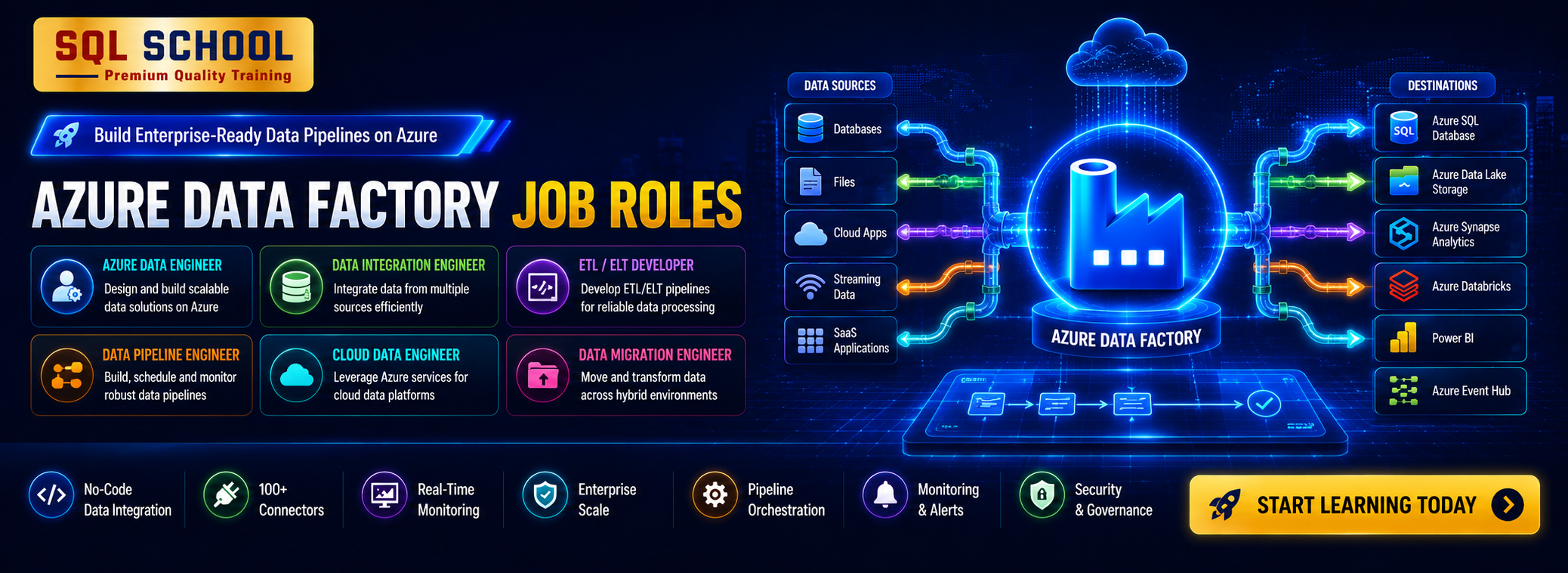
An Azure Data Factory (ADF) professional is responsible for designing, building, and managing cloud-based data integration pipelines using Microsoft’s ADF service. The role includes creating ETL/ELT pipelines, orchestrating data workflows, managing data movement across hybrid sources, and ensuring data transformation at scale. Azure Data Factory engineers play a critical part in modern data engineering and analytics solutions.

What are the Job Roles of an Azure Data Factory ?

💼 Top Job Roles:

1️⃣ Design and implement data pipelines using Azure Data Factory
2️⃣ Build and manage ETL and ELT workflows for structured and unstructured data
3️⃣ Integrate on-premises and cloud data sources securely
4️⃣ Orchestrate complex workflows with triggers, parameters, and variables
5️⃣ Monitor, troubleshoot, and optimize pipeline performance
6️⃣ Collaborate with data engineers, architects, and BI teams and more..!

What does our Azure Data Factory Training course contains?

The course is carefully curated with below module:
👉🏻Module 1: MSSQL & TSQL Queries
👉🏻Module 2: Azure Data Factory

Who can join this course?

  • Freshers targeting cloud data engineering careers

  • ETL developers moving to Azure data integration

  • SQL/DBA professionals upgrading to cloud pipelines

  • IT professionals interested in data orchestration and automation

  • Anyone passionate about building cloud data pipelines

No prior coding experience is required. All concepts are taught from scratch

What training modes are available?

Option 1:        LIVE Online Training  (100% Interactive, step by step, assignments)

Option 2:        Self Paced Videos (100% practical, step by step with concept wise assignments)

You may choose any one of these options, same curriculum!

I (Trainer) shall be available for doubts and clarifications, assignment check and review.

Why should I choose SQL School for Azure Data Factory training?

👉🏻 Every session is Practical, Step by Step with Concept wise FAQs !!

👉🏻 100% results with on-time practice.  Daily Tasks for every session.

👉🏻 Concept wise tasks be submitted before next class for Job Waiters / Starters.

👉🏻 Concept wise tasks due for submission by Weekends for Working Professionals.

Training Modes

LIVE Online Training

Instructor Led

Self Paced Videos

 On-Demand

Corporate Training

With 100% Hands-On

Placement Partners

SQL School Fabric Data Engineer training certificate of completion issued in January 2026 with verification ID
Verified by MonsterInsights