

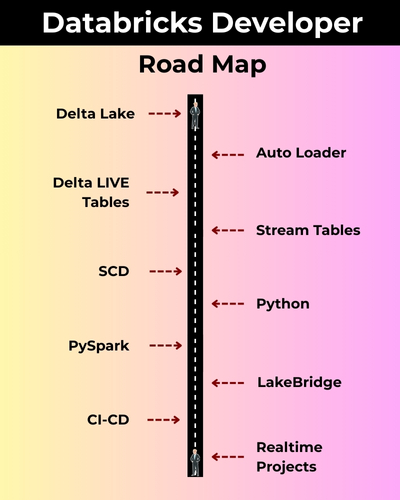
A Databricks Developer is a highly promising job role focused on building scalable data pipelines, transforming raw data into meaningful insights, and enabling advanced analytics with PySpark, Delta Lake, Lakehouse, Workflows, Auto Loader, Big Data and more.. !
✅ Delta Lake, DLT & Auto Loader
✅ Spark, Spark SQL & PySpark
✅ Python, ETL & Pandas
✅ Big Data Analytics
✅ ETL/ELT
✅ WorkFlows, Widgets, Pipelines
✅ Cloud BI, Medallion, more..
✅ Real-Time Projects, Resume
Module 1: SQL Server TSQL (MS SQL) Queries
Ch 1: Databricks Job Roles
- Introduction to Data
- Data Analyst Job Roles
- Data Analyst Job Roles
Ch 2: Database Intro & Installations
- Database Types (OLTP, DWH, ..)
- DBMS: Basics
- SQL Server 2025 Installations
- SSMS Tool Installation
- Server Connections, Authentications
Ch 3: SQL Basics V1 (Commands)
- Creating Databases (GUI)
- Creating Tables, Columns (GUI)
- SQL Basics (DDL, DML, etc..)
- Creating Databases, Tables
- Data Inserts (GUI, SQL)
- Basic SELECT Queries
Ch 4: SQL Basics V2 (Commands, Operators)
- DDL : Create, Alter, Drop, Add, modify, etc..
- DML: Insert, Update, Delete, select into, etc..
- DQL: Fetch, Insert… Select, etc..
- SQL Operations: LIKE, BETWEEN, IN, etc..
Ch 5: Data Types
- Integer Data Types
- Character, MAX Data Types
- Decimal & Money Data Types
- Boolean & Binary Data Types
- Date and Time Data Types
- SQL_Variant Type, Variables
Ch 6: Excel Data Imports
- Data Imports with Excel
- SQL Native Client
- Order By: Asc, Desc
- Order By with WHERE
- TOP & OFFSET
- UNION, UNION ALL
Ch 7: Schemas & Batches
- Schemas: Creation, Usage
- Schemas & Table Grouping
- Real-world Banking Database
- 2 Part, 3 Part & 4 Part Naming
- Batch Concept & “Go” Command
Ch 8: Constraints, Keys & RDBMS – Level 1
- Null, Not Null Constraints
- Unique Key Constraint
- Primary Key Constraint
- Foreign Key & References
- Default Constraint & Usage
- DB Diagrams & ER Models
Ch 9: Normal Forms & RDBMS – Level 2
- Normal Forms: 1 NF, 2 NF
- 3 NF, BCNF and 4 NF
- Adding PK to Tables
- Adding FK to Tables
- Cascading Keys
- Self Referencing Keys
- Database Diagrams
Ch 10: Joins & Queries
- Joins: Table Comparisons
- Inner Joins & Matching Data
- Outer Joins: LEFT, RIGHT
- Full Outer Joins & Aliases
- Cross Join & Table Combination
- Joining more than 2 tables
Ch 11: Views & RLS
- Views: Realtime Usage
- Storing SELECT in Views
- DML, SELECT with Views
- RLS: Row Level Security
- WITH CHECK OPTION
- Important System Views
Ch 12: Stored Procedures
- Stored Procedures: Realtime Use
- Parameters Concept with SPs
- Procedures with SELECT
- System Stored Procedures
- Metadata Access with SPs
- SP Recompilations
- Stored Procedures, Tuning
Ch 13: User Defined Functions
- Using Functions in MSSQL
- Scalar Functions in Real-world
- Inline & Multiline Functions
- Parameterized Queries
- Date & Time Functions
- String Functions & Queries
- Aggregated Functions & Usage
Ch 14: Triggers & Automations
- Need for Triggers in Real-world
- DDL & DML Triggers
- For / After Triggers
- Instead Of Triggers
- Memory Tables with Triggers
- Disabling DMLs & Triggers
Ch 15: Transactions & ACID
- Transaction Concepts in OLTP
- Auto Commit Transaction
- Explicit Transactions
- COMMIT, ROLLBACK
- Checkpoint & Logging
- Lock Hints & Query Blockin
- READPAST, LOCKHINT
Ch 16: CTEs & Tuning
- Common Table Expression
- Creating and Using CTEs
- CTEs, In-Memory Processing
- Using CTEs for DML Operations
- Using CTEs for Tuning
- CTEs: Duplicate Row Deletion
Ch 17: Indexes Basics, Tuning
- Indexes & Tuning
- Clustered Index, Primary Key
- Non Clustered Index & Unique
- Creating Indexes Manually
- Composite Keys, Query Optimizer
- Composite Indexes & Usage
Ch 18: Group By Queries
- Group By, Distinct Keywords
- GROUP BY, HAVING
- Cube( ) and Rollup( )
- Sub Totals & Grand Totals
- Grouping( ) & Usage
- Group By with UNION
- Group By with UNION ALL
Ch 19: Joins with Group By
- Joins with Group By
- 3 Table, 4 Table Joins
- Join Queries with Aliases
- Join Queries & WHERE
- Join Queries & Group By
- Joins with Sub Queries
- Query Execution Order
Ch 20: Sub Queries
- Sub Queries Concept
- Sub Queries & Aggregations
- Joins with Sub Queries
- Sub Queries with Aliases
- Sub Queries, Joins, Where
- Correlated Queries
Ch 21: Cursors & Fetch
- Cursors: Realtime Usage
- Local & Global Cursors
- Scroll & Forward Only Cursors
- Static & Dynamic Cursors
- Fetch, Absolute Cursors
Ch 22: Window Functions, CASE
- IIF Function and Usage
- CASE Statement Usage
- Window Functions (Rank)
- Row_Number( )
- Rank( ), DenseRank( )
- Partition By & Order By
Ch 23: Merge(Upsert) & CASE, IIF
- Merge Statement
- Upsert Operations with Merge
- Matched and Not Matched
- IIF & CASE Statements
- Merge Statement inside SPs
- Merge with OLTP & DWH
Ch 24: Temporary Tables
- TempDB: Realtime Use
- Local Temporary Tables
- Global Temporary Tables
- Testing & Using Temp Tables
- Temp Tables across Sessions
- Auto CreateTables using Select
- SELECT .. INTO & Bulk Loads
Ch 25: Cursors & Fetch
- Cursors: Realtime Usage
- Fetching & Paginations
- Identify Nth Row of a table
- 3rd Highest and Row Filters
- Cursors Declaration
- Cursors Types
- Close, Deallocations
Module 2: TSQL Programming
Ch 1: Variables & Try..Catch
- Variables: Declaration & Usage
- Assigning Values to Variables
- SELECT & SET Operations
- Using Variables in SPs
- Variables Versus Parameters
- Try.. Catch Block with Variables
- THROW Statement, Error Handling
Ch 2: Updatable Views
- Using Triggers with Views
- Updatable Views, DML
- Views & Stored Procedures
- Data Distributions in Tables
- Transactions with Procedures
- Conditional Commits in SPs
- Rollback Options in Realtime
Ch 3: Stored Procedures & TVPs
- Using TVP with Procedures
- Creating User Defined Types
- Big Data Copy & Transactions
- Using SPs & Table Variables
- Transactional Integrity with SPs
- Conditional Commits, Rollbacks
- Procedure Recompilations
Ch 4: SPs & Recursive CTEs
- CTEs: Common Table Expression
- CTEs For DML Operations
- Defining Recursive CTEs
- Anchor Element: Realtime Use
- Termination Checks and Loops
- Defining SPs with CTEs
- Cautions with Recursive CTEs
Ch 5: Functions & Loops
- Inline, Table Line Functions
- Multi Line Table Functions
- Using LOOPs in Functions
- Variables & Return Values
- Table Generation Logic
- Date & Time Data Types
- Calendar Data Generations
Ch 6: PIVOT, UNPIVOT
- Reading Denormalized Data
- Normalizing Table Data
- PIVOT Operation with TSQL
- PIVOT with Aggregates
- FOR and IN Operators
- UNPIVOT with TSQL
- PIVOT with Functions, SPs
Ch 7: Server Architecture
- Database Engine Components
- Parser, Compiler & Optimizer
- Protocols and Query Processing
- MDAC and CLR Components
- Parsing and Compilation
- Memory Manager & IO Managers
- SQL OS Components, MDAC
Ch 8: DB Architecture (VLDB)
- Planning Large Databases
- Primary, Secondary Data Files
- Filegroups, Spacing and Sizing
- Log File: Usage and Precautions
- Creating Tables with Filegroups
- Pages and Extents for Storage
- VLF, MiniLSN & Checkpoint
Module 3: Python
Ch 1: Python Introduction
- Python Introduction
- Python Versions
- Python for Professionals
Ch 2: Python Architecture
- Python Architecture
- PVM: Python Virtual Machine
- Execution Process
- Python Implementations
Ch 3: Python Installations
- Python Introduction
- Python Installations
- Anaconda Installation
- Python IDE & Usage
- Jupyter Notebooks
Ch 4: Python Print Statement
- Python Print Statement
- print(), print()
- Single Line print()
- Multi Line print()
- print() with single quotations
Ch 5: Python Variables
- Python Variables
- Purpose & Rules
- Variable Value Reads
- Multiple Variables & Print()
Ch 6: Python Operators
- Athematic *& Multiplier Operators
- Python String Literals
- Single, Double Quotes
- Format Strings (f string)
- Comparison, Indexing Operators
Ch 7: Python Data Types
- Python Data Types
- Integer, Float, String Data Types
- Type Casting, Type Identification
- Multi Value Assignments
- Python Built-In Classes (data types)
Ch 8: Python Lists
- Creating Python Lists
- Printing List Items
- Print List Slices
- Length & Type
- list() method
- Empty Lists, Append
- Loops, List Updates
Ch 9: Python Dictionaries
- Python Dictionary
- Creating, Indexing Dictionaries
- Edit / Overwrite Key Values
- Lists inside Dictionaries
- Delete & Clear
Ch 10: Python Tuples
- Python Tuples
- Defining, Indexing
- Length(), Type()
- Mixed Values in Tuples
- Overwriting Tuples
- Tuple Class, (( ))
Ch 11: Python IF..ELSE Condition
- If..Else conditions
- if..elif..else & Shorthand if
- composite conditions
- Indent, pass statement
- in & negation operators
- range conditions
Ch 12: Python Loops (For)
- Python For Loop
- For Loop @ Range
- For Loop @ Sequence Values
- Nested Loops
- Loop Control Statements
- Break, Continue, Paas
Ch 13: Python Loops (While)
- While Loop
- Termination Checks (Expressions)
- Variables, Logical Conditions
- Loop Conditions, Operators
- Exit Conditions
- iter() and Looping Options
Ch 14: Python Dataframes
- Dataframes: Creation
- Pandas Dataframes
- Dataframes From Single List
- Dataframes from Dictionary
- Display Dataframes, List Items
- Identify, Replace Nulls, NumPy
Ch 15: Python SQL DB Access
- SQL DB Access with Python
- import pandas.DataFrame
- pyodbc module, sql functions
- SQL DB Cursor Connections
- SQL Query Executions: DDL, DML
- Filters, Aggregations with SQL
- Dataframe Usage with SQL
Ch 16: Dataframe Transformations – 1
- Dataframe Transformations
- Concat & Append
- Merge Function
- Join with Multiple Dataframes
- Indexing Operations
- Data Type Checks, Conversions
- Loops with Dataframes
Ch 17: Dataframe Transformations – 2
- Pandas – Cleaning Data
- Replace, Transform Columns
- Data Discovery & Column Fill
- Identify & Remove Duplicates
- dropna(), fillna() Functions
- Data Plotting & matlib Lib
Ch 18: Python Functions & Lambda
- Python Functions & Usage
- Function Parameters
- Default & List Parameters
- Python Lambda Functions
- Recursive Functions, Usage
- Return & Print @ Lamdba
Ch 19: Python File Handling
- File Handling, Activities
- Loop, Write, Close Files
- Appending, Overwriting
- import os, path.exists
- f.open, f.write
- f.read, f.close
Ch 20: Python Modules
- Import Python Modules
- Built In Modules & dir
- datetime module in Python
- Date Objections Creation
- strftime Method & Usage
- imports & datetime.now()
Ch 21: Python User Inputs & TRY
- Try Except, Exception Handling
- Raise an exception method
- TypeError, Scripting in Python
- Python User Inputs
- Python Index Numbers
- input() & raw_input()
Ch 22: Python Dictionary
- Dictionary Creation, Use
- Hashing, Copy, Update
- Deletion, Sorting
- Len(), Inbuilt Functions
- Cmp() List Method
- Python Dictionary Str(dict)
- Programming Concepts
- Loops and Sets
Ch 23: Python Packages
- Package in Python
- Creating a package
- Package Imports, Modules
- Sub Packages Creation
- Sub Package Imports
- Popular Packages in Python
- NumPy & SciPy
- Libraries in Python
- Seaborn, Fameworks
Ch 24: Exception Handling
- Shell Script Commands
- OS operations in Python
- File System Shell Methods
- os – math – cmd -csv – random
- Numpy (numerical python)
- Pandas – sys – Matplotlib
- Common RunTime Errors
- Exception Handlin
- Try…Except…else, Try…finally
Ch 25: Python Class & Objects
- Class variables, Instances
- Built in Class Attributes
- Objects – Constructors
- Modifiers – Self Variable
- Python Garbage Collections
- Hierarchical Inheritance
- Multilevel, Multiple, Hybrid
- Overloading & OverRiding
- Polymorphism– Abstraction
Ch 26: Regular Expressions
- Regular Expression
- Regular Expression Patterns
- Literals – Repetition Cases
- Groups and Grouping
- w+ and ^ , \s Expressions
- re.split function
- Regular expression methods
- re.match() in Regular Expr
- re.search(), re.findall for Text
Ch 27: Multi-Threading
- Python Multi-Threading
- Thread Synchronization
- Python Gil & Programming
- Thread Control Block (TCB)
- Stack Pointers & App Usage
- Program Counters in Realtime
- Thread State Concept
- Python Exception Handling
Ch 28: Python TKinter
- Tkinter GUI Program
- Components & Events
- Adding Controls in Tkinter
- Radio & Check Buttons
- Tkinter Forms in Realtime
- List Boxes, Menu, ComboBox
- Mainloop () & Functions
Ch 29: Python Web & IoT Intro
- Python Web Frameworks
- Django: Advantages
- Web Framework
- MVC and MVT – Django
- Web Pages using python
- HTML5, CSS3 usage
- PYTHON Bottle & Pyramid
- Falcon; smart_open in python
Module 4: Databricks
Ch 1: Databricks Introduction
- Cloud ETL, DWH
- Cloud Computing
- Databricks Concepts
- Databricks Advantages
- Databricks Key Features
- Big Data in Cloud
- Databricks Account
Ch 2: Databricks Architecture
- Unified Cloud Platform
- Unity Catalog
- Apache Spark
- LakeHouse (Cloud)
- Volumes, Files & Tables
- Control Pane, Compute Pane
- Deployment Modes
- Cloud Providers: Azure/AWS/Google
- Azure Cloud: Advantages
- Databricks Runtime (DBR)
- RDD & DAG Components
- Databricks One: Hadoop, Map Reduce
Ch 3: Spark Cluster Architecture (Cloud Computing)
- Spark Components
- Apache Spark Clusters
- Cloud Computing Concepts
- Classic Cluster Types
- Serverless Clusters
- Compute Operations
- Apache Spark Ecosystem
- Drive Node, Worker Node
- Cluster Manager & Executors
Ch 4: Unity Catalog
- Unity Catalog Concepts
- Region, Properties
- Databricks Workspace UI
- Organizing Workspace Objects
- File Uploads
- Spark Table Creations
- Creating Volumes
- UI: Limitations
Ch 5: Spark SQL – 1
- Spark SQL Notebooks
- Creating Schemas, Tables
- Spark Data Types
- Data Partitioning
- Managed Tables
SQL Queries with the PySpark API - Union, Views in Spark
- Dropping Objects
Ch 6: Spark SQL – 2
- Spark Joins
- Aggregations
- Math, Sort Functions
- String, DateTime Functions
- Conditional Statements
- SQL Expressions with expr()
- Spark SQL Aggregations
Ch 7: Spark SQL – 3
- Spark Time Travel
- Data Recovery & Undo
- Version Number
- Describe
- Describe Extented
- TimeStamp As Of Concept
Ch 8: Python Intro & Print
- Python Introduction
- Python Versions
- Python Implementations
- Python in Spark (PySpark)
- Python Print()
- Single, Multiline Statements
Ch 9: Python Variables
- Defining Variables
- Using Variables
- Printing Variables
- Display Variables
- Variable Types
- Multi Value Variables
- Multi Value Assigning
- If … Else Statement
Ch 10: Python Operators
- Integer Operators
- String Operators
- Arithmetic Operators
- Assignment Operators
- Comparison Operators
- Formatted Strings
- Indexing Operators
- Short Hand If, OR, AND
- ELIF and ELSE IF Statements
Ch 11: Python Data Types
- Python Data Types
- Integer / Int Data Types
- Float, String Data Types
- List Data Type
- List Items, Indexes
- Tuple Data Type
- Dictionary Data Type
Ch 12: Python Dataframes
- Pandas Module (Python)
- Dataframes from Lists
- Dataframe from Dict
- Pandas Dataframes
- Dataframe print, display
- Dataframe from Files
- spark.read.csv()
- spark.read.format()
Ch 13: Medallion Architecture
- Understanding Medallion Concepts
- Bronze, Gold and Silver
- Raw Data
- Data Preparation (Prepping)
- Temporary Views
- Aggregated Data Flow
- Big Data Analytics
Ch 14: PySpark: Medallion Loads – 1
- Reading from Volumes
- Dataframes, Temp Views
- Data Prep (Silver)
- Filtering DataFrame Records
- Removing Duplicate Records
- Sorting and Limiting Records
- Spark SQL Dataframes
- Gold Layer Implementation
- Testing Aggregated Loads
Ch 15: PySpark: Medallion Loads – 2
- Azure SQL DB Connections
- JDBC & Credentials
- SQL Queries in PySpark
- Data Prep (Silver)
- Filtering Null Values
- Grouping and Aggregating
- Spark SQL Dataframes
- Gold Layer Implementation
- Testing Aggregated Loads
Ch 16: PySpark: Delta Tables
- Delta Tables (Spark)
- Parquet Versus Delta
- Deleting and Updating Records
- Table Utility Commands
- Delta Transaction Log
Ch 17: PySpark: SCD
- Slowly Changing Dimension
- Parquet Versus Delta
- Deleting and Updating Records
- Table Utility Commands
- Merge Into Statement
- Incremental Loads
- Merge with OLTP Data Sources
- Merge Temp Views & Spark Table
Ch 18: PySpark: Widgets
- Need for Widgets
- Text Widget
- User Parameters
- Manual Executions
- Parameters & JSON
Ch 19: Lake Flow Jobs
- Worksflows & CRON
- Job Compute, Running Tasks
- Python Script Tasks
- Parameters into Notebook Tasks
- Parameters into Python Script Tasks
- Concurrent Executions, Dependencies
- Branching Control with the If-Else Task
Ch 20: Databricks Tuning
- OPTIMIZE
- VACUUM
- Lazy Evaluation
- Caching, Data Shuffling
- Broadcast Joins
- When to Partition
- Data Skipping
- Z Ordering
- Liquid Clustering
- Spark Configurations
Ch 21: Databricks Security
- Databricks Security
- MFA (Multi Factor Authentication)
- IAM (Identity & Access Management)
- ACL Concepts
- Workspace Users & Groups
- Workspace Security
- Notebook Security
- Job Security
- Cluster Access Control
Ch 22: Auto Loader – 1
- File Incremental Loads
- Cloud Files
- Cloud File Processing
- Checkpoint Files
- Creating Directories in Volumes
- Reading Streams with Auto Loader
- Workspace Modules
- Testing Auto Loader (Initial Loads)
Ch 23: Auto Loader – 2
- Metadata & WithColumns
- Schema Evolution
- addNewColumns
- Rescue
- FailOnNewColumns
- Writing to a Data Stream
- Testing Auto Loader (Incremental Loads)
Ch 24: Delta Lake & SDP (LakeFlow)
- Delta Lake Concepts
- Lakeflow SDP
- Declarative Pipelines
- Streaming Tables
- CDC: Change Data Capture
- Bronze Tables
- Silver Tables, Timestamp
- Gold Tables
- Big Data Analytics
- SDP (Spark Data Pipelines)
- Exploratory Data Analysis
Ch 25: Version Control & GitHub
- Local Development
- Runtime Compatibility
- Git and GitHub Pre-requisites
- Git and GitHub Basics
- Linking GitHub and Databricks
- Databricks Git Folders
- Project Code to GitHub
- Adding Modules to the Project Code
- Databricks Job Updates, Runs
Ch 26: Realtime Project @ Ecommerce / Banking / Sales
- Detailed Project Requirements
- Project Solutions
- Project FAQs
- Project Flow
- LakeBridge
- Interview Questions & Answers
- Resume Guidance (1:1)

#DataLake #DeltaLake #AutoLoader #DLTTables #Medallion #Workflows #Widgets #DBFS #Spark #SparkSQL #PySpark #SparkCluster #CloudComputing #DatabricksCertifications #DatabricksAssociateEngineer #DatabricksDeveloper
What is the Databricks Developer course and who is it for?
The Databricks Developer course is a complete, job-oriented training program designed for aspiring Data Engineers, Big Data professionals, Python/SQL developers, and anyone planning a career in Databricks or Lakehouse-based ETL systems.
What are the prerequisites to enroll in this course?
No prior programming experience is required. Basic SQL knowledge helps, but the course teaches SQL and Python from the fundamentals before moving into advanced Databricks concepts.
What key skills will I learn in this Databricks Developer training?
You will learn SQL Server (T-SQL), Python for ETL, Databricks Workspace, Spark SQL, PySpark, Delta Lake, Delta Live Tables, Auto Loader, Unity Catalog, Workflows, Streaming, Lakehouse Architecture, and complete real-time project pipelines.
Does the course include real-time projects and hands-on labs?
Yes. The course is 100% hands-on and includes real-time projects in domains such as e-commerce, banking, and sales, with end-to-end ETL pipelines, CI/CD, Delta Lake, and Medallion architecture.
What roles can I apply for after completing the Databricks Developer course?
You can apply for roles like Databricks Developer, Data Engineer, PySpark Developer, ETL Engineer, Azure/AWS Data Engineer, and Lakehouse Engineer.
What are the main modules covered in the course?
The course consists of three modules:
Module 1 – SQL Server & T-SQL
Module 2 – Python for ETL
Module 3 – Databricks (Spark, Delta, Streaming, DLT, UC, Pipelines)
What Databricks technologies will I learn (Delta, DLT, Auto Loader, PySpark)?
You will learn Delta Lake, Delta Live Tables (DLT), Auto Loader, Spark SQL, PySpark, Unity Catalog, Streaming, Workflows, Lake Flow, and Performance Tuning.
How deeply is SQL and Python taught in this program?
SQL is taught from basics to advanced (Joins, Views, SPs, Triggers, CTEs, Window Functions, Merge, Indexing). Python covers data types, functions, loops, exceptions, file handling, Pandas, and ETL transformations.
Does the course include Databricks Workspace, Unity Catalog & Admin concepts?
Yes. You will learn Workspace objects, Unity Catalog Admin, metastore, system tables, securable objects, catalog-schema-volume creation, and access control lists.
Is Databricks Streaming, Auto Loader & Delta Streaming included?
Yes. Structured Streaming, Auto Loader, micro-batch, watermarking, Delta streaming reads/writes, and live streaming pipelines are included.
Is the training 100% hands-on with daily tasks?
Yes. The training includes daily assignments, weekly mock interviews, real-time projects, and end-to-end pipeline tasks.
Will I get access to Databricks Workspace, datasets & notebooks for practice?
Yes. Students receive full access to Databricks Workspace, practice notebooks, datasets, and all required implementation files.
Do I get resume preparation, interview guidance, and mock interviews?
Yes. You get 1:1 resume building, weekly mock interviews, project-based interview questions, and career support until placement.
Do you provide certification guidance for Databricks Data Engineer exams?
Yes. You will receive preparation support for Databricks Certified Data Engineer Associate and Professional certifications.
What is the demand for Databricks Developers in the job market?
Databricks is one of the fastest-growing platforms in the Data Engineering ecosystem, and companies worldwide are rapidly adopting the Lakehouse architecture, creating high demand for skilled developers.
What is the average salary of a Databricks Developer (India / Abroad)?
In India, salaries range from ₹8 LPA to ₹22 LPA. In the USA, salaries range from $95,000 to $170,000 depending on experience and cloud expertise.
Is Spark mandatory to learn Databricks?
Yes, Spark is the core engine behind Databricks. However, the course teaches Spark SQL and PySpark from scratch, so beginners can learn smoothly.
How is Databricks different from Azure Data Factory or Synapse?
Azure Data Factory is an orchestration tool, Synapse is a warehouse/analytics platform, while Databricks is a unified Lakehouse Platform for ETL, ML, BI, and high-performance data pipelines.
Is this course suitable for freshers and non-IT learners?
Yes. The program starts from zero level and gradually moves to advanced ETL and Lakehouse topics, making it suitable for freshers, working professionals, and career switchers.
How do I enroll or attend the Free Demo session?
You can join by contacting the team at +91 96664 40801 or visiting www.sqlschool.com to register for a free live demo session.
What training modes are available for the Databricks Developer course?
The course is available in multiple flexible modes including Live Online Instructor-Led Training, Classroom Training at our institute, and Self-Paced Video Learning. You can choose the mode that best fits your schedule and learning style.
What makes this Databricks training different from other institutes?
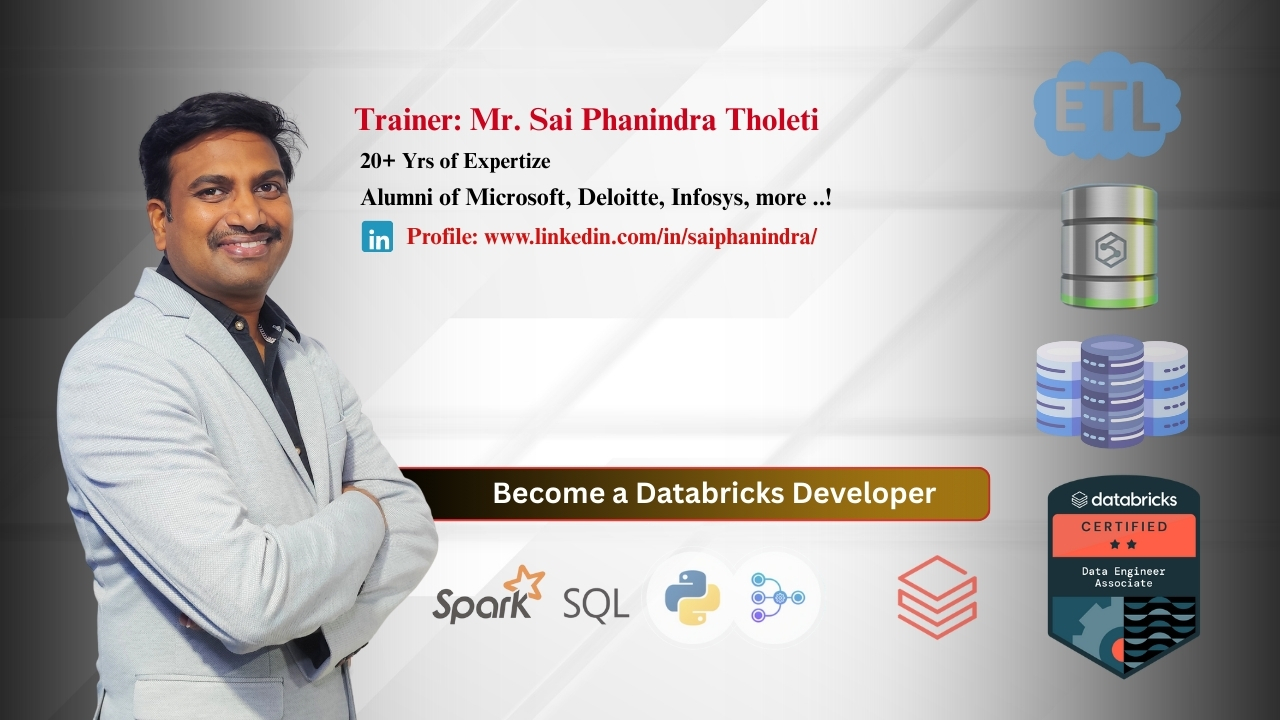
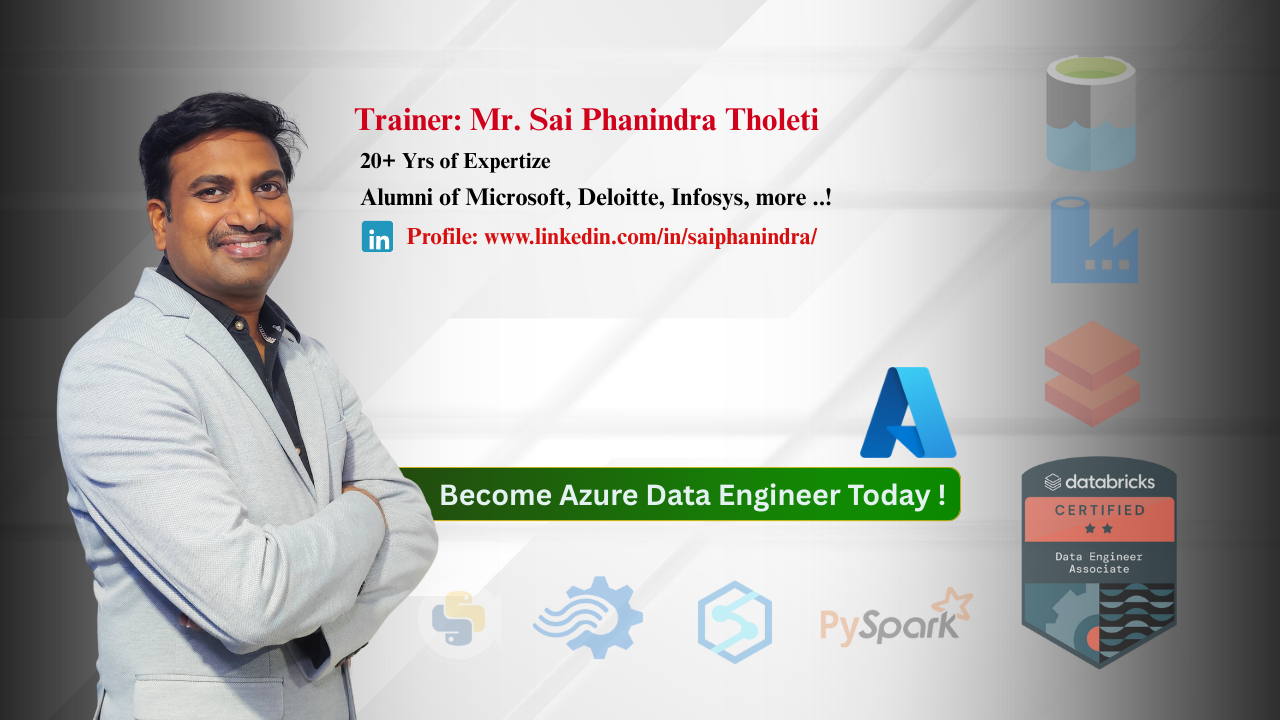
This program is taught by real-time industry experts with 20+ years of experience, includes 100% hands-on labs, daily tasks, weekly assessments, real-time case studies, resume building, mock interviews, and complete placement assistance—ensuring practical learning and job readiness.

Placement Partners






















SQL SCHOOL
24x7 LIVE Online Server (Lab) with Real-time Databases.
Course includes ONE Real-time Project.
#Top Technologies



Why Choose SQL School
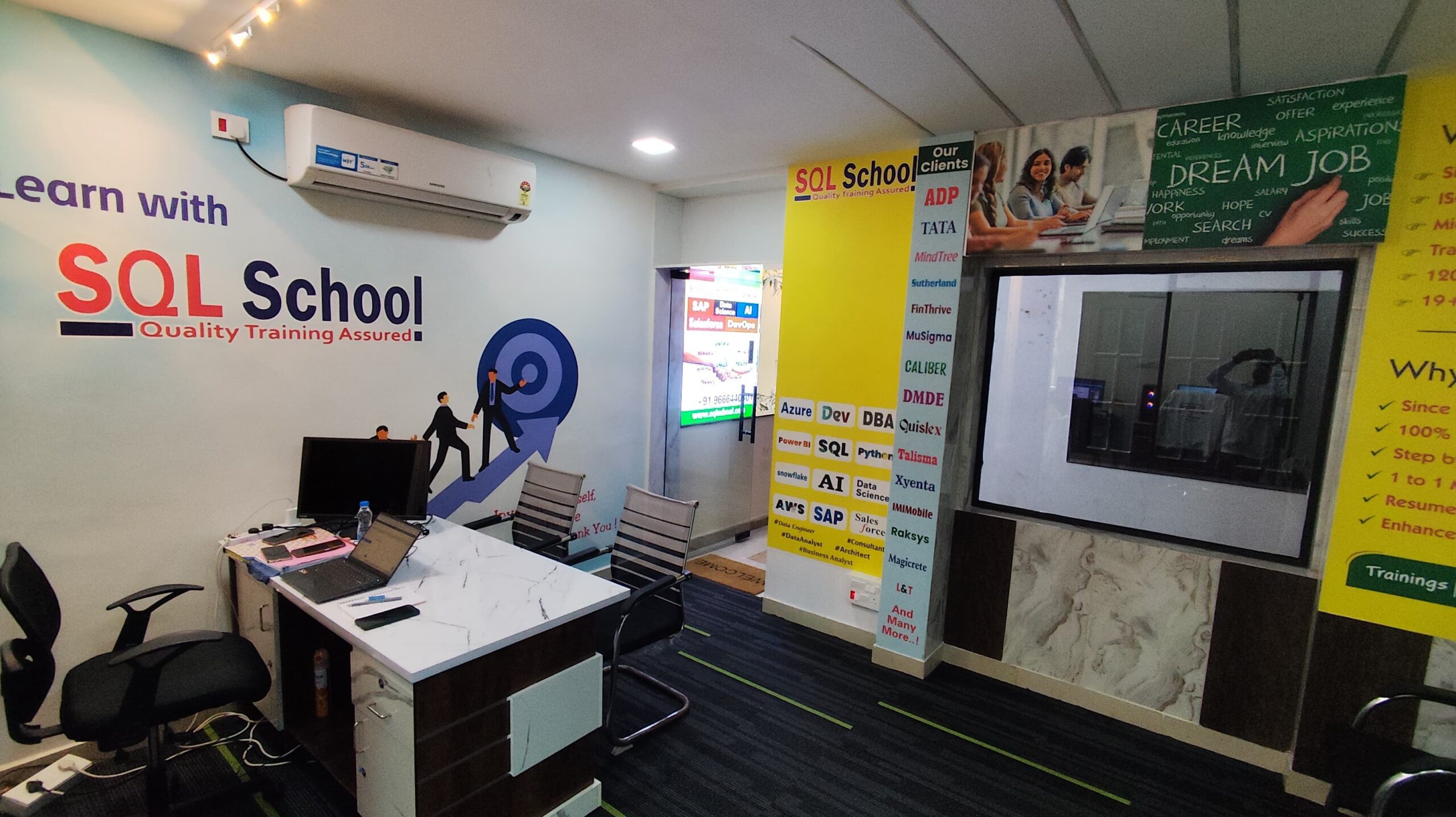
- 100% Real-Time and Practical
- ISO 9001:2008 Certified
- Weekly Mock Interviews
- 24/7 LIVE Server Access
- Realtime Project FAQs
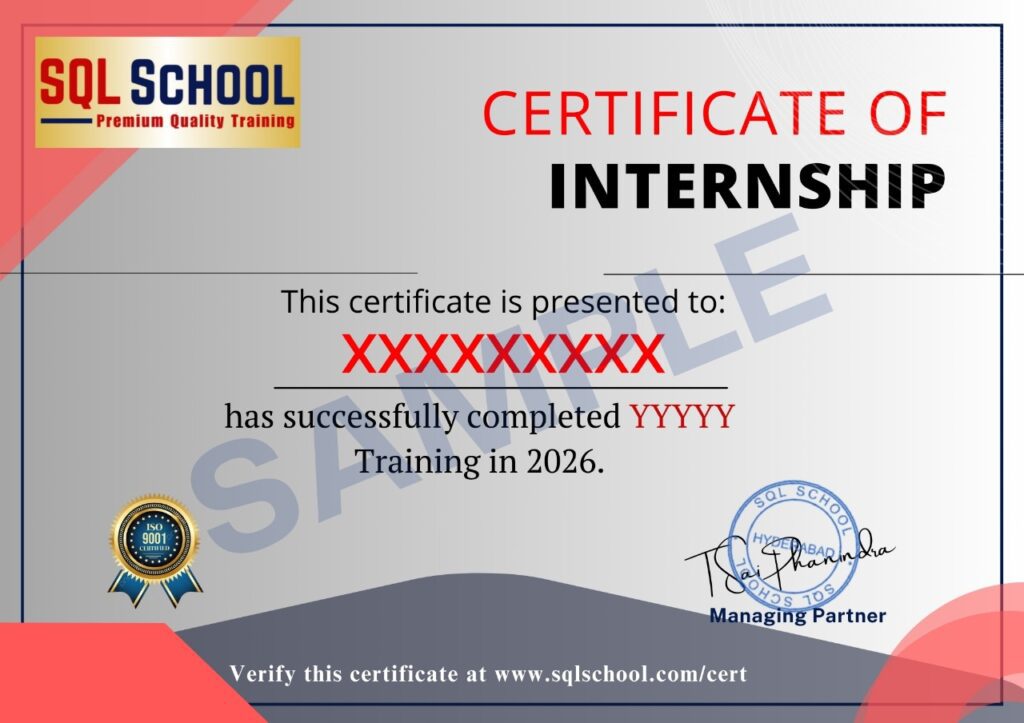
- Course Completion Certificate
- Placement Assistance
- Job Support