
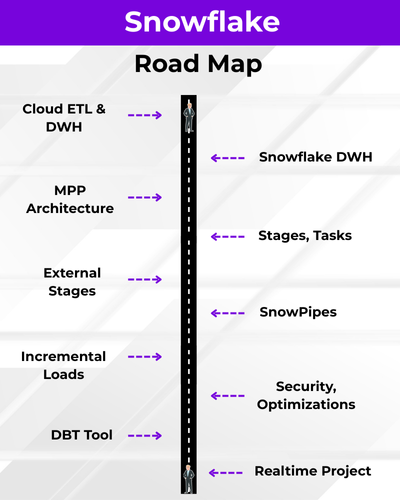
A Snowflake Data Engineer specializes in building and managing scalable data pipelines using the Snowflake Data Cloud platform. They handle data ingestion, transformation, and optimization for analytics and reporting. Engineers use SQL, Snowpipe, Streams, and Tasks to automate and manage workflows. This role is in high demand for cloud-based data engineering and modern data warehouse solutions.
✅ Snowflake Cloud DWH
✅ Virtual Warehouses & Compute
✅ Database Objects, Schemas & Cloning
✅ Snowflake SQL, Query Optimization
✅ Time Travel & Zero-Copy Cloning
✅ Snowpipes & Incremental Loads
✅ SnowPark For ETL, ELT
✅ DBT : Data Build Tool
✅ End-to-End Real-Time Project
✅ 1:1 Mentorship, Interview Guidance
Module 1: SQL Concepts & Queries
Ch 1: Data Engineer Job Roles
- Introduction to Data
- Data Engineer Job Roles
- Data Engineer Challenges
- Data and Databases Intro
Ch 2: Database Intro & Installations
- Database Types (OLTP, DWH, ..)
- DBMS: Basics
- SQL Server 2025 Installations
- SSMS Tool Installation
- Server Connections, Authentications
Ch 3: SQL Basics V1 (Commands)
- Creating Databases (GUI)
- Creating Tables, Columns (GUI)
- SQL Basics (DDL, DML, etc..)
- Creating Databases, Tables
- Data Inserts (GUI, SQL)
- Basic SELECT Queries
Ch 4: SQL Basics V2 (Commands, Operators)
- DDL: Create, Alter, Drop, Add, modify, etc..
- DML: Insert, Update, Delete, select into, etc..
- DQL: Fetch, Insert… Select, etc..
- SQL Operations: LIKE, BETWEEN, IN, etc..
- Special Operators
Ch 5: Data Types
- Integer Data Types
- Character, MAX Data Types
- Decimal & Money Data Types
- Boolean & Binary Data Types
- Date and Time Data Types
- SQL_Variant Type, Variables
Ch 6: Excel Data Imports
- Data Imports with Excel
- SQL Native Client
- Order By: Asc, Desc
- Order By with WHERE
- TOP & OFFSET
- UNION, UNION ALL
Ch 7: Schemas & Batches
- Schemas: Creation, Usage
- Schemas & Table Grouping
- Real-world Banking Database
- 2 Part, 3 Part & 4 Part Naming
- Batch Concept & “Go” Command
Ch 8: Constraints, Keys & RDBMS – Level 1
- Null, Not Null Constraints
- Unique Key Constraint
- Primary Key Constraint
- Foreign Key & References
- Default Constraint & Usage
- DB Diagrams & ER Models
Ch 9: Normal Forms & RDBMS – Level 2
- Normal Forms: 1 NF, 2 NF
- 3 NF, BCNF and 4 NF
- Adding Keys to Tables
- Cascading Keys
- Self Referencing Keys
- Database Diagrams
Ch 10: Joins & Queries
- Joins: Table Comparisons
- Inner Joins & Matching Data
- Outer Joins: LEFT, RIGHT
- Full Outer Joins & Aliases
- Cross Join & Table Combination
- Joining more than 2 tables
Ch 11: Views & RLS
- Views: Realtime Usage
- Storing SELECT in Views
- DML, SELECT with Views
- RLS: Row Level Security
- WITH CHECK OPTION
- Important System Views
Ch 12: Stored Procedures
- Stored Procedures: Realtime Use
- Parameters Concept with SPs
- Procedures with SELECT
- System Stored Procedures
- Metadata Access with SPs
- SP Recompilations
Ch 13: User Defined Functions
- Using Functions in MSSQL
- Scalar Functions in Real-world
- Inline & Multiline Functions
- Parameterized Queries
- Date & Time Functions
- String Functions & Queries
- Aggregated Functions & Usage
Ch 14: Triggers & Automations
- Need for Triggers in Real-world
- DDL & DML Triggers
- For / After Triggers
- Instead Of Triggers
- Memory Tables with Triggers
- Disabling DMLs & Triggers
Ch 15: Transactions & ACID
- Transaction Concepts in OLTP
- Auto Commit Transaction
- Explicit Transactions
- COMMIT, ROLLBACK
- Checkpoint & Logging
- Lock Hints & Query Blocking
- READPAST, LOCKHINT
Ch 16: CTEs & Tuning
- Common Table Expression
- Creating and Using CTEs
- CTEs, In-Memory Processing
- Using CTEs for DML Operations
- Using CTEs for Tuning
- CTEs: Duplicate Row Deletion
Ch 17: Indexes Basics, Tuning
- Indexes & Tuning
- Clustered Index, Primary Key
- Non Clustered Index & Unique
- Creating Indexes Manually
- Composite Keys, Query Optimizer
- Composite Indexes & Usage
Ch 18: Group By Queries
- Group By, Distinct Keywords
- GROUP BY, HAVING
- Cube( ) and Rollup( )
- Sub Totals & Grand Totals
- Grouping( ) & Usage
- Group By with UNION
- Group By with UNION ALL
Ch 19: Joins with Group By
- Joins with Group By
- 3 Table, 4 Table Joins
- Join Queries with Aliases
- Join Queries & WHERE, Group By
- Joins with Sub Queries
- Query Execution Order
Ch 20: Sub Queries
- Sub Queries Concept
- Sub Queries & Aggregations
- Joins with Sub Queries
- Sub Queries with Aliases
- Sub Queries, Joins, Where
- Correlated Queries
Ch 21: Cursors & Fetch
- Cursors: Realtime Usage
- Local & Global Cursors
- Scroll & Forward Only Cursors
- Static & Dynamic Cursors
- Fetch, Absolute Cursors
Ch 22: Window Functions, CASE
- IIF Function and Usage
- CASE Statement Usage
- Window Functions (Rank)
- Row_Number( )
- Rank( ), DenseRank( )
- Partition By & Order By
Ch 23: Merge(Upsert) & CASE, IIF
- Merge Statement
- Upsert Operations with Merge
- Matched and Not Matched
- IIF & CASE Statements
- Merge Statement inside SPs
- Merge with OLTP & DWH
Ch 24: Key Take-Aways from Module 1
- Case Study 1: Medicare Scenario
- Case Study 2: Ecommerce Scenario
Module 2: Snowflake (Cloud ETL, DWH)
Ch 1: Introduction to Snowflake
- Database, DWH Introduction
- Cloud Data Warehouse
- Cloud DWH Implementations
- Snowflake Cloud Intro
- Snowflake: SaaS Platform
Ch 2: Snowflake Concepts
- Snowflake Account (Cloud)
- Snowflake Components
- Snowflake Editions, Credits
- Snowflake Editions
- Virtual Private Edition (VPS)
- Snowflake Pricing
Ch 3: Architecture, Warehouse
- Compute Architecture
- Shared Disk Architecture
- CPU & Memory in Clusters
- Database Query & Data Cycle
- ColumnStore, Virtual Warehouse
- Classic UI with Snowflake
- Massively Parallel Processing
Ch 4: Snowflake DB & Tables
- DB Objects and Hierarchy
- DB Creation with Snowflake
- Snowflake Tables and Usage
- Retention Time, Connections
- Permanent, Transient Types
- CREATE TABLE AS SELECT
Ch 5: Time Travel, Recovery
- Time Travel in Snowflake
- Invoking Time Travel Feature
- Timestamp, Offset, Query ID
- Data Recovery, TIMESTAMP
- Fail Safe and UNDROP, OFFSET
- Transient Tables, Real-time
Ch 6: Schemas and Session Context
- Schema Creation Usage
- Permanent, Transient Schemas
- Managed Schemas in Snowflake
- Invoking Schemas & Cloning
- Session Context & Schema
- Data Loading with GUI
Ch 7: Constraints & Data Types
- Constraints & Validations
- NULL, NOT NULL Properties
- Keys & Constraints, Usage
- Inline, Out Of LineConstraints
- ENFORCED Constraints
- Snowflake Data Types
Ch 8: Snowflake Cloning
- Cloning with Snowflake
- Zero Copy, Schema Cloning
- Snapshot, Metadata
- Accessing, Clone
- Storage & Metadata Layer
- Real-time Considerations
Ch 9: Snowflake Procedures
- Procedures and Functions
- SQL and JavaScript & CALL
- Transactions & Injection
- sqlText:command
- Cursoring Data and Operations
- Dynamic DML with SPs
- RETURN, RETURNS Statements
Ch 10: Security Management
- Security with Snowflake
- Users & Roles in Snowflake
- Privileges and Groups
- Organization, Account, Users
- Creating, Using Roles, Users
- System Defined Roles Usage
- Role Hierarchy, Dependency
- RBAC & DAC in Real-time
Ch 11: Snowflake Transactions
- Transaction ACID Properties
- Implicit, Explicit and Auto
- Durability and Data Storage
- current transaction() Usage
- to_timestamp_ltz and Usage
- Failed Transactions with SPs
- Transactions and SPs
- Scoped & INNER Transactions
Ch 12: Snowflake Streams & Audits
- Snowflake Streams & Usage
- Streams and DML Auditing
- Snapshot Creation, Offset
- METADATA Options & Streams
- Auditing DML Operations
- Data Flow & Snowflake Streams
- Streams on Transient Tables
- Time Travel with Stream Tables
Ch 13: Snowflake Tasks, Partitions
- Tasks, Serverless Compute
- Tasks Tree: Root and DAG
- Tasks Schedules and RESUME
- User & Snowflake Managed
- CRON Syntax with Tasks
- Virtual Warehouse Concepts
- Multi Cluster Warehouse
- Auto Scale Options, Billing
Ch 14: SnowSQL and Variables
- SnowSQL Configurations
- DDL, DML & SELECT
- SnowSQL Command Line
- Variables and Batch Process
- DECLARE, LET, BEGIN & END
- EXECUTE IMMEDIATE, FOR
- Creating Virtual Warehouse
- Writing Output to Files
Ch 15: Snowflake Partitions, Stages
- Snowflake Partitions, Use
- Micro Partition with DML, CDC
- Cluster Key, Depth and Overlap
- Internal Partition Types & Usage
- List, Range and Hash Partitions
- Snowflake Stages, Types
- Internal and External Stages
- COPY Command, Bulk Loads
Ch 16: Azure & External Stages
- Azure Storage Account, BLOB
- SAS: Shared Access Signature
- Using SAS Key and FILE PATH
- Azure Storage with BLOB
- COPY INTO Command Usage
- Snowflake Patterns & RegEx
- File Formats: Creation, Usage
Ch 17: Snow Pipes & Incr Loads
- SnowPipe Incremental Loads
- Azure Queues & Integrations
- Azure Active Directory
- External Stage, Enterprise AD
- Snow Pipes and Data Loads
- Incremental Data Loads
- File Format with Reg Expr
Ch 18: Power BI with Snowflake
- Power BI: Big Data Analytics
- Snowflake Data Access
- Datawarehouse Access
- SnowPro Exam Guidance
- Certification Guidance
Module 3: Data Build Tool (DBT)
Ch 1: DBT Fundamentals
- What is Data Build Tool?
- DBT as a data transformation tool
- Importance of DBT in ELT workflows
- DBT Cloud for data transformations
Ch 2: DBT Models and Materializations
- Building models in DBT
- Types of materializations
- Table, view, incremental materializations
- Model configurations
Ch 3: DBT Jinja Templating
- Introduction to Jinja
- Using Jinja with DBT
- Macros and reusable code
- Implementing dynamic SQL
Ch 4: DBT Testing and Documentation
- Writing and executing tests
- Data quality checks
- DBT documentation and lineage graphs
- Generating DBT docs
Ch 5: DBT Seeds and Sources
- Using seeds for static data
- Defining and using sources
- Source freshness checks
- Integrating external data
Ch 6: DBT Deployment and CI/CD
- Deployment strategies for DBT
- Continuous integration and deployment
- Automating DBT workflows
- Version control with Git
Ch 7: DBT Best Practices
- Project structure recommendations
- Coding standards and guidelines
- DBT project optimization
- Performance tuning tips
Ch 8: Hooks in DBT
- Custom scripts to run at specific points
- Adding additional logic to streamline Snowflake
- Analyses and exploratory data workflows
- Ad-hoc analyses that do not get materialized
Ch 9: DBT Snapshots
- Managing historical data
- Implementing DBT snapshots
- Snapshot configuration
- Strategies for handling changes
Ch 10: DBT Packages and Extensions
- Leveraging DBT packages
- Using community packages
- Extending DBT functionality
- Integrations with other data tools
Ch 11: DBT Advanced Topics
- Advanced Jinja usage, Snowpark
- Handling complex data scenarios
- Custom materializations, Snowpark
- Troubleshooting and debugging techniques
Ch 12: Real-time Project Phase 1
- Defining project requirements
- Initial project setup and DBT configuration
- Model planning and development
- Initial testing and validation
Ch 13: Real-time Project Phase 2
- Project deployment and monitoring
- Implementing advanced DBT features
- Comprehensive testing and documentation
- Real-world deployment considerations
What is the Snowflake Engineer course and who should join?
This course is meant for Data Engineers, ETL Developers, SQL Developers, BI Engineers, Cloud Engineers, and anyone wanting to build scalable Cloud Data Warehouses using Snowflake. The training combines SQL, Snowflake, and DBT for full-stack ELT development.
What are the Snowflake job roles?
Snowflake Engineers work on data extraction, transformations, big data loading, DWH design, analytics, streaming data, cloud computing, and security operations. These responsibilities are clearly listed on page 1 of the PDF.
What prerequisites are required for the Snowflake course?
No prior experience is required. SQL is taught from scratch (Module 1) before moving into Snowflake and DBT.
What modules are included in the Snowflake Engineer training?
Module 1 – MSSQL & TSQL Queries
Module 2 – Snowflake with ELT
Module 3 – DBT (Data Build Tool)
Does the course include real-time projects?
Yes. Real-world case studies, hands-on assignments, SQL mini project, Snowflake tasks/streams project, and a complete DBT real-time ELT project are included.
What SQL fundamentals will I learn in Module 1?
SQL basics, commands, joins, subqueries, indexing, views, schemas, RLS, functions, stored procedures, triggers, transactions, CTEs, cursor operations, window functions, aggregations, and normalization concepts.
Does the training cover Data Warehouse concepts?
Yes. OLTP vs OLAP, DWH architecture, schema design, normalization, constraints, and DWH usage are included before learning Snowflake.
What Snowflake architecture topics are covered?
Shared Disk architecture, Virtual Warehouses, Compute layers, MPP, nodes & clusters, caching, columnar storage, and metadata layers are covered in detail.
Will I learn Snowflake Tables, Schemas, and Data Types?
Yes. Permanent, transient tables, CTAS, cloning, constraints, data types, schemas, session context, history, and metadata usage are covered.
Does the course include Time Travel and Fail-Safe features?
Yes. Time Travel, data retention periods, continuous data protection, UNDROP, fail-safe, timestamps, and recovery scenarios are covered with real-time examples.
Is Zero Copy Cloning included?
Yes. Schema cloning, table cloning, metadata cloning, permissions, snapshot behavior, and real-time usage scenarios are included.
Does the course cover Snowflake Security and RBAC?
Yes. You will learn users, roles, privileges, role hierarchy, access control mechanisms, secure data governance, and enterprise-level security operations.
Is ELT automation using Streams & Tasks included?
Yes. You will learn how to implement CDC using Streams, create automated workflows with Tasks, schedule jobs using CRON expressions, and build end-to-end ELT pipelines.
Does the course include Azure Cloud integration?
Yes. You will learn Azure Storage integration, SAS Tokens, BLOB connections, external stages, COPY INTO usage, file formats, and secure data ingestion.
Do we learn Snowpipes and Incremental Data Loads?
Yes. Snowpipes, event-driven micro-batch loads, Azure Queue integration, incremental ELT patterns, regular expressions, and enterprise ingestion pipelines are taught.
Is DBT included in the Snowflake Engineer program?
Yes. DBT fundamentals, models, materializations, jinja templating, testing, documentation, lineage, CI/CD, macros, packages, and Snowpark integrations are covered.
What can I do using DBT after this training?
You will be able to create staging models, transformation layers, incremental models, manage schema changes, write tests, generate documentation, and deploy ELT pipelines in production.
Does the course include end-to-end ELT project work?
Yes. You will complete two-phase DBT real-time projects including model design, transformations, validations, deployment, optimization, and production-level workflow design.
Is this course suitable for beginners and non-IT learners?
Yes. Since SQL fundamentals are taught from scratch and the entire program follows a step-by-step approach, beginners can comfortably learn and transition into Data Engineering roles.
What training modes are available?
Live Online Training, Self-Paced Video Training, Corporate Batches, and Free Demo Sessions with the trainer.

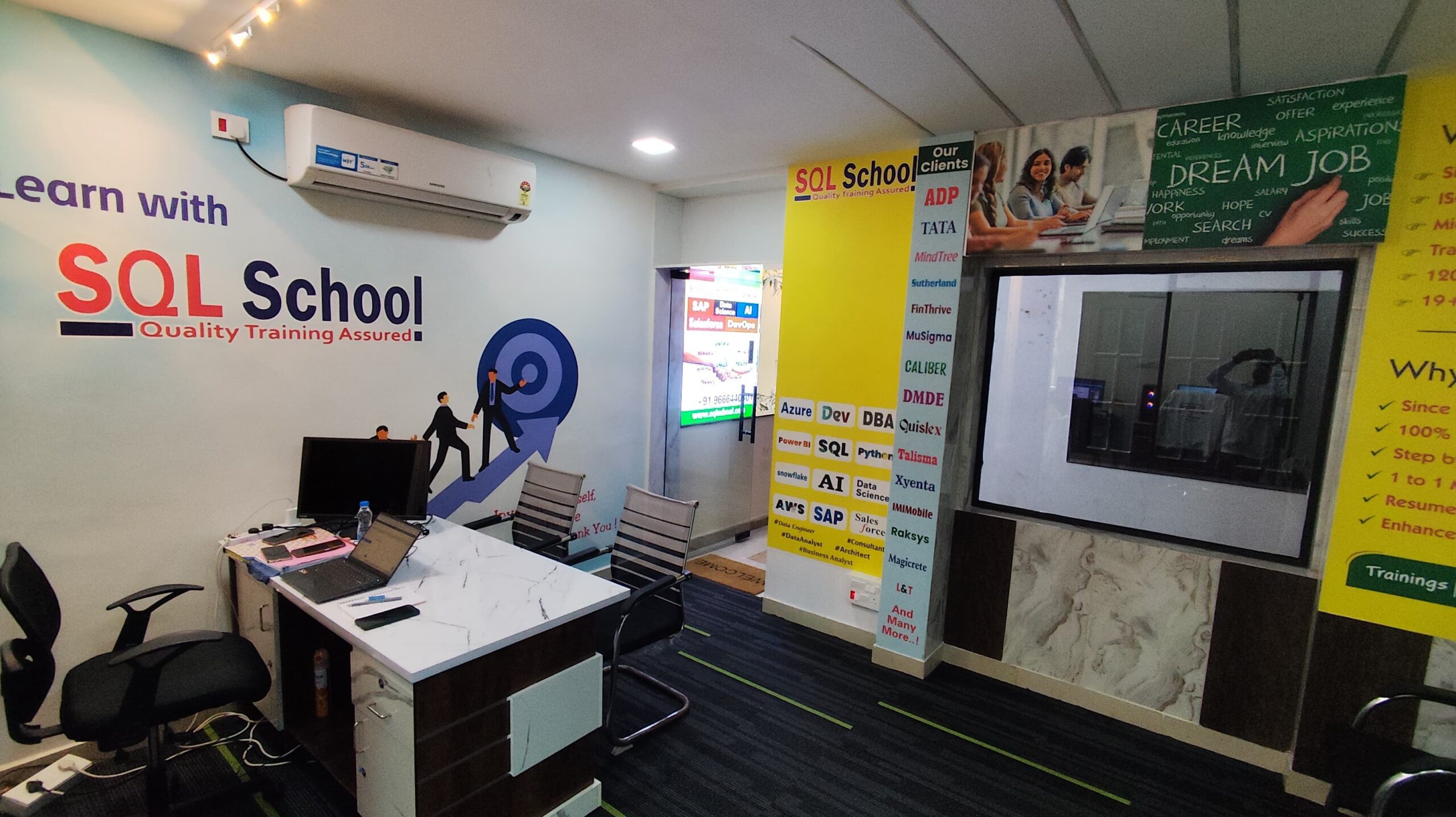
Placement Partners






















SQL SCHOOL
24x7 LIVE Online Server (Lab) with Real-time Databases.
Course includes ONE Real-time Project.
#Top Technologies


Why Choose SQL School
- 100% Real-Time and Practical
- ISO 9001:2008 Certified
- Weekly Mock Interviews
- 24/7 LIVE Server Access
- Realtime Project FAQs
- Course Completion Certificate
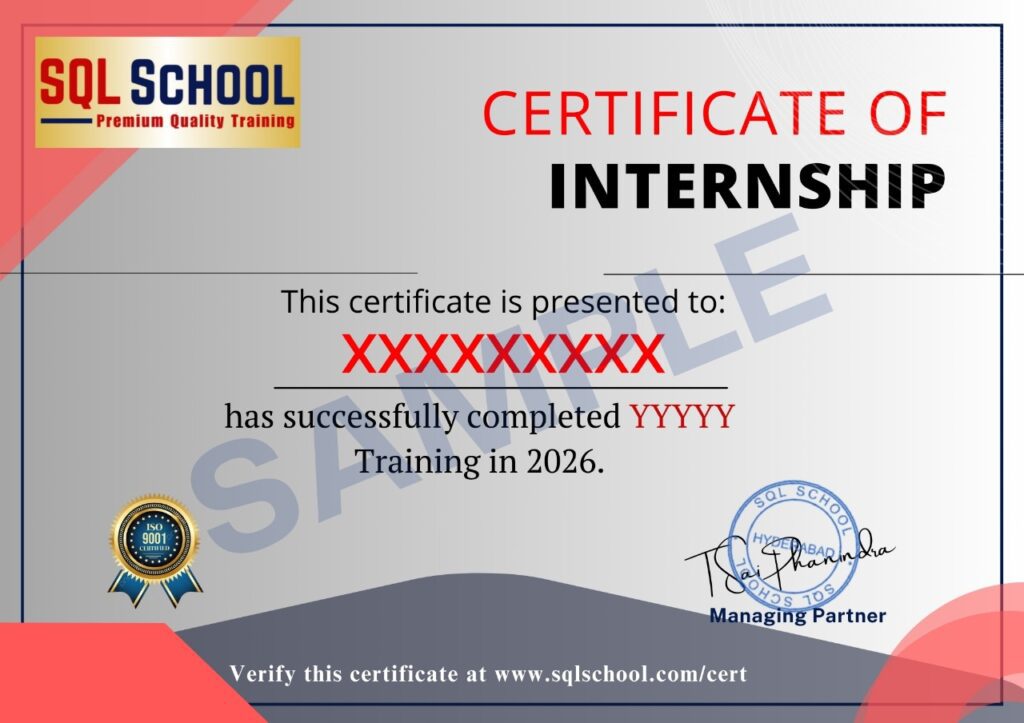
- Placement Assistance
- Job Support