Yes. The program includes a mini SQL project, one Fabric real-time project, and one Power BI project, including end-to-end pipeline implementation in an E-commerce domain.
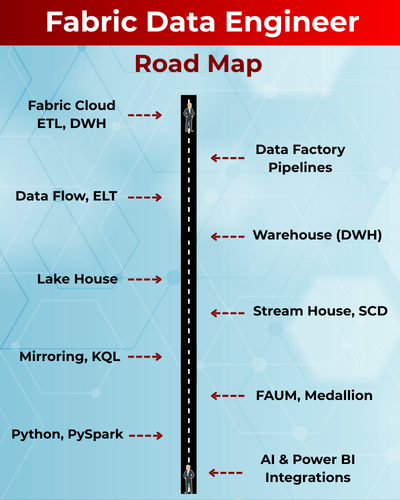
Fabric Data Engineer Data Engineer is the latest trending job role that deals with End to End Data Warehouse design (DWH) using ETL (Extract, Transform, Load) techniques. This prominent job role also involves Big Data Analytics and Business Intelligence implementation using Spark, PySpark, Cloud Computing, TSQL and more.
✅ Cloud ETL, DWH with Big Data Analytics
✅ OneLake & Lakehouse for Unified Storage
✅ Fabric Data Factory for ETL
✅ Dataflows Gen2, Self-Service Data Prep
✅ Delta Lake, Delta Tables with Big Data
✅ ETL Notebooks with PySpark, TSQL
✅ Realtme IoT with Eventstreams
✅ CI/CD with Fabric Git Integrations
✅ End-to-End Capstone Project on Banking
✅ 1:1 Mentorship, Interview Guidance
Module 1: SQL Concepts & Queries
Ch 1: Data Engineer Job Roles
- Introduction to Data
- Data Engineer Job Roles
- Data Engineer Challenges
- Data and Databases Intro
Ch 2: Database Intro & Installations
- Database Types (OLTP, DWH, ..)
- DBMS: Basics
- SQL Server 2025 Installations
- SSMS Tool Installation
- Server Connections, Authentications
Ch 3: SQL Basics V1 (Commands)
- Creating Databases (GUI)
- Creating Tables, Columns (GUI)
- SQL Basics (DDL, DML, etc..)
- Creating Databases, Tables
- Data Inserts (GUI, SQL)
- Basic SELECT Queries
Ch 4: SQL Basics V2 (Commands, Operators)
- DDL: Create, Alter, Drop, Add, modify, etc..
- DML: Insert, Update, Delete, select into, etc..
- DQL: Fetch, Insert… Select, etc..
- SQL Operations: LIKE, BETWEEN, IN, etc..
- Special Operators
Ch 5: Data Types
- Integer Data Types
- Character, MAX Data Types
- Decimal & Money Data Types
- Boolean & Binary Data Types
- Date and Time Data Types
- SQL_Variant Type, Variables
Ch 6: Excel Data Imports
- Data Imports with Excel
- SQL Native Client
- Order By: Asc, Desc
- Order By with WHERE
- TOP & OFFSET
- UNION, UNION ALL
Ch 7: Schemas & Batches
- Schemas: Creation, Usage
- Schemas & Table Grouping
- Real-world Banking Database
- 2 Part, 3 Part & 4 Part Naming
- Batch Concept & “Go” Command
Ch 8: Constraints, Keys & RDBMS – Level 1
- Null, Not Null Constraints
- Unique Key Constraint
- Primary Key Constraint
- Foreign Key & References
- Default Constraint & Usage
- DB Diagrams & ER Models
Ch 9: Normal Forms & RDBMS – Level 2
- Normal Forms: 1 NF, 2 NF
- 3 NF, BCNF and 4 NF
- Adding Keys to Tables
- Cascading Keys
- Self Referencing Keys
- Database Diagrams
Ch 10: Joins & Queries
- Joins: Table Comparisons
- Inner Joins & Matching Data
- Outer Joins: LEFT, RIGHT
- Full Outer Joins & Aliases
- Cross Join & Table Combination
- Joining more than 2 tables
Ch 11: Views & RLS
- Views: Realtime Usage
- Storing SELECT in Views
- DML, SELECT with Views
- RLS: Row Level Security
- WITH CHECK OPTION
- Important System Views
Ch 12: Stored Procedures
- Stored Procedures: Realtime Use
- Parameters Concept with SPs
- Procedures with SELECT
- System Stored Procedures
- Metadata Access with SPs
- SP Recompilations
Ch 13: User Defined Functions
- Using Functions in MSSQL
- Scalar Functions in Real-world
- Inline & Multiline Functions
- Parameterized Queries
- Date & Time Functions
- String Functions & Queries
- Aggregated Functions & Usage
Ch 14: Triggers & Automations
- Need for Triggers in Real-world
- DDL & DML Triggers
- For / After Triggers
- Instead Of Triggers
- Memory Tables with Triggers
- Disabling DMLs & Triggers
Ch 15: Transactions & ACID
- Transaction Concepts in OLTP
- Auto Commit Transaction
- Explicit Transactions
- COMMIT, ROLLBACK
- Checkpoint & Logging
- Lock Hints & Query Blocking
- READPAST, LOCKHINT
Ch 16: CTEs & Tuning
- Common Table Expression
- Creating and Using CTEs
- CTEs, In-Memory Processing
- Using CTEs for DML Operations
- Using CTEs for Tuning
- CTEs: Duplicate Row Deletion
Ch 17: Indexes Basics, Tuning
- Indexes & Tuning
- Clustered Index, Primary Key
- Non Clustered Index & Unique
- Creating Indexes Manually
- Composite Keys, Query Optimizer
- Composite Indexes & Usage
Ch 18: Group By Queries
- Group By, Distinct Keywords
- GROUP BY, HAVING
- Cube( ) and Rollup( )
- Sub Totals & Grand Totals
- Grouping( ) & Usage
- Group By with UNION
- Group By with UNION ALL
Ch 19: Joins with Group By
- Joins with Group By
- 3 Table, 4 Table Joins
- Join Queries with Aliases
- Join Queries & WHERE, Group By
- Joins with Sub Queries
- Query Execution Order
Ch 20: Sub Queries
- Sub Queries Concept
- Sub Queries & Aggregations
- Joins with Sub Queries
- Sub Queries with Aliases
- Sub Queries, Joins, Where
- Correlated Queries
Ch 21: Cursors & Fetch
- Cursors: Realtime Usage
- Local & Global Cursors
- Scroll & Forward Only Cursors
- Static & Dynamic Cursors
- Fetch, Absolute Cursors
Ch 22: Window Functions, CASE
- IIF Function and Usage
- CASE Statement Usage
- Window Functions (Rank)
- Row_Number( )
- Rank( ), DenseRank( )
- Partition By & Order By
Ch 23: Merge(Upsert) & CASE, IIF
- Merge Statement
- Upsert Operations with Merge
- Matched and Not Matched
- IIF & CASE Statements
- Merge Statement inside SPs
- Merge with OLTP & DWH
Ch 24: Key Take-Aways from Module 1
- Case Study 1: Medicare Scenario
- Case Study 2: Ecommerce Scenario
Module 2: Fabric Data Engineering: Warehouse
Ch 1: Fabric Introduction
- Need for Fabric, Big Data
- Fabric Data Engineering Model
- Fabric Components (Items)
- Microsoft Fabric: Advantages
- Cloud Warehouse Uses
- Benefits of Fabric Over Azure
- Azure Versus Fabric DWH
Ch 2: Fabric Account, Workspace
- Need for Fabric Workspace
- Workspace Creation Process
- Pins and New Items
- Item Categorization
- ETL, Storage, Analytical
- Streaming, Monitoring
- Compute & Separation
Ch 3: Fabric Architecture
- Intelligent Data Foundation
- Polaris Distributed Engine
- Stateless & Stateful
- Cache, Metadata, Xact & Data
- Fabric Tasks, Inputs & DAG
- State Machine & Statistics
- Hot Spot Recovery
Ch 4: Fabric Warehouse
- Fabric Warehouse Creation
- Fabric Warehouse Features
- Fabric Warehouse Properties
- Fabric Warehouse Limitations
- DWH Internal Operations
- Default Schemas & Objects
Ch 5: Fabric Data Types
- Realtime use of Fabric Houses
- Exact, Approximate Numbers
- Date and Time Data Types
- Fixed & Variable Length
- Binary & String Data Types
- Fabric Type Limitations
Ch 6: SSMS Connections
- Warehouse SQL Connection
- Database Engine Server
- Multi Factor Authentication
- Warehouse Artifacts
- Executing .SQL Scripts
- Testing Fabric Artifacts
Ch 7: Fabric Caching
- Fabric Caching Process
- In-memory Cache, Disk Cache
- Cache Types: LRU /MRU
- Cold Cache / Cold Run
- Realtime use of Caching
- Performance Advantages
- Warehouse Optimizations
Ch 8: Fabric Statistics
- Query Engine Options
- Statistics Types
- Leverage Statistics
- Auto, Manual Statistics
- Update Statistics
- Statistics Consistency
- Statistics Lists & Reports
Ch 9: Time Travel
- Continuous Data Protection
- Data Storage, Retention
- FOR TIMESTAMP AS OF
- Time Travel Scenarios
- Time Travel Implementation
- Time Travel on Queries
- Time Travel Limitations
Ch 10: Aggregated Data Store
- Options for Data Aggregations
- Save As table, Save As View
- Single Table Aggregations
- Multi Table Aggregations
- Dynamic Conditions
- Parameterized Aggregations
Ch 11: Zero Copy Cloning
- User Layer, Storage Layer
- Cloning & Parquet Files
- Synapse Data Warehouse
- Data History Retention
- Point In Time , Schema Level
- Zero Copy Cloning Limitations
Ch 12: Fabric Security
- Workspace Security
- Warehouse Security
- Item Security & Roles
- Adding AD Users
- Item Security Limitations
- MFA & Client Security
Module 3: Fabric Data Engineering: Data Factory Pipelines
Ch 13: Fabric Data Factory
- ETL Implementation Options
- Need for Fabric Data Factory
- ETL Operations in FDF
- Data Sources, Transformations
- Data Destinations (Sinks)
- Creating Pipelines
Ch 14: Fabric Pipelines
- Activities and Connections
- Gateways & OnPrem Access
- Data Sets & Activity Sets
- Data Activator & Alerts
- Run ID & Monitoring
- Pipeline Creation, Verification
Ch 15: Fabric Pipelines Design
- Creation Options for Pipelines
- Azure SQL DB Data Loads
- Creating Data Sets
- RRR Transformations
- Copy Command Usage
- Internal Staging (Workspace)
Ch 16: Fabric Aggr Data Loads
- Aggregation Scenarios
- Creating Views in TSQL
- Using Views in FDF Pipelines
- Using Pipeline Editor
- Data Loads to Warehouse
- Pipeline Verifications
Ch 17: ETL Staging
- Staging : Advantages
- Caching & Storing Concept
- Staging Types in Fabric
- Workspace & External
- External Stages in Pipelines
- Compressions & Advantages
- Pipeline Trigger, Monitor
Ch 18: OnPrem Gateways
- Need for On_Premi Gateway
- Installing & Configuring
- Authentication, Usage
- OnPremises Connections
- Pipelines for Data Loads
- Warehouse Data Storage
- Data Refresh with Gateways
Module 4: Fabric Data Engineering: LakeHouse
Ch 19: Fabric Lakehouse
- Need for Fabric Lakehouse
- Files and Tables Storage
- Data Sources: Parquet Files
- Transformation Options
- Direct Lake Concepts
- Lakehouse Consumption
- Lakehouse Real time Use
Ch 20: Lakehouse File Loads
- Creating Lakehouse
- Copy Data Wizard
- Azure SQL Database Source
- File Data Loads in Lakehouse
- Concurrency & Batch Count
- Pipeline Execution Tests
- Pipeline Monitor Check
Ch 21: Aggregated Data Loads
- Aggregated Data Store
- Plan & Design Aggregations
- Testing Aggregations
- Pipelines for Data Compute
- Data Copy Options
- Pipeline Optimizations
- Data Loads and Verification
Ch 22: MultiTable Loads in LH
- Table Loads Connections
- Data Load in Lakehouse
- Using Copy Data Wizard
- Data Store in Lakehouse
- View Run History, Executions
- SQL End Points & Access
- Lakehouse Schemas
Ch 23: Lakehouse Visual Queries
- Visual Query Interface
- Visual Editor & Tables / Views
- Merge, Remove, Sort Tfns
- Data Preview, Save As Table
- Save As View : Advantages
- Using Schemas, Identifiers
- TDS Packets & Transfer Units
Ch 24: File Explorer
- Installing One Lake Explorer
- Autocreation of Folders
- Workspace Directories
- Warehouse Directories, Logs
- Lakehouse Folders, Files
- Lakehouse Uploads
- Explorer Tool Limitations
Module 5: Fabric Data Engineering: Data Flow
Ch 25: Power Query Level 1
- Power Query Concept
- Need for Power Query
- Data Flow Gen 1
- Data Flow Gen 2
- Power Query Items
- Differences with Copy Activity
- ETL, ELT Process
Ch 26: Power Query Level 2
- Data Flow Gen2 Operations
- PQ Online Editor
- Working with Binary Content
- Detailed Data Options
- Data Cleansing Options
- Step Names, Aggregations
- Warehouse Data Loads
Ch 27: Power Query Level 3
- Binding Power Query Steps
- Edit / Delete Steps
- Optimizing Power Query
- ETL & ELT with Power Query
- Advanced Editor
- M Language Expressions
- Duplicate / Reference Queries
Module 6: Fabric Data Engineering: PySpark & KQL
Ch 28: Fabric Notebooks
- Need for Notebooks
- Fabric Notebook Types
- Get / Prep / Analyze
- Sessions, Markdown Folding
- Standard, High Concurrency
- Magic Command
- Freeze Cells
Ch 29: Spark SQL Notebooks
- Creating Environment
- Creating Spark Clusters
- Spark Cluster Compute
- SQL Analytics in Notebooks
- Visual Query Vs SQL
- Cell Execution Options
- Magic Command Usage
Ch30: PySpark Notebooks
- Creating / Using Environment
- PySpark Notebook Sessions
- Reading Source Data
- Data Prep & Aggregations
- Data Loads, Analytics
- Cell Execution Options
- Markdown Cells
Ch 31: StreamHouse, KQL
- Need for Stream House
- Auto creation of KQL
- Manual KQL Databases
- Verification & Usage
- Differences with Warehouse
- Differences with Lakehouse
Ch 32: KQL Query Sets
- KQL Database Extraction
- File Imports – on Premises
- Metadata Edit Options
- Query Analytics
- Exports, Visualizations
- Query Sets Versus Notebooks
Ch 33: Fabric Data Activator
- Need for Alerts, Notifications
- Fabric Data Activator Options
- Alert Conditions, Thresholds
- Email Notifications
- Events & Notifications
- Edit / Enable / Disable
Ch 34: Model Layouts
- Need for Layouts
- Creating Model Layouts
- Adding Refences, Keys
- Power BI Semantic Models
- Creating Report Items
- Using Power BI Desktop
Module 7: Fabric Data Engineering: Additional Take-aways
👉🏻 Azure Synapse Migrations
👉🏻 DP 700 Exam Guidance
👉🏻 End to End Realtime Project: Ecommerce / Insurance Domain
What is the Fabric Data Engineer course and who can join?
This course is designed for Data Engineers, BI Developers, Cloud Engineers, SQL Developers, and professionals who want to work with Microsoft Fabric, Lakehouse, Warehouses, Data Engineering Pipelines, and AI-powered analytics.
What are the prerequisites for learning Fabric Data Engineering?
Basic SQL knowledge is helpful, but not mandatory. The program includes MSSQL + TSQL fundamentals before moving into Fabric components.
What modules are included in the Fabric Data Engineer course?
Module 1: MSSQL & TSQL (3 Weeks)
Module 2: Fabric Data Engineering (6 Weeks)
Module 3: Power BI with AI (6 Weeks)
DP-700 Exam Guidance is also included
What is Microsoft Fabric and why is it important?
Microsoft Fabric is an end-to-end analytics platform combining Data Engineering, Data Factory, Data Science, Power BI, Real-time Analytics, and Storage into a single unified service. It provides better performance, cost optimization, and simpler data architecture.
What are the key Fabric components covered in this training?
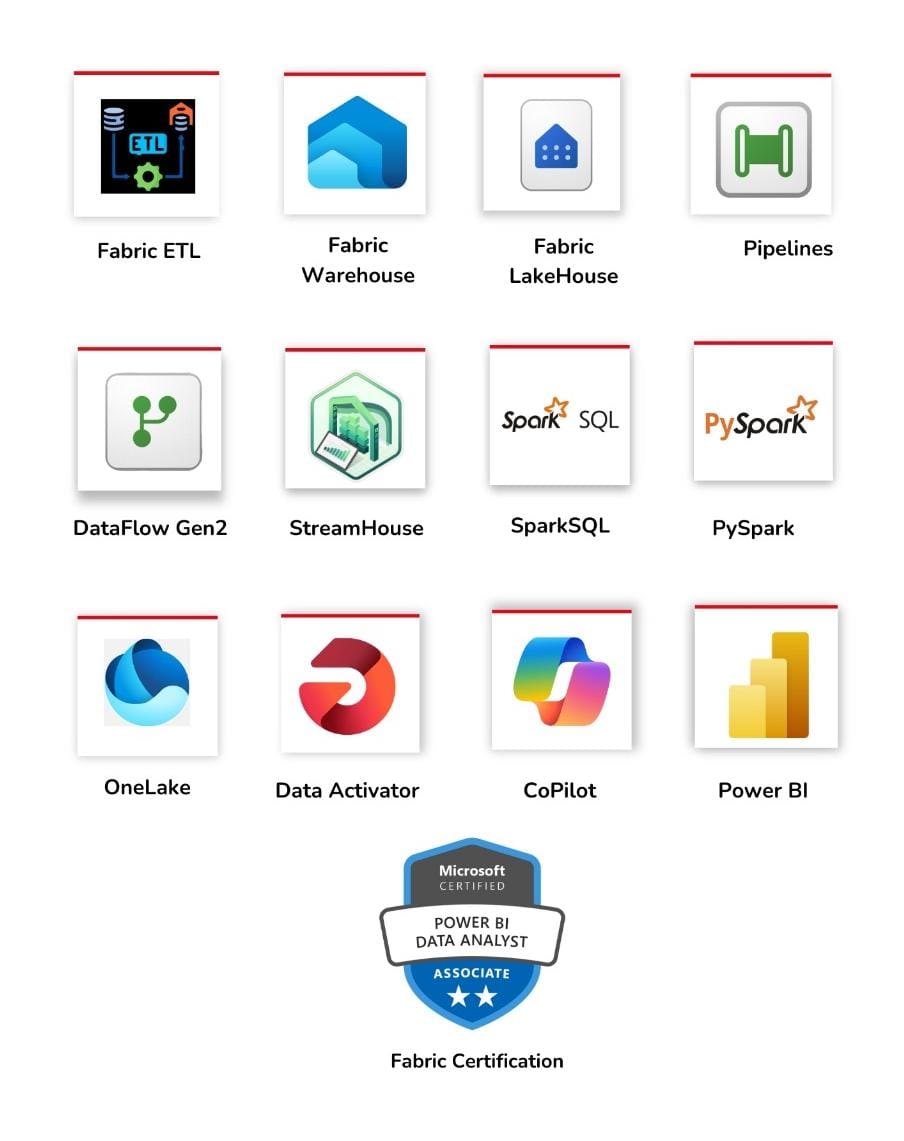
Fabric Warehouse, Lakehouse, Data Factory (Fabric), Pipelines, Notebooks, Power Query Gen2, KQL Databases, StreamHouse, Synapse Migration, and OneLake integration.
Do we learn Fabric Warehouse in detail?
Yes, including creation, schema, caching, metadata, statistics, limitations, performance tuning, and SQL-based analytics inside Fabric Warehouse.
Will I learn Fabric Lakehouse and OneLake architecture?
Yes. You will learn tables, files, ingestion, transformations, Direct Lake concepts, aggregations, and Lakehouse real-time usage scenarios.
Does this course include Zero Copy Cloning and Time Travel?
Yes. Fabric features such as Time Travel, Data Retention, Zero Copy Cloning, snapshot-based recovery, and history tracking are included with real-time use cases.
Is Fabric Data Factory (FDF) included in this training?
Yes. You will learn pipelines, activities, data sets, connections, RRR transformations, staging, monitoring, on-prem gateway integration, and aggregation pipelines.
Are Fabric Notebooks covered in the course?
Yes. SQL, PySpark, and Magic Commands in Fabric Notebooks are covered including sessions, compute, high concurrency modes, data prep, and analytics workflows.
Do we learn Power Query Gen2 and transformations?
Yes. Levels 1, 2, and 3 of Power Query are included with data cleansing, binary content, M-language edits, transformations, aggregations, and ELT designs.
Does the course cover Fabric Security and Roles?
Yes. Workspace security, warehouse & item security, role management, MFA, and AD user permissions are included with practical demonstrations.
Is Synapse → Fabric migration included?
Yes, the course covers Synapse connections, migration steps, compatibility checks, and advantages of Fabric Warehouse over Synapse DWH.
Is this course suitable for beginners in cloud data engineering?
Yes. The training starts with fundamentals and gradually advances towards Fabric pipelines, transformations, notebooks, Lakehouse, and Power BI.
Does the course include Power BI integration with Fabric?
Yes. You will learn Semantic Models, Direct Lake Mode, CoPilot, AI-powered insights, DAX, modelling, visualizations, and dashboard creation in Fabric context.
Will I get DP-700 (Fabric Analytics Engineer) exam guidance?
Yes. DP-700 exam syllabus, sample questions, mock tests, resume guidance, and interview preparation are included.
What job roles can I apply for after completing this course?
Fabric Data Engineer, Fabric Analytics Engineer, Power BI Engineer, Cloud Data Engineer, ETL Engineer, Lakehouse Engineer, or Azure Data Engineer with Fabric specialization.
What is the industry demand for Fabric Data Engineers?
Microsoft Fabric adoption is rapidly growing across enterprises. Companies are replacing Synapse + ADF + Databricks with Fabric, increasing demand for Fabric-skilled engineers.
What training modes are available?
LIVE Online Training, Self-paced Video training, Corporate Training, and Free Demo sessions directly with the trainer.
Placement Partners






















SQL SCHOOL
24x7 LIVE Online Server (Lab) with Real-time Databases.
Course includes ONE Real-time Project.
Why Choose SQL School
- 100% Real-Time and Practical
- ISO 9001:2008 Certified
- Weekly Mock Interviews
- 24/7 LIVE Server Access
- Realtime Project FAQs
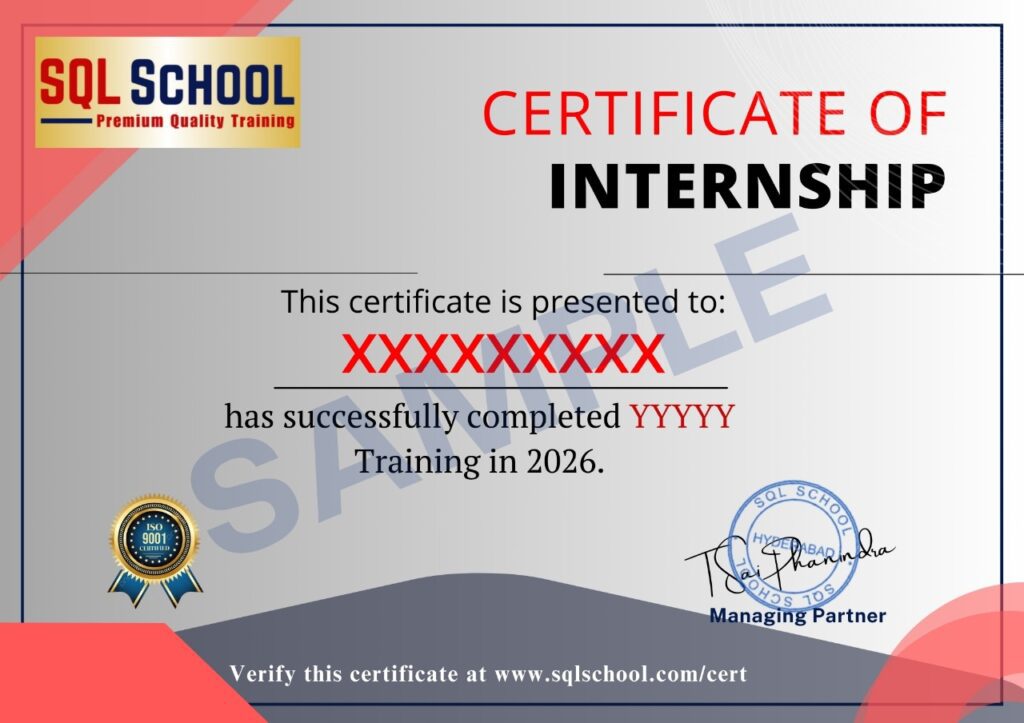
- Course Completion Certificate
- Placement Assistance
- Job Support