
Yes. Every concept is demonstrated step-by-step with real-time scenarios, datasets, cloud resources, and complete end-to-end workflow implementation
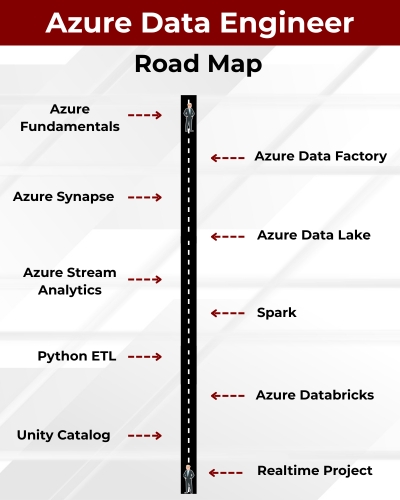
Azure Data Engineer is a stable job role responsible for design of Data Warehouses (DWH). This ever promising job stream involves Extraction (E) of data from various sources, perform data mashup and Transformations (T) and Loading the data (L) into Warehouse and Lakehouse platforms.
✅ Cloud ETL, DWH with Big Data Analytics
✅ Azure Data Factory (ADF) for ETL
✅ Azure Synapse For DWH, Analytics
✅ Azure Stream Analytics For IoT, Insights
✅ Azure Key Vault, RBAC For Security
✅ Azure Databricks for ETL, ELT, Analytics
✅ Python ETL, PySpark with Optimizations
✅ CI/CD Pipelines, Medallion Architecture
✅ Delta LIVE Tables, Serverless Pools
✅ End to End Real-time Project
✅ 1:1 Mentorship, Resume Guidance
Module 1: SQL Server TSQL (MS SQL) Queries
Ch 1: Data Engineer Job Roles
- Introduction to Data
- Data Engineer Job Roles
- Data Engineer Challenges
- Data and Databases Intro
Ch 2: Database Intro & Installations
- Database Types (OLTP, DWH, ..)
- DBMS: Basics
- SQL Server 2025 Installations
- SSMS Tool Installation
- Server Connections, Authentications
Ch 3: SQL Basics V1 (Commands)
- Creating Databases (GUI)
- Creating Tables, Columns (GUI)
- SQL Basics (DDL, DML, etc..)
- Creating Databases, Tables
- Data Inserts (GUI, SQL)
- Basic SELECT Queries
Ch 4: SQL Basics V2 (Commands, Operators)
- DDL: Create, Alter, Drop, Add, modify, etc..
- DML: Insert, Update, Delete, select into, etc..
- DQL: Fetch, Insert… Select, etc..
- SQL Operations: LIKE, BETWEEN, IN, etc..
- Special Operators
Ch 5: Data Types
- Integer Data Types
- Character, MAX Data Types
- Decimal & Money Data Types
- Boolean & Binary Data Types
- Date and Time Data Types
- SQL_Variant Type, Variables
Ch 6: Excel Data Imports
- Data Imports with Excel
- SQL Native Client
- Order By: Asc, Desc
- Order By with WHERE
- TOP & OFFSET
- UNION, UNION ALL
Ch 7: Schemas & Batches
- Schemas: Creation, Usage
- Schemas & Table Grouping
- Real-world Banking Database
- 2 Part, 3 Part & 4 Part Naming
- Batch Concept & “Go” Command
Ch 8: Constraints, Keys & RDBMS – Level 1
- Null, Not Null Constraints
- Unique Key Constraint
- Primary Key Constraint
- Foreign Key & References
- Default Constraint & Usage
- DB Diagrams & ER Models
Ch 9: Normal Forms & RDBMS – Level 2
- Normal Forms: 1 NF, 2 NF
- 3 NF, BCNF and 4 NF
- Adding Keys to Tables
- Cascading Keys
- Self Referencing Keys
- Database Diagrams
Ch 10: Joins & Queries
- Joins: Table Comparisons
- Inner Joins & Matching Data
- Outer Joins: LEFT, RIGHT
- Full Outer Joins & Aliases
- Cross Join & Table Combination
- Joining more than 2 tables
Ch 11: Views & RLS
- Views: Realtime Usage
- Storing SELECT in Views
- DML, SELECT with Views
- RLS: Row Level Security
- WITH CHECK OPTION
- Important System Views
Ch 12: Stored Procedures
- Stored Procedures: Realtime Use
- Parameters Concept with SPs
- Procedures with SELECT
- System Stored Procedures
- Metadata Access with SPs
- SP Recompilations
Ch 13: User Defined Functions
- Using Functions in MSSQL
- Scalar Functions in Real-world
- Inline & Multiline Functions
- Parameterized Queries
- Date & Time Functions
- String Functions & Queries
- Aggregated Functions & Usage
Ch 14: Triggers & Automations
- Need for Triggers in Real-world
- DDL & DML Triggers
- For / After Triggers
- Instead Of Triggers
- Memory Tables with Triggers
- Disabling DMLs & Triggers
Ch 15: Transactions & ACID
- Transaction Concepts in OLTP
- Auto Commit Transaction
- Explicit Transactions
- COMMIT, ROLLBACK
- Checkpoint & Logging
- Lock Hints & Query Blocking
- READPAST, LOCKHINT
Ch 16: CTEs & Tuning
- Common Table Expression
- Creating and Using CTEs
- CTEs, In-Memory Processing
- Using CTEs for DML Operations
- Using CTEs for Tuning
- CTEs: Duplicate Row Deletion
Ch 17: Indexes Basics, Tuning
- Indexes & Tuning
- Clustered Index, Primary Key
- Non Clustered Index & Unique
- Creating Indexes Manually
- Composite Keys, Query Optimizer
- Composite Indexes & Usage
Ch 18: Group By Queries
- Group By, Distinct Keywords
- GROUP BY, HAVING
- Cube( ) and Rollup( )
- Sub Totals & Grand Totals
- Grouping( ) & Usage
- Group By with UNION
- Group By with UNION ALL
Ch 19: Joins with Group By
- Joins with Group By
- 3 Table, 4 Table Joins
- Join Queries with Aliases
- Join Queries & WHERE, Group By
- Joins with Sub Queries
- Query Execution Order
Ch 20: Sub Queries
- Sub Queries Concept
- Sub Queries & Aggregations
- Joins with Sub Queries
- Sub Queries with Aliases
- Sub Queries, Joins, Where
- Correlated Queries
Ch 21: Cursors & Fetch
- Cursors: Realtime Usage
- Local & Global Cursors
- Scroll & Forward Only Cursors
- Static & Dynamic Cursors
- Fetch, Absolute Cursors
Ch 22: Window Functions, CASE
- IIF Function and Usage
- CASE Statement Usage
- Window Functions (Rank)
- Row_Number( )
- Rank( ), DenseRank( )
- Partition By & Order By
Ch 23: Merge(Upsert) & CASE, IIF
- Merge Statement
- Upsert Operations with Merge
- Matched and Not Matched
- IIF & CASE Statements
- Merge Statement inside SPs
- Merge with OLTP & DWH
Ch 24: Key Take-Aways from Module 1
- Case Study 1: Medicare Scenario
- Case Study 2: Ecommerce Scenario
Module 2: Azure Data Engineer (ADF, Synapse, ADLS)
Ch 1: Azure ETL, DWH Introduction
- Data Warehouse (DWH)
- Cloud Concepts: IaaS, PaaS
- SaaS & Azure Cloud Concepts
- Azure Resources & Groups
- Storage, ETL, IoT Resources
Ch 2: Azure Intro, Azure SQL
- Azure SQL Server, SQL DB
- Azure SQL Database (OLTP)
- Azure SQL Pool (DWH)
- Connections from SSMS Tool
- Connections from ADS Tool
- Pause / Resume SQL Pool
- Source Data Configurations
Ch 3: Azure Synapse (DWH)
- Synapse Pool Architecture
- Control Node, Compute Node
- DMS & Partitioned Tables
- Creating Tables with TSQL
- Distributions: RR, Hash, Repl
- Big Data Loads with TQL
- Important DMFs & DMVs
Ch 4: Azure Data Factory (ADF)
- Need for ADF & Pipelines
- Data Orchestration with IR
- Integration Runtime Engine
- Linked Services, Datasets
- Pipelines: Copy Data Activity
- Data Flow Activity with IR
Ch 5: Azure SQL DB Loads
- ADF: Author
- Azure SQL Database Reads
- Azure SQL Pool Writes
- Synapse Analytics with IR
- Pipeline Design, Validation
- Pipeline Runs, Monitoring
Ch 6: BLOB Data Loads
- Azure Storage Account
- Azure BLOB Containers
- BLOB Storage in ADF
- Synapse Analytics with IR
- ADF Pipeline Edits
- Pipeline Runs, Monitoring
Ch 7: Pipeline Settings
- ADF Pipeline Settings
- Staging : Advantages
- Reliable Logging
- Best Effort Logging
- DIU & DOCP with IR
- Compressions, Health Check
Ch 8: File Incremental Loads
- File Incremental Loads
- Storage Account, Data Lake
- Binary Copy, Schema Drift
- Staging Concept in ADF
- Initial, Incremental Loads
- Schema & Data Changes
Ch 9: Table Incremental Loads
- Implement SCD with ADF
- Self Hosted IR: Realtime Use
- On-premise Data: Incr Loads
- Copy Method: Upsert, Keys
- Staging & ADF Optimizations
- Pipeline Runs, Activity IDs
Ch 10: ADF Data Flow – 1
- Data Flow Transformations
- Spark Clusters for Debugging
- Optimized Clusters, Preview
- Conditional Split, SELECT
- Sort, Union Transformations
- Pipelines with Data Flow
Ch 11: ADF Data Flow – 2
- Working with Multiple Tables
- Join Transform, Broadcast
- Row Filters, Column Filters
- Surrogate Keys, Derived Cols
- ETL Loads Dates, Sink Options
- Aggregated Data Loads
Ch 12: ADF Data Flow – 3
- Pivot Transformation
- Group By & Pivot Keys
- Column Pattern, Deduplicate
- Lookup, Cached Lookup
- Tuning Transformations
- Tuning Data Flow, Spark
Ch 13: ADF Data Flow – 4
- Lookup Transformation
- Cache Lookup
- Inline Datasets
- Data Validations
- Lookup Versus Joins
- Broadcast Options
Ch 14: ADF Metrics, Alerts
- Azure Insights
- Azure Metrics for ADF
- Azure Metrics for Synapse
- CPU, Memory Metrics
- Alerts and Notifications
- Action Groups, Tuning Options
Ch 15: ADF Parameters, Security
- Linked Service Parameters
- Creating Logins
- Users and ETL Permissions
- Parameterize Logins
- Parameterize Users
- Dynamic Linked Services
Ch 16: Parameters, SCD & ETL
- ADF Templates in Realtime
- Implementing ADF SCD
- Table Incremental Loads
- Control Tables, Watermarks
- Pipeline Parameters, SPs
- Dynamic Data Sets, SCD
Ch 17: Synapse Analytics
- Azure Synapse Analytics
- Dedicated SQL Pools
- TSQL: Stored Procedures
- Synapse Pipelines, Tuning
- SP Activity in Pipelines, Jobs
- Comparing ADF & Synapse
Ch 18: CI CD with GitHub
- Creating Github Account
- GIT: Main, Branches
- Connecting with ADF
- Version Changes
- Builds and Deployments
- CI-CD Integrations
Ch 19: Azure Storage Security, ADF
- Access Keys & Admin Access
- SAS Keys Generation, Ips
- Azure AD Users, Groups
- IAM & RBAC with Entra Users
- ACLs and ADLS Security
- ADF with Azure Storage Security
Ch 20: Azure SQL DB Migrations
- On-Premise SQL DB bacpac
- Azure SQL Deployment
- Azure Storage from SSMS
- Azure SQL DB Migration
- Migration Verifications
- Testing Migrations in SQL
Ch 21: Azure Tables & ADF
- Azure Tables
- Entities and Properties
- Storage Service Operations
- OData Queries & Filters
- Data Loads with ADF
Ch 22: Azure Stream Analytics
- Azure IoT Hubs & Devices
- APIs with Connection Strings
- Azure Steam Analytic Jobs
- Inputs, Outputs, SAQL Query
- LIVE Feed: JSON, AVRO Files
- Watermark & LIVE Streams
Ch 23: Azure Key Vaults
- Azure Encryptions at REST
- SMK & CMK Encryptions
- Azure Key Vaults & Keys
- Key Access Policies
- Rest, Transit Encryptions
- Realtime Considerations
Ch 24: Realtime Project 1 @ Ecommerce / Banking / Sales
- Detailed Project Requirement
- Project Solutions, Project FAQs
- Interview Questions & Answers
- Resume Guidance (1:1)
Module 3: Azure Data Engineer (Databricks with Python, PySpark)
Ch 1: Databricks Introduction
- Cloud ETL, DWH
- Cloud Computing
- Databricks Concepts
- Big Data in Cloud
Ch 2: Databricks Architecture
- Unity Catalog, Volume
- Spark Clusters
- Apache Spark and Databricks
- Apache Spark Ecosystem
- Compute Operations
- Hadoop, MapReduce, Apache Spark
Ch 3: Unity Catalog
- Unity Catalog Concepts
- Workspace Objects
- Databricks Notebooks
- Databricks Workspace UI
- Organizing Workspace Objects
- Creating Volumes
- Spark Table Creations
- UI : Limitations
Ch 4: Unity Catalog Operations, Spark SQL – 1
- Spark SQL Notebooks
- Creating Catalog
- Creating Schemas, Tables
- Spark Data Types
- Data Partitioning
- Managed Tables
- SQL Queries with the PySpark API
- Union, Views in Spark
- Dropping Objects
- External Tables, External Volumes
- Spark SQL Notebooks: Exports, Clone
Ch 5: Spark SQL Notebooks – 2
- Math, Sort Functions
- String, DateTime Functions
- Conditional Statements
- SQL Expressions with expr()
- Volume for our Data Assets
- File Formats, Schema Inference
- Spark SQL Aggregations
Ch 6: Python Concepts – 1
- Python Introduction
- Python Versions
- Python Implementations
- Python in Spark (PySpark)
- Python Print()
- Single, Multiline Statements
Ch 7: Python Concepts – 2
- Python Data Types
- Integer / Int Data Types
- Float, String Data Types
- Arithmetic, Assignment Ops
- Comparison Operators
- Operator Precedence
- If … Else Statement
- Short Hand If, OR, AND
- ELIF and ELSE IF Statements
Ch 8: Python Concepts – 3
- Python Lists
- List Items, Indexes
- Python Dictionaries
- Tables Versus Dictionaries
- Python Modules & Pandas
- import pandas.DataFrame
- Pandas Series, arrays
- Indexes, Indexed Lists
Ch 9: PySpark – 1
- Dataframes with SQL DB
- Pandas Dataframes
- Dataframe()
- List Values, Mixed Values
- spark.read.csv()
- spark.read.format()
- Filtering DataFrames
- Grouping your DataFrame
- Pivot your DataFrame
Ch 10: PySpark – 2
- DataFrameReader
- DataFrameWriter Methods
- CSV Data into a DataFrame
- Reading Single Files
- Reading Multiple Files
- Schema with an SQL String
- Schema Programmatically
Ch 11: PySpark – 3
- Writing DataFrames to CSV
- Working with JSON
- Working with ORC
- Working with Parquet
- Working with Delta Lake
- Rendering your DataFrame
- Creating DataFrames from Python Data Structures
Ch 12: PySpark Transformations – 1
- Data Preparation
- Selecting Columns
- Column Transformations
- Renaming Columns
- Changing Data Types
- select() and selectExpr()
- Column Transformations
- withColumn()
Ch 13: PySpark Transformations – 2
- Basic Arithmetic and Math Functions
- String Functions
- Datetime Conversions
- Date and Time Functions
- Joining DataFrames
- Unioning DataFrames
- Joining DataFrames
Ch 14: PySpark Transformations – 3
- Filtering DataFrame Records
- Removing Duplicate Records
- Sorting and Limiting Records
- Filtering Null Values
- Grouping and Aggregating
- Pivoting and Unpivoting
- Conditional Expressions
Ch 15: Medallion Architecture
- Medallion Architecture
- Aggregated Data Loads
- Broze, Silver and Gold
- Temp Views
- Spark Tables (Parquet)
- Work with File, Table Sources
Ch 16: Delta Lake – 1
- Storage Layer
- Delta Table API
- Deleting Records
- Updating Records
- Merging Records
- History and Time Travel
Ch 17: Delta Lake – 2 (SCD)
- Schema Evolution
- Delta Lake Data Files
- Deleting and Updating Records
- Merge Into
- Table Utility Commands
- Exploratory Data Analysis
- Incremental Loads
- Old History Retention
- Delta Transaction Log
Ch 18: Widgets
- Text Widgets
- User Parameters
- Manual Executions
- Lake Bridge
- Databricks BridgeOne
Ch 19: Lake Flow Jobs
- Worksflows & CRON
- Job Compute, Running Tasks
- Python Script Tasks
- Parameters into Notebook Tasks
- Parameters into Python Script Tasks
- Concurrent Executions, Dependencies
- Branching Control with the If-Else Task
Ch 20: Databricks Tuning
- How Spark Optimizes your Code
- Lazy Evaluation
- Explain Plan
- Inspecting Query Performance
- Caching, Data Shuffling
- Broadcast Joins
- When to Partition
- Data Skipping
- Z Ordering
- Liquid Clustering
- Spark Configurations
Ch 21: Version Control & GitHub
- Local Development
- Runtime Compatibility
- Git and GitHub Pre-requisites
- Git and GitHub Basics
- Linking GitHub and Databricks
- Databricks Git Folders
- Project Code to GitHub
- Adding Modules to the Project Code
- Databricks Job Updates, Runs
Ch 22: Spark Structured Streaming
- Streaming Simulator Notebook
- Micro-batch Size
- Schema Inference and Evolution
- Time Based Aggregations and Watermarking
- Writing Streams
- Trigger Intervals
- Delta Table Streaming Reads and Writes
Ch 23: Auto Loader
- Reading Streams with Auto Loader
- Reading a Data Stream
- Manually Cancel your Data Streams
- Writing to a Data Stream
- Workspace Modules
Ch 24: Lake Flow Declarative Pipelines
- Delta LIVE Tables
- Data Generator Notebook
- Pipeline Clusters
- Databricks CLI
- Data Quality Checks
- Streaming Dataset “Simulator”
- Streaming Live Tables
Ch 25: Security: ACLs
- Overview of ACLs
- Adding a New User to our Workspace
- Workspace Access Control
- Cluster Access Control
- Groups & LakeBridge
Ch 26: Realtime Project 2 @ Ecommerce / Banking / Sales
- Detailed Project Requirements
- Project Solutions
- Project FAQs
- Project Flow
- Interview Questions & Answers
- Resume Guidance (1:1)
Module 4: Microsoft Fabric
👉 Microsoft Fabric Concepts
👉 Fabric Configurations
👉 Azure Versus Fabric Implementations
👉 Azure to Fabric Migrations

What is the Azure Data Engineer course and who should join this program?
This course is designed for Data Engineers, Developers, Analysts, Architects, and anyone who wants to build end-to-end data pipelines using Azure services like ADF, Databricks, Data Lake, Synapse, and Power BI. It covers complete ETL, ELT, DWH, Big Data, and Analytics workflows.
What are the prerequisites to learn Azure Data Engineering?
Basic knowledge of SQL is helpful, but not mandatory. The course includes SQL Server + T-SQL fundamentals, making it easy for beginners and career switchers.
What modules are included in the Azure Data Engineer training?
The program includes:
Module 1 – MSSQL & TSQL (3 Weeks)
Module 2 – Azure Data Engineer (ADF, Synapse, ADLS, Databricks, IoT, Functions) (7 Weeks)
Module 3 – Power BI with AI & CoPilot (4 Weeks)
Each module includes real-time projects.
What real-time projects will I work on in this course?
You will complete 4+ real-time projects including:
• ADF Pipeline Project
• Databricks Notebook ETL Project
• Power BI AI-driven Report Project
• E-Commerce, Inventory & Financial Analytics Domains
All projects are resume-ready.
Does the course include SQL Server fundamentals and T-SQL?
Yes. SQL fundamentals, joins, stored procedures, functions, triggers, indexing, transactions, CTEs, window functions, tuning, and case studies are covered in-depth.
What Azure services will I learn during the training?
Key Azure components include:
Azure SQL, ADF, Data Lake Storage, Synapse, Databricks, IoT Hub, Stream Analytics, Key Vault, Logic Apps, Azure Functions, Storage Explorer, RBAC, IAM, and more.
Is Azure Data Factory (ADF) covered with real-time ETL/ELT pipelines?
Yes. You will work with Linked Services, Integration Runtimes, Pipelines, Data Flows, SCD, SCD Type 2, Incremental Loads, CDC, PolyBase, Staging, and Optimizations.
Do we learn Azure Databricks in this training?
Yes. Databricks is covered extensively including Spark clusters, Python ETL, PySpark transformations, Delta Tables, Medallion Architecture, SQL & Python Notebooks, Widgets, Workflows, and Tuning.
Is Power BI included in the Azure Data Engineer course?
Yes. Power BI with AI, CoPilot, DAX, Data Modelling, Power Query, Cloud publishing, Row Level Security, Dashboards, and one complete real-time project are included.
Does the course include cloud security concepts?
Yes. You will learn Azure IAM, RBAC, ADLS ACLs, Access Keys, SAS Tokens, Key Vault Encryption, and secure data architecture practices.
Is the training suitable for beginners or non-IT learners?
Absolutely. The course begins with fundamentals (SQL, Cloud Basics) and gradually progresses to advanced Azure & Big Data engineering skills.
Do you teach incremental loads, SCD, and CDC?
Yes. You will learn real-time Incremental Loads, SCD Type 1 & Type 2, Upsert logic, Control Tables, Watermarking, CDC implementations for ETL & ELT.
Will I get hands-on experience with Azure Data Lake Storage?
Yes. You will learn ADLS Gen2, containers, HNS, file systems, ACLs, uploads, ETL integration, and performance tuning.
Do you cover Azure Synapse Analytics in detail?
Yes. Dedicated SQL pools, serverless pools, DWH architecture, distributions, T-SQL transformations, Spark Pools, Python ETL, and Synapse pipelines are included.
Is there guidance for Azure certification exams?
Yes. You will receive support for:
• DP-203: Azure Data Engineer Associate
• PL-300: Power BI Data Analyst (included in module 3)
Exam patterns, sample questions & mock tests are provided.
What job roles can I apply for after this training?
Azure Data Engineer, ETL Developer, ADF Developer, Databricks Developer, DWH Engineer, Big Data Engineer, Analytics Engineer, Power BI Developer (bonus).
What is the salary range for Azure Data Engineers?
• India: ₹8 LPA – ₹26 LPA
• USA: $110,000 – $165,000
• UAE/Europe: Very high demand due to cloud adoption.
Do you provide 1:1 mentorship, resume preparation, and mock interviews?
Yes. You receive personalized guidance, resume building, project explanation support, mock interviews, and career mentoring.
What are the training modes available for this Azure Data Engineer program?
LIVE Online Training, Self-Paced Video Training, and Corporate Training options are available. LIVE Demo sessions with the trainer are provided before joining.
Placement Partners






















SQL SCHOOL
24x7 LIVE Online Server (Lab) with Real-time Databases.
Course includes ONE Real-time Project.
#Top Technologies



Why Choose SQL School
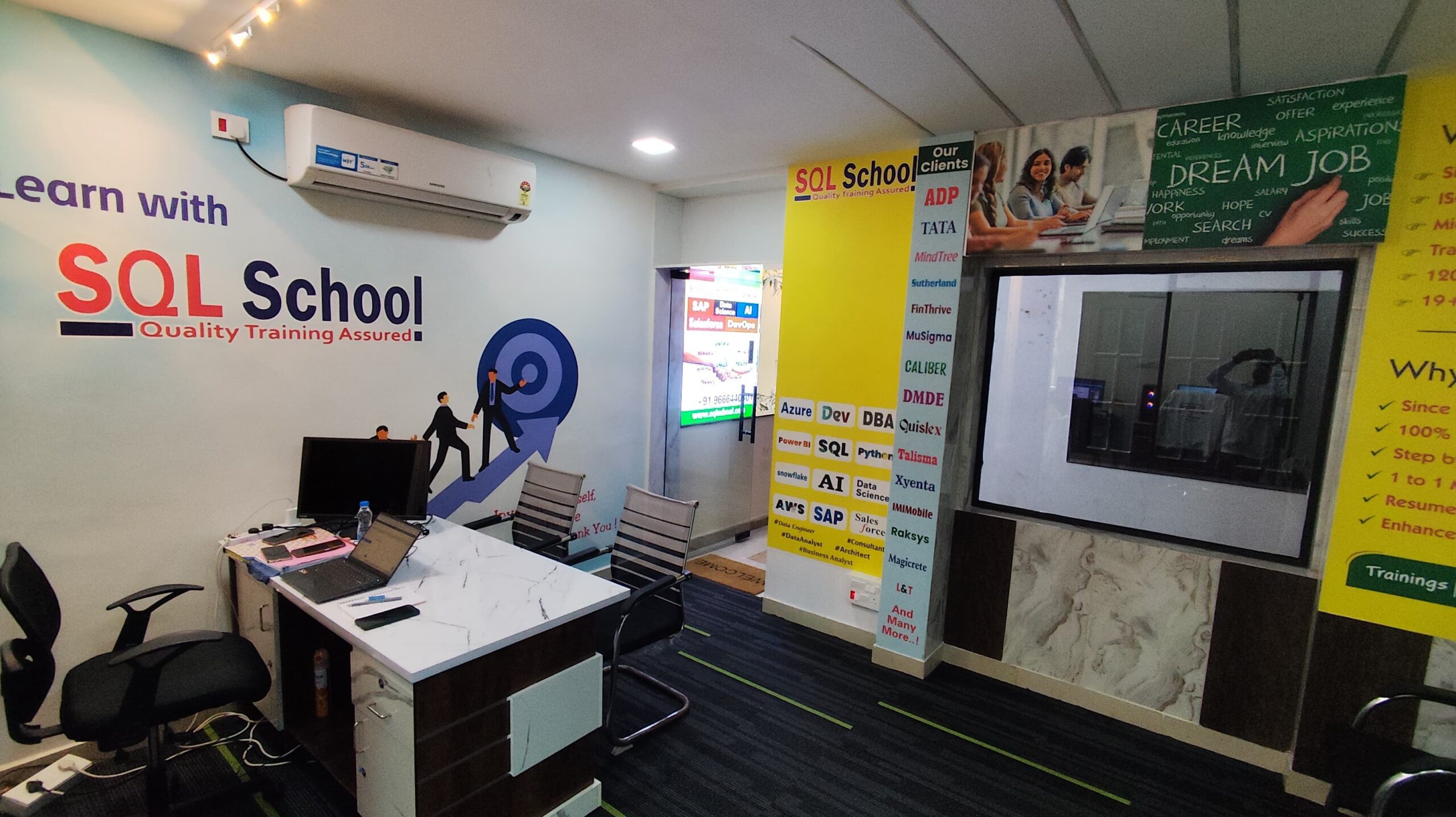
- 100% Real-Time and Practical
- ISO 9001:2008 Certified
- Weekly Mock Interviews
- 24/7 LIVE Server Access
- Realtime Project FAQs
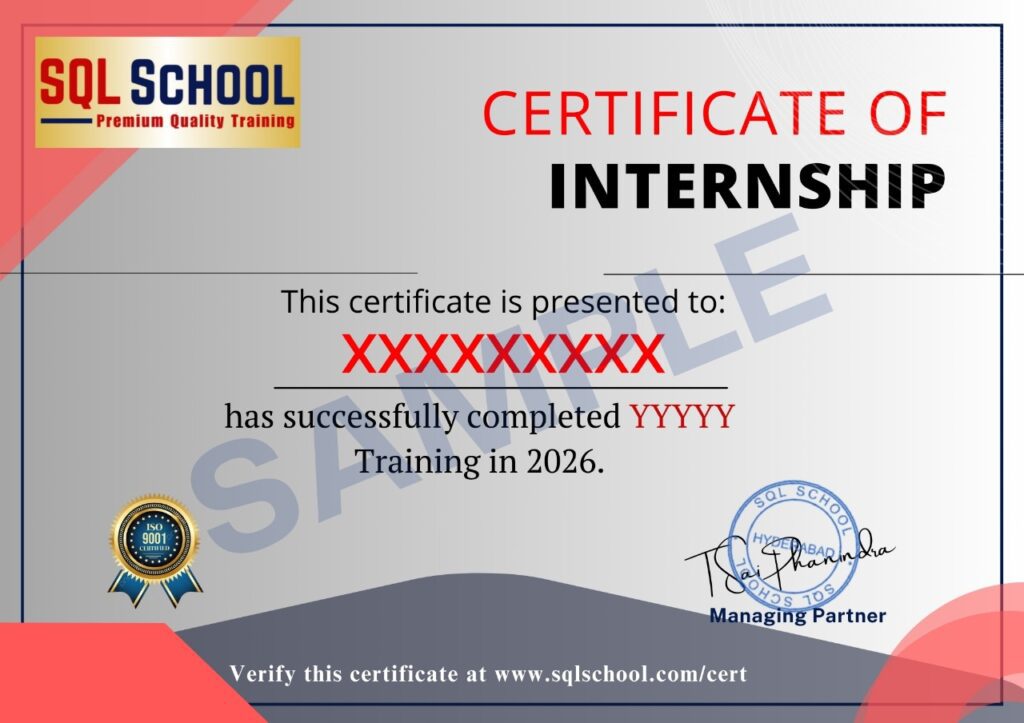
- Course Completion Certificate
- Placement Assistance
- Job Support